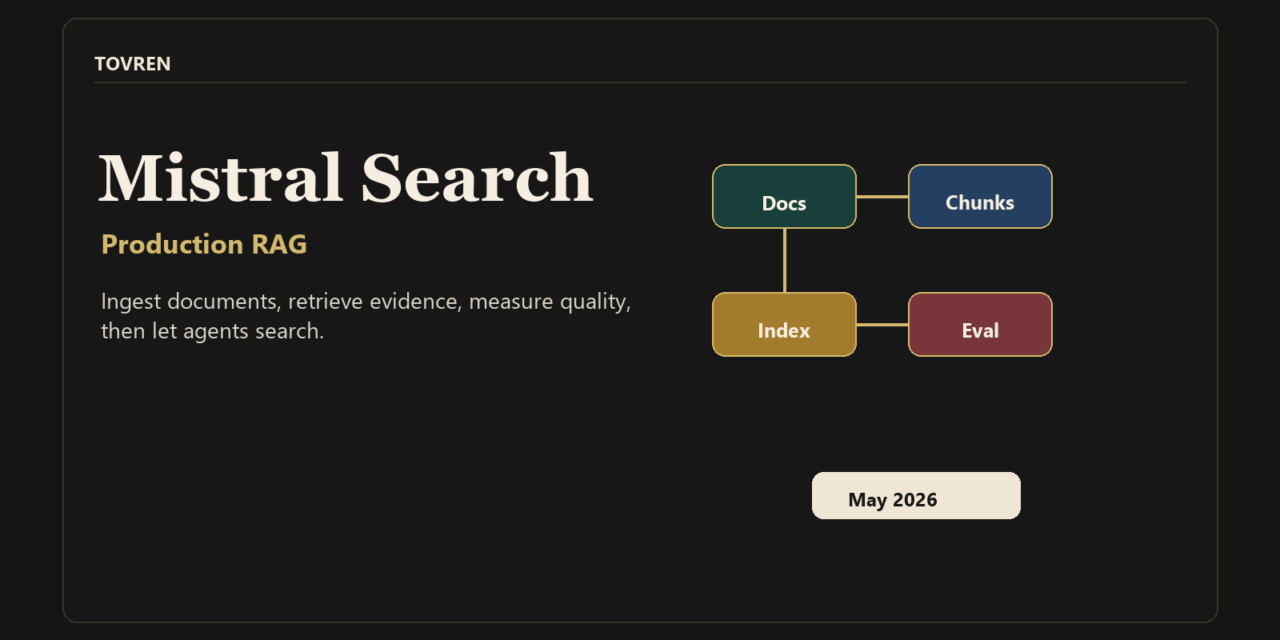
Use Mistral Search Toolkit if you need a controllable, production-oriented RAG/search pipeline over private or domain-specific data and you are ready to evaluate retrieval quality yourself. Do not treat it as a drop-in replacement for a finished enterprise search product yet. It is in public preview, so the right move for most AI teams is a measured pilot: test ingestion quality, hybrid retrieval, reranking, evaluation metrics, deployment fit, and operational ownership before putting it under a critical customer-facing workflow.
Mistral AI released Search Toolkit in public preview on May 28, 2026. The important part is not that it adds another RAG library to the market. The useful part is that Mistral is packaging ingestion, retrieval, and evaluation behind a shared, swappable interface. That matters because many failed RAG projects are not model failures. They are retrieval failures: bad parsing, weak chunking, missing metadata, wrong ranking strategy, no relevance test set, and no way to compare retrieval configurations release by release.
For teams building AI products, internal copilots, customer-support search, analyst tools, compliance assistants, or agentic workflows, Search Toolkit deserves attention. It is especially relevant if you need private document search, hybrid search, OCR, reproducible retrieval experiments, and deployment flexibility across cloud, on-premises, or edge environments.
What Mistral Search Toolkit actually is
Search Toolkit is a Python framework for building information retrieval systems for AI applications. Mistral describes it as open source, composable, backend-agnostic, and designed around production search pipelines. In practice, that means it gives you building blocks for the three layers that matter in a serious RAG system:
- Ingestion: load files, extract content, split text, enrich chunks, create embeddings, and index data.
- Retrieval: search indexed chunks with vector search, BM25 keyword search, hybrid retrieval, query rewriting, query expansion, reranking, and semantic caching.
- Evaluation: measure whether the retriever returns the right context before blaming the LLM.
The framework is not just a vector database wrapper. It sits above storage, parsing, chunking, embedding, retriever, reranker, query-preprocessing, and evaluation choices. Mistral’s docs describe high-level orchestration classes including Pipeline for ingestion and QueryEngine for retrieval. Built-in components include file loaders, OCR and text extractors, multiple text splitters, a summary enricher, Mistral embeddings, Vespa support, vector retrievers, LLM and cross-encoder rerankers, reciprocal rank fusion, query rewriting, query extension, and semantic caching.
Search Toolkit is not the same as generic AI web search
A lot of teams use “AI search,” “RAG,” and “agent search” interchangeably. That creates bad product decisions. Search Toolkit is best understood as infrastructure for private or domain-specific retrieval, not as a generic web-search button.
| Concept | What it means | Where Search Toolkit fits | Common failure |
|---|---|---|---|
| Generic AI web search | An AI product searches the public web or live online sources. | Not the core use case. Search Toolkit is for indexed search pipelines, especially over your own corpus. | Teams assume web search solves private knowledge, permissions, or internal document relevance. |
| Private document search | Search over internal PDFs, docs, tickets, emails, spreadsheets, HTML, or knowledge bases. | Strong fit, provided your ingestion and permission model are tested. | Bad OCR, missing metadata, stale indexes, or inaccessible source systems. |
| RAG | Retrieval-augmented generation: retrieve context, then generate an answer grounded in that context. | Strong fit for the retrieval side of RAG; generation still needs prompts, model selection, grounding checks, and UX. | Teams tune prompts when the real defect is retrieval quality. |
| Retrieval evaluation | Measuring whether search returns the right items for a representative query set. | Central fit. Search Toolkit includes metrics such as recall, precision, MRR, and NDCG. | No gold set, no relevance judgments, no regression tracking. |
| Agent search tools | Search exposed as a callable tool inside an autonomous or semi-autonomous agent workflow. | Useful when agents need reliable indexed context in addition to live connectors or APIs. | Agents over-query, retrieve weak evidence, or act on stale context without observability. |
For agent systems, Search Toolkit should be treated as one tool in a broader agent architecture. It can give an agent a high-quality indexed search path, but you still need tool routing, permission checks, logging, trace analysis, and failure review. For that layer, see Tovren’s guide to an agent observability stack with Weave, LangSmith, and OpenTelemetry.
Who should use it now
Use it now for a pilot if you have a real corpus, a real search problem, and a team that can own retrieval quality. Good candidates include enterprise AI platform teams building internal RAG, startups building search-heavy AI products, support and knowledge-base teams, data teams indexing mixed file types, and AI teams that want to compare vector, BM25, hybrid, and reranked retrieval without rebuilding the full stack each time.
It is also a good fit if deployment flexibility matters. Mistral says Search Toolkit can run in cloud, on-premises, and edge environments. That makes it more interesting for regulated or latency-sensitive teams than a purely hosted search product, provided your organization is comfortable operating the surrounding infrastructure.
Who should not use it yet
Do not move a critical production search system to Search Toolkit solely because it is new. It is in public preview, and public preview software should be validated under your own security, reliability, latency, cost, and maintenance requirements before production use.
You may be better served by another approach if you need a fully managed search product with vendor-owned operations, admin UI, mature connectors, access-control features, analytics, and support guarantees. You may also not need it if your app only searches a few hundred clean text snippets and a simple vector database already meets your quality and latency targets.
The production RAG checklist
A production RAG pipeline is not “upload documents to a vector DB and ask questions.” It is a search system with governance, measurement, failure handling, and release discipline. Use this checklist before committing to Mistral Search Toolkit or any competing stack.
| Layer | What to decide | What good looks like | What to test first |
|---|---|---|---|
| Corpus | Which sources are in scope: PDFs, DOCX, PPTX, HTML, spreadsheets, email, plain text, tickets, wiki pages, or code. | Each source has owner, refresh cadence, metadata, and deletion rules. | Index 100 to 1,000 representative documents, not only clean samples. |
| Parsing | Which extractor to use for each file type. | Tables, headings, footnotes, scanned pages, and attachments survive extraction well enough for retrieval. | Compare extracted text against the original for high-value document types. |
| Chunking | Character, token, markdown-aware, or separator-based splitting. | Chunks preserve answerable context without becoming too broad. | Run the same query set against multiple chunk sizes and overlap settings. |
| Retrieval | BM25, dense vector, hybrid, reranked, query-rewritten, or query-expanded. | Correct source chunks appear in the top results across keyword-heavy and semantic queries. | Compare recall@k, precision@k, MRR, and NDCG on a gold set. |
| Grounding | How answers cite, quote, or display retrieved evidence. | Users can inspect the source behind important claims. | Test refusal behavior when retrieval is weak or no source is found. |
| Operations | How you deploy, monitor, reindex, roll back, and measure cost. | Search quality and latency are tracked across releases. | Run a reindex, an embedding-model change, and a rollback before launch. |
If your organization is building a broader production loop for AI agents, connect retrieval evaluation to your improvement process. Tovren’s continuous agent improvement production loop covers how to turn production failures into repeatable tests and releases.
Installation and starter path
Mistral’s docs say Search Toolkit requires Python 3.12+ and recommends uv. The core install command is:
uv add mistralai-search-toolkitFor Vespa support, Mistral’s docs show:
uv add "mistralai-search-toolkit[vespa]"Optional extras include Vespa, PyMuPDF extraction, spreadsheet extraction, email extraction, HTML-to-Markdown conversion, LangChain text splitters, Google Cloud Storage, Azure Blob Storage, and an all extra. Choose extras based on the data you actually need to ingest; do not install everything by default in a controlled production environment without reviewing dependencies.
Mistral’s release post and GitHub starter repository show this starter command:
uvx copier copy gh:mistralai/search-starter-app my-search-projectThen, from the generated project, the starter flow shown by Mistral is:
cd my-search-project make setup-vespa make ingest path=sample_data/hello.txt make search query="hello world"Do not confuse these commands with a production deployment. They are a quickstart path. Use them to inspect project structure, understand the ingestion and search entry points, and create a baseline. Before production, you still need environment separation, secrets management, access control, monitoring, schema review, load tests, reindex strategy, and evaluation gates.
Retrieval strategy: sparse, dense, hybrid, rerank
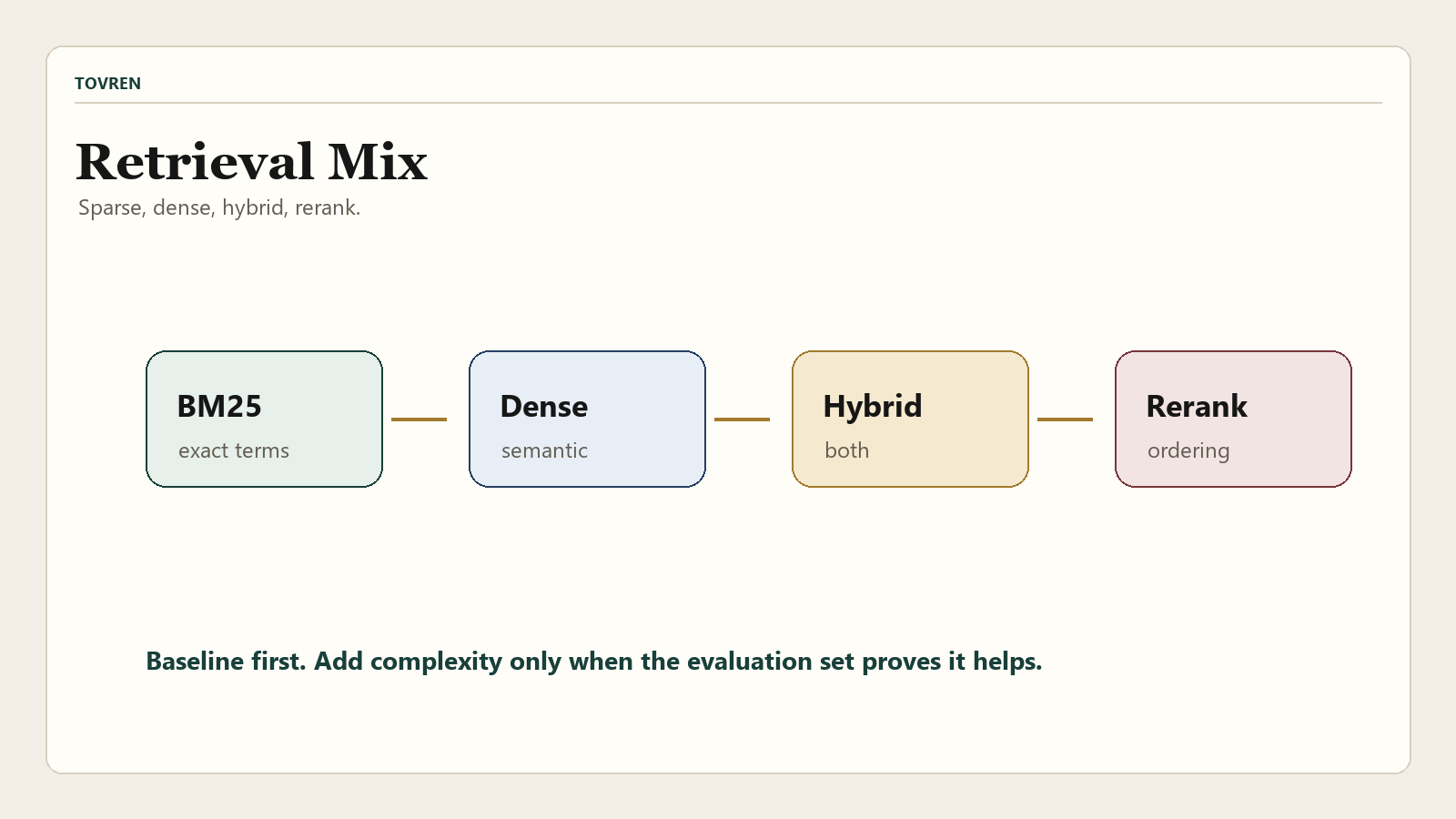
The default mistake in RAG is choosing dense vector search because it sounds modern. Dense retrieval is useful, but it is not automatically better than keyword search. Acronyms, SKUs, legal clauses, product IDs, error codes, and exact names often need sparse retrieval. Ambiguous natural-language questions often benefit from dense retrieval. Many real systems need both.
| Strategy | Use it when | Watch out for | First evaluation question |
|---|---|---|---|
| BM25 sparse retrieval | Queries contain exact terms, product names, IDs, clauses, acronyms, ticket codes, or policy names. | It may miss semantically related passages that use different wording. | Does it retrieve exact-match evidence better than vector search? |
| Dense vector retrieval | Users ask natural-language questions and relevant passages may use different wording. | It can retrieve plausible but wrong neighbors when terminology is precise. | Does semantic recall improve without damaging precision? |
| Hybrid retrieval | Your corpus mixes exact-match and semantic-relevance queries. | Fusion and weighting can hide weak individual retrievers. | Does hybrid beat both sparse and dense baselines on your query set? |
| Query rewriting | User queries are vague, messy, conversational, or underspecified. | Rewrite models can change intent or remove important constraints. | Does rewriting improve recall without introducing intent drift? |
| Query extension | You need multiple query variants for broad discovery. | It can increase latency and retrieve noisy context. | Does extension improve top-k coverage enough to justify cost? |
| Reranking | You can retrieve broadly, then need sharper ordering before generation. | LLM reranking or cross-encoder reranking adds latency and cost. | Does reranking improve MRR and NDCG at the answer-visible cutoff? |
For most production RAG pilots, start with three baselines: BM25, dense vector, and hybrid. Only add query rewriting, query extension, reranking, and semantic caching after you know the baseline failure modes.
Evaluation plan: recall, precision, MRR, NDCG, and task success
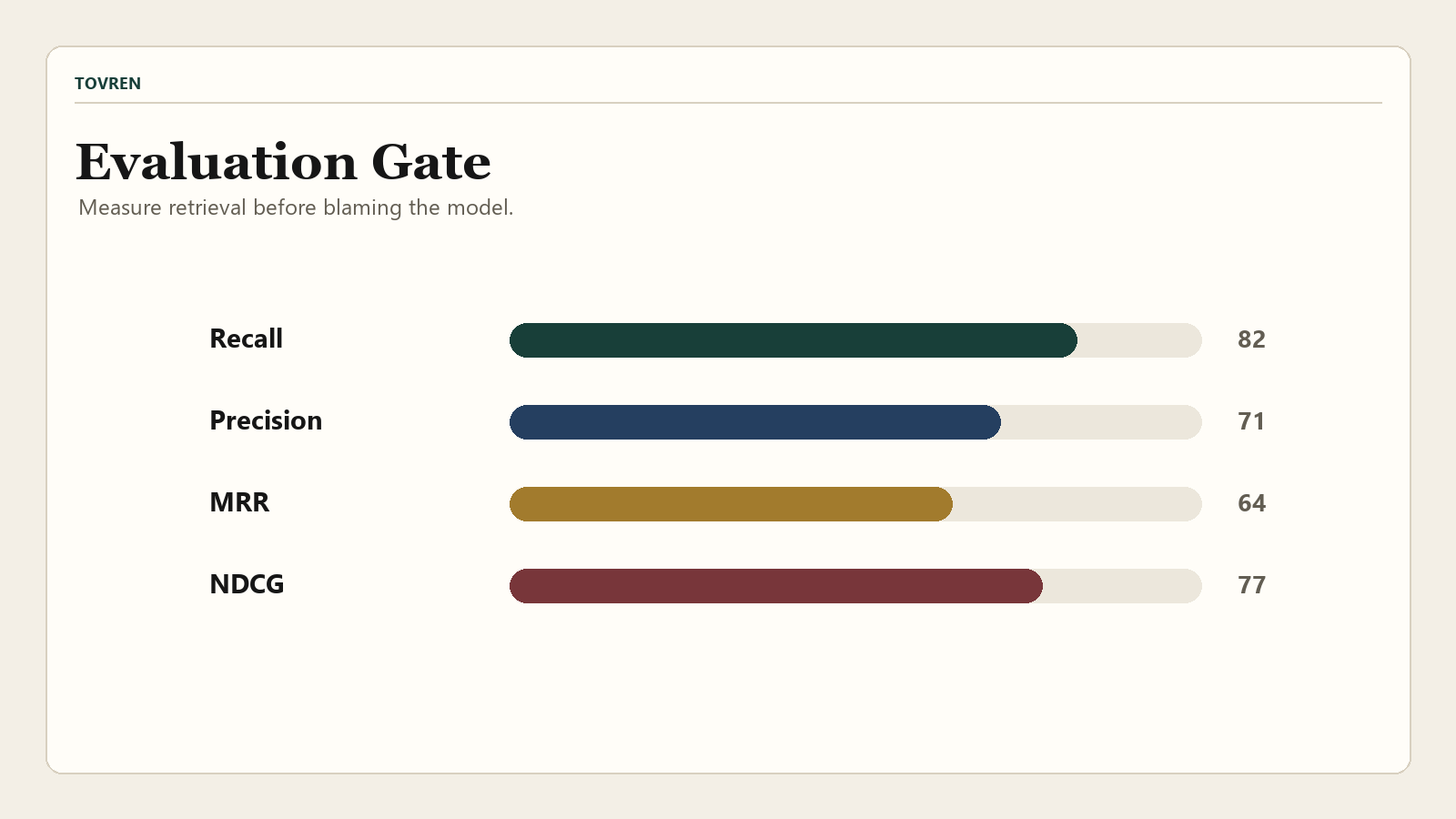
Mistral says Search Toolkit includes built-in metrics such as recall, precision, MRR, and NDCG. That is the right direction because retrieval should be measured independently from generation. A good answer from the LLM does not prove the retriever is reliable, and a bad generated answer does not prove the retriever failed.
Build a small relevance set before your pilot becomes political. Start with 50 to 150 representative queries. Include common questions, edge cases, exact-match queries, semantic queries, adversarially vague queries, stale-document queries, permission-sensitive queries, and queries that should return no answer. For each query, define the relevant documents or chunks and mark unacceptable results.
Use retrieval metrics to compare configurations. Use task success to evaluate the full user workflow. For example: did the support agent find the correct policy? Did the analyst locate the right filing? Did the SEO product owner retrieve the right canonical source? Did the agent stop when evidence was missing?
Private documents, OCR, spreadsheets, email, and HTML: what to test
The docs list ingestion support for PDF/DOCX/PPTX through Mistral OCR, HTML, spreadsheets, emails, and plain text, plus filesystem loading and custom loaders. That breadth is useful, but the production question is not “does the loader exist?” The production question is “does the extracted representation preserve the information users need?”
For PDFs, test scanned pages, multi-column layouts, tables, headers, footers, page numbers, legal exhibits, and images containing important text. For spreadsheets, test merged cells, formulas, multiple sheets, hidden rows, financial tables, and CSV edge cases. For email, test threads, attachments, quoted replies, signatures, and sender metadata. For HTML, test navigation clutter, boilerplate, tables, embedded widgets, canonical content, and markdown conversion quality.
Do not index everything with the same chunking strategy. A policy PDF, an email thread, a spreadsheet, and a product documentation page have different retrieval shapes. Search Toolkit’s swappable splitters and extractors are useful precisely because production corpora are not uniform.
Agent use case: when search becomes a tool
Search becomes an agent tool when an AI system can decide when to query it, what query to send, how to interpret the result, and what action to take next. That is more dangerous than a user manually searching a knowledge base. A weak retriever can silently poison a long workflow.
Use Search Toolkit behind an agent when the agent needs indexed, relatively stable knowledge: documentation, policies, prior cases, contracts, support articles, product specs, or research archives. Use live connectors or APIs when the agent needs the latest state from a CRM, repository, ticketing system, inventory system, or calendar. In many systems, the correct architecture is both: indexed retrieval for corpus-scale search and live tools for current operational state.
If your product depends on agents using website or search data as an external source, compare this with Tovren’s analysis of website AI-agent data sources and search agents. The design question is whether your agent needs public discovery, private retrieval, or transaction-grade live data.
Search Toolkit vs DIY stacks, hosted search, and simple vector DBs
The strongest argument for Search Toolkit is not that it replaces every existing search component. It is that it gives teams one framework for composing and evaluating those components. That is attractive if your current RAG stack is a fragile mix of custom scripts, vector database calls, ad hoc chunking, and separate evaluation notebooks.
| Option | Best for | Strength | Weakness | Use this when |
|---|---|---|---|---|
| Mistral Search Toolkit | Teams building controlled RAG/search pipelines with swappable ingestion, retrieval, and evaluation. | Unified framework, hybrid retrieval path, evaluation focus, deployment flexibility. | Public preview; your team still owns operations and validation. | You need to improve retrieval quality systematically, not just store vectors. |
| DIY LangChain or LlamaIndex stack | Teams that want maximum ecosystem flexibility and already have strong internal engineering patterns. | Large ecosystem, many integrations, flexible orchestration. | Can become difficult to standardize, evaluate, and operate across teams. | You need broad framework flexibility more than a focused search toolkit. |
| Hosted enterprise search | Teams that want managed connectors, admin UI, support, and operational maturity. | Less infrastructure ownership, often better non-engineer administration. | Less control over custom retrieval experiments and deployment environment. | You need a product more than a framework. |
| Simple vector database | Small apps with clean text chunks and straightforward semantic search. | Fast to implement, easy to understand. | Does not solve parsing, chunking, evaluation, reranking, or hybrid retrieval by itself. | Your corpus is small and retrieval quality is already good enough. |
| Local-only AI stack | Privacy-sensitive or offline workflows with local models and local storage. | Strong data-control story. | More hardware, model, and operations constraints. | You cannot send data to external APIs or need local inference. See Tovren’s local AI setup guide for related tradeoffs. |
Enterprise teams comparing model providers should also separate retrieval infrastructure from model selection. A retrieval system can be model-agnostic, but embeddings, rerankers, generation models, and governance policies still affect outcomes. Tovren’s Cohere Command A enterprise test plan is a useful template for structuring model-side evaluation separately from retrieval-side evaluation.
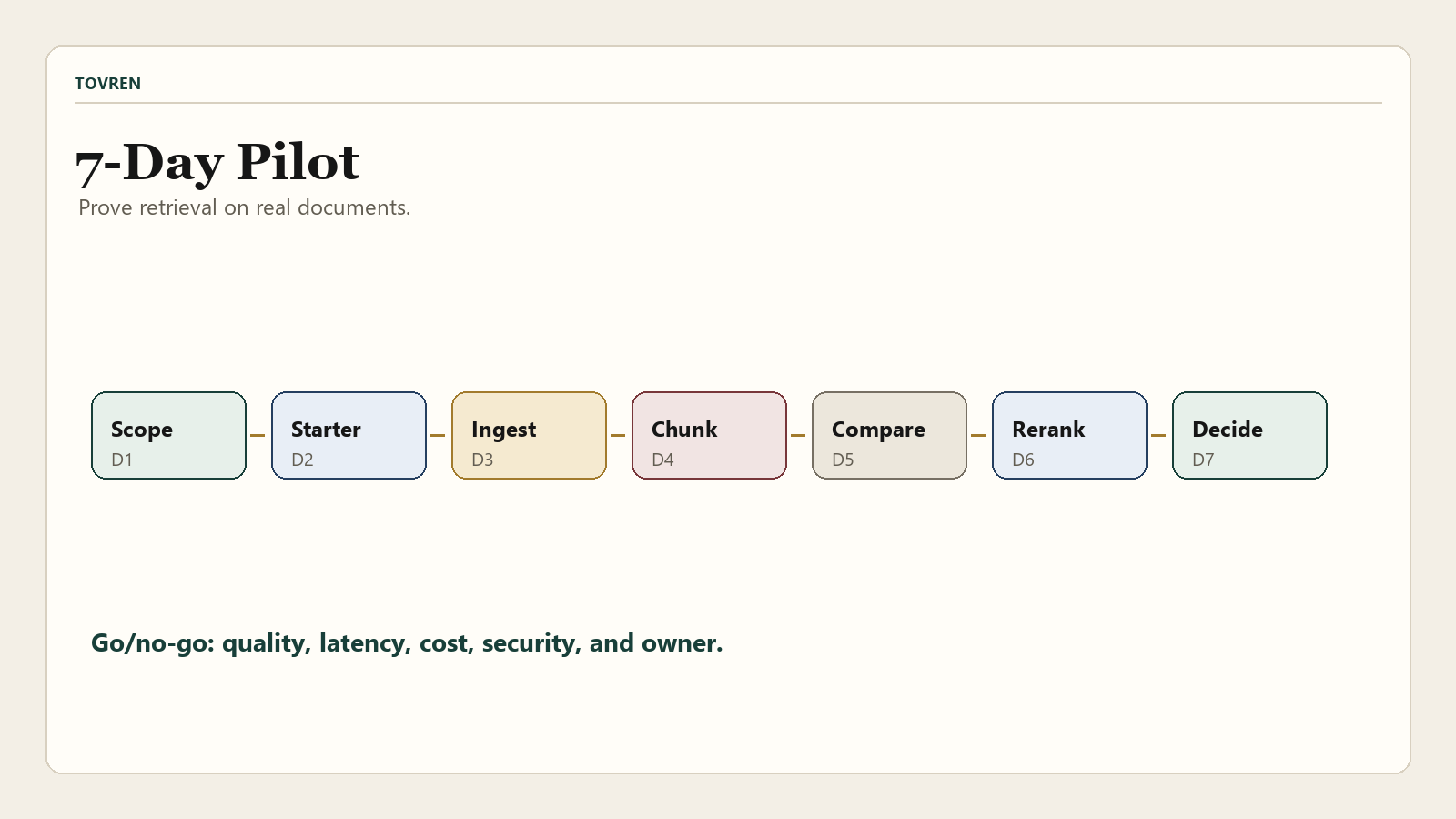
A 7-day implementation plan
Do not spend the first month building the perfect system. Spend the first week proving whether Search Toolkit can retrieve the right evidence from your real corpus.
| Day | Goal | Work to do | Exit criterion |
|---|---|---|---|
| Day 1 | Define the search problem. | Select one corpus, one user workflow, and 50 representative queries. | You have a scoped pilot and named owner. |
| Day 2 | Run the starter path. | Create a starter project, inspect Vespa setup, ingest sample data, and run a simple search. | The team understands the project structure and local dependencies. |
| Day 3 | Ingest real documents. | Load a representative sample including messy PDFs, HTML, spreadsheets, emails, or text. | Extraction defects are documented by file type. |
| Day 4 | Test chunking and metadata. | Compare splitter choices, chunk sizes, overlap, summaries, and metadata fields. | At least two ingestion configurations are ready for retrieval tests. |
| Day 5 | Compare retrieval baselines. | Run BM25, dense vector, and hybrid configurations where available. | You have recall, precision, MRR, and NDCG comparisons. |
| Day 6 | Add reranking and query preprocessing. | Test query rewriting, query extension, and reranking only against baseline failures. | You know whether extra latency and cost improve quality. |
| Day 7 | Make the go/no-go decision. | Review quality, latency, cost, deployment, security, and operational ownership. | You decide whether to extend the pilot, adopt, or choose another stack. |
Failure modes and how to catch them
The biggest risk is not that Search Toolkit lacks features. The bigger risk is that your team treats the toolkit as proof that retrieval quality is solved. It is not. You still need tests.
| Failure mode | How it shows up | Likely cause | How to catch it | Fix to try |
|---|---|---|---|---|
| Wrong chunk retrieved | The answer cites a nearby but incorrect policy, clause, or section. | Chunking too broad, metadata missing, or ranking too semantic. | Review top 10 results for high-value queries. | Adjust chunking, add section metadata, test BM25 or hybrid retrieval. |
| OCR corruption | Scanned PDFs produce missing numbers, broken tables, or garbled text. | Document quality, layout complexity, or extractor limits. | Sample extracted text against originals. | Use OCR-specific extraction, preprocess scans, or route difficult files to manual review. |
| Spreadsheet meaning lost | Rows retrieve without headers, units, sheet names, or context. | Table structure not preserved during extraction or chunking. | Ask queries that require row-header relationships. | Include sheet, header, row, and column metadata in chunks. |
| Query rewriting changes intent | The rewritten query sounds cleaner but retrieves the wrong topic. | LLM preprocessor over-normalizes user intent. | Log original and rewritten queries side by side. | Disable rewriting for exact-match queries or constrain rewrites. |
| Reranker improves demos but hurts edge cases | Top result looks better for common queries but rare queries regress. | Reranker preference does not match domain relevance. | Track NDCG and MRR by query category. | Use category-specific evaluation and consider custom reranking rules. |
| Agent acts on stale context | The agent retrieves an old policy or outdated product page and continues workflow. | Refresh cadence, source timestamp, or index freshness not enforced. | Add freshness tests and stale-document queries. | Store timestamps, filter old content, and connect live systems where current state matters. |
Verdict: pilot it, but make evaluation the gate
Mistral Search Toolkit is worth piloting if your team is serious about production RAG and wants a structured way to assemble ingestion, retrieval, and evaluation. Its strongest appeal is for builders who have moved past toy vector search and need to compare retrieval strategies on real private data.
The practical adoption rule is simple: do not adopt Search Toolkit because it supports many components; adopt it only if it improves measured retrieval quality and reduces integration burden in your environment. Your go/no-go criteria should include extraction quality, recall, precision, MRR, NDCG, latency, cost, deployment model, security posture, and team ownership.
For a startup building a search-heavy AI product, it may become a strong default if the pilot shows better retrieval quality than a simple vector DB and less maintenance than a DIY framework stack. For an enterprise platform team, it is a credible candidate for a standardized RAG/search layer, but public preview status means it should pass internal reliability, compliance, and operational review before critical use.
Source log
| Source | Publisher | Date visible | Access date | Claims supported |
|---|---|---|---|---|
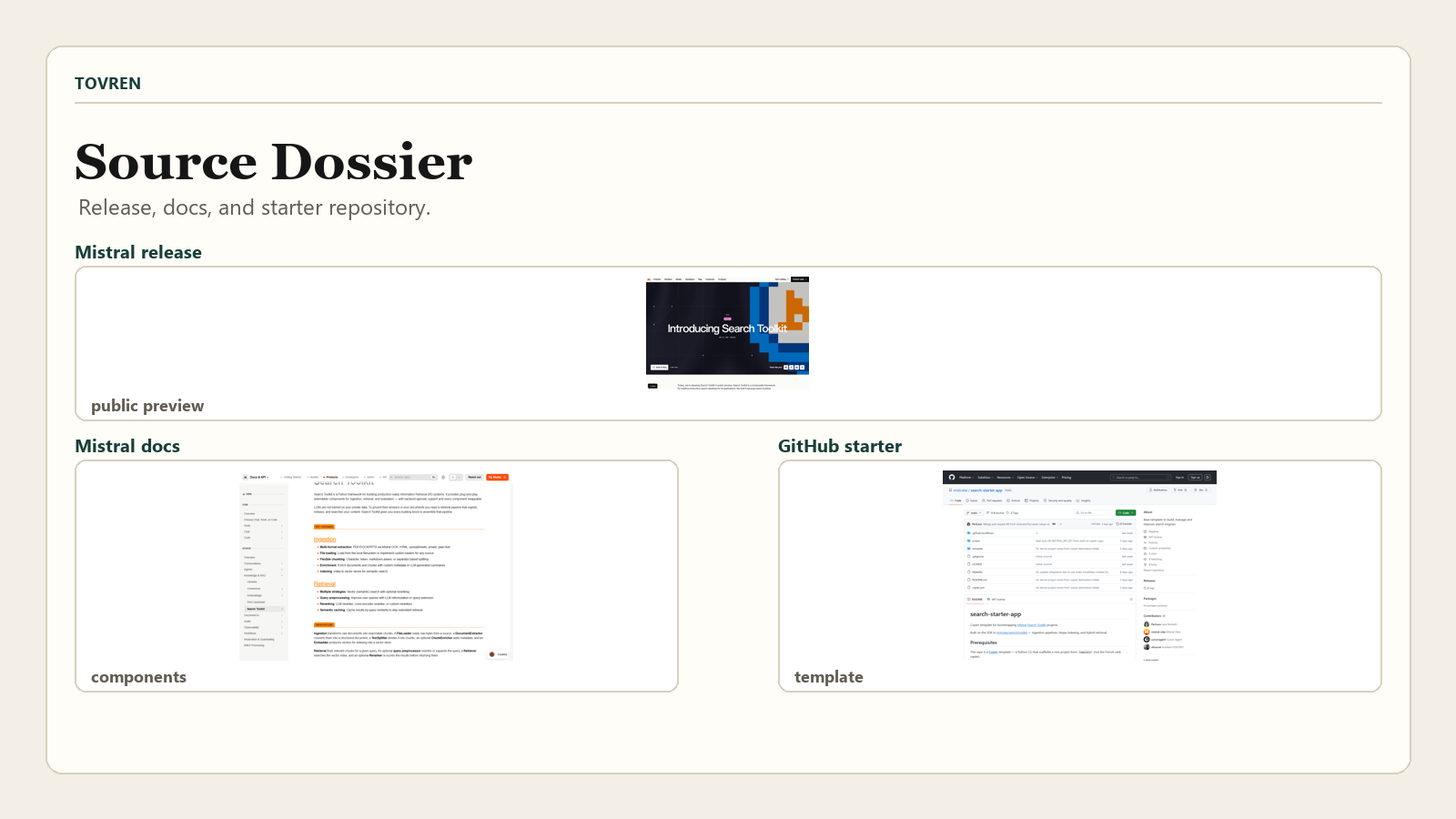
| Introducing Search Toolkit | Mistral AI | May 28, 2026 | May 30, 2026 | Public preview release; open source composable framework; ingestion, retrieval, evaluation; cloud/on-premises/edge; BM25, dense, hybrid; built-in metrics; starter command; enterprise positioning. |
| Search Toolkit documentation | Mistral AI Docs | Not shown | May 30, 2026 | Python framework; production-ready IR systems; backend-agnostic design; ingestion, retrieval, evaluation components; supported extractors, splitters, enrichers, embedders, stores, rerankers, query preprocessors, and cache. |
| Search Toolkit Quickstart | Mistral AI Docs | Not shown | May 30, 2026 | Python 3.12+ prerequisite; Docker and Mistral API key; uv install command; Vespa local setup; ingestion pipeline and QueryEngine examples; OCR swap for PDFs. |
| Search Toolkit Ingestion | Mistral AI Docs | Not shown | May 30, 2026 | Ingestion architecture; file loading; extraction; text splitting; chunk enrichment; embedding; indexing; Pipeline role. |
| Search Toolkit Retrieval | Mistral AI Docs | Not shown | May 30, 2026 | Vector, keyword BM25, and hybrid retrieval; query preprocessing; parallel retrievers; reranking; QueryEngine role. |
| mistralai/search-starter-app | Mistral AI on GitHub | Updated May 27, 2026 on organization listing | May 30, 2026 | Starter template purpose; Copier command; Docker and uv prerequisites; generated project quickstart; Vespa indexing and hybrid retrieval template structure. |
FAQ
Is Mistral Search Toolkit production-ready?
Mistral’s docs call it a framework for production-ready information retrieval systems, while the release says Search Toolkit is in public preview. Treat it as production-oriented infrastructure that still requires your own validation before critical production use.
Does Search Toolkit replace a vector database?
No. It can use a vector store, including Vespa or a custom vector store, but it also covers ingestion, extraction, chunking, embedding, retrieval orchestration, reranking, query preprocessing, caching, and evaluation.
Should I use BM25, dense vector search, or hybrid search?
Test all three on your corpus. Use BM25 for exact terms and identifiers, dense vector search for semantic matches, and hybrid retrieval when your users mix exact and natural-language queries.
Can Search Toolkit handle private company documents?
It is designed for private-data retrieval pipelines, and Mistral lists support for PDFs, DOCX, PPTX, HTML, spreadsheets, emails, and plain text. You still need to implement permissions, security review, source freshness, and deletion workflows.
Is Search Toolkit enough to build an AI agent?
No. It can provide the indexed search layer an agent calls, but you still need agent orchestration, tool routing, permissions, observability, evaluation, and safeguards.