Direct answer: OpenJarvis with Ollama is worth installing now if you want to test a local-first personal AI agent on your own machine, especially for research, briefing, and coding workflows. It is not a guaranteed replacement for cloud agents. The useful way to evaluate it is to install it with Ollama, run a small set of real personal-agent tasks for one week, and compare accuracy, latency, cost, privacy exposure, and failure rate against your current workflow.
OpenJarvis v1.0 matters because it is not just another “run a local model” wrapper. According to the Ollama launch post, OpenJarvis is an open-source, local-first personal AI framework from Stanford Hazy Research and Scaling Intelligence labs, built as part of Intelligence Per Watt research. Models run locally by default, cloud use is optional, and the system tracks energy, cost, latency, and accuracy.
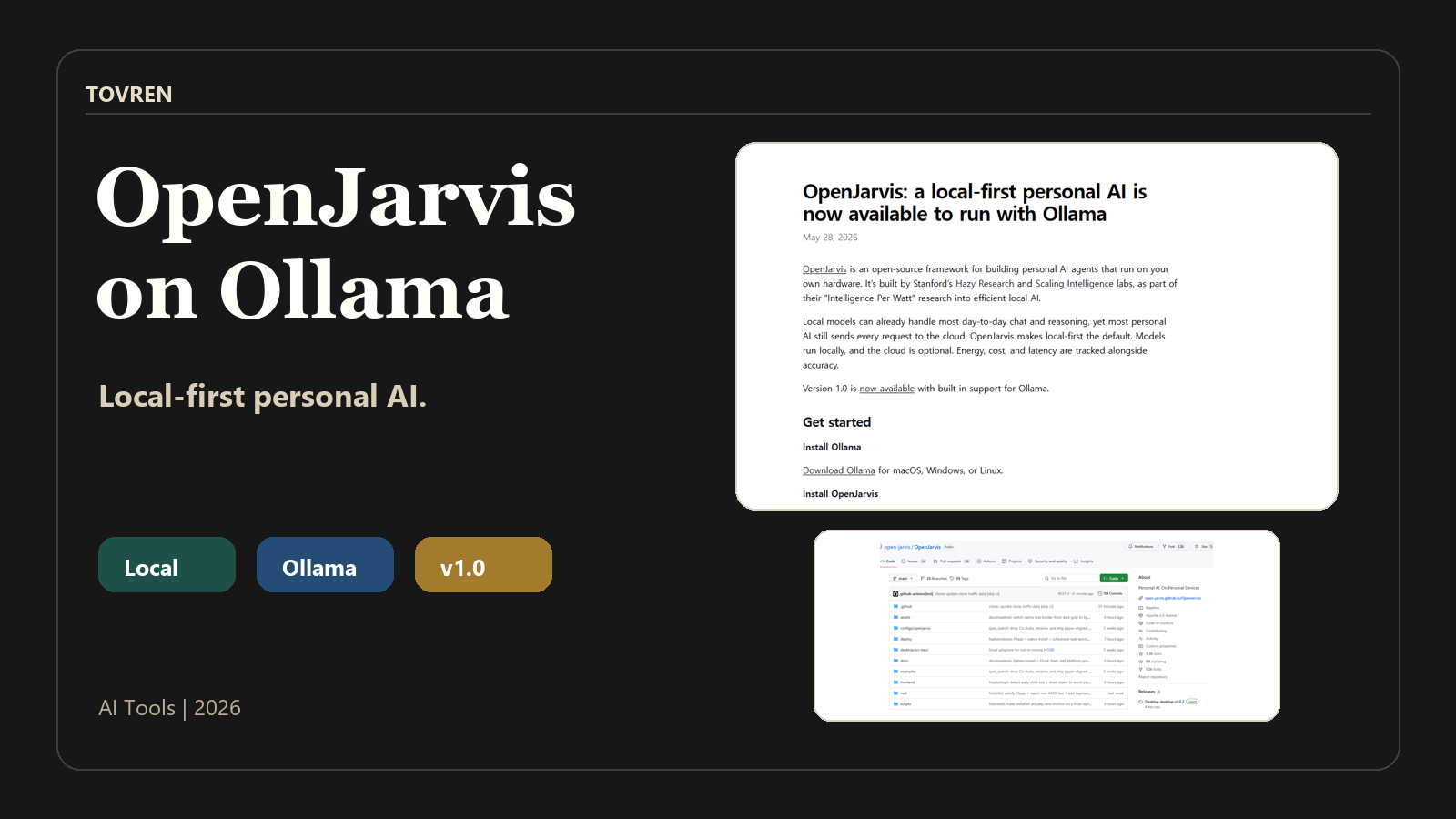
The important caveat is in the OpenJarvis paper: simply replacing cloud frontier models with local models inside existing personal AI stacks did not work well. The paper reports that swapping Claude Opus 4.6 for Qwen3.5-9B dropped accuracy by 25–39 percentage points across personal AI tasks such as PinchBench and GAIA, while prompt optimizers closed only 5 percentage points of the local-cloud gap on their own. OpenJarvis is interesting because it attacks that gap with a typed system specification and LLM-guided spec search, not because local models magically match cloud models on every task.
TL;DR
- Install it if: you are comfortable running Ollama, testing local models, and auditing agent access to email, calendar, local documents, or code execution.
- Wait if: you need a polished consumer assistant, fixed hardware requirements, or guaranteed cloud-level accuracy without your own evaluation.
- Best first test: run OpenJarvis with Ollama on one model, one personal research task, one briefing task, and one small coding task.
- Biggest upside: local-by-default inference, optional cloud use, and measurable cost, latency, energy, and accuracy tradeoffs.
- Biggest risk: overtrusting a local agent that has access to sensitive personal data, local files, or Python execution.
What OpenJarvis with Ollama is
OpenJarvis is a local-first personal AI framework that can run with Ollama. The official Ollama post describes it as open source and designed for personal AI on local devices, with local models as the default and cloud use as optional. The official repository is https://github.com/open-jarvis/OpenJarvis, and the documentation is available at https://open-jarvis.github.io/OpenJarvis/.
The official docs say OpenJarvis needs at least one inference backend. Supported examples include Ollama, vLLM, llama.cpp, SGLang, or a cloud API. For this guide, the practical path is Ollama because the launch post gives direct Ollama commands and configuration settings.
| Question | Practical answer | What to verify yourself |
|---|---|---|
| Is OpenJarvis local-first? | Yes. Models run locally by default when using a local backend such as Ollama. | Check your backend configuration before giving it sensitive data. |
| Is cloud completely absent? | No. Cloud is optional, and the paper’s spec-search method uses cloud frontier models at search time to propose spec edits. | Separate inference-time use from search-time optimization or fallback use. |
| Is it open source? | Yes. The official repository is hosted at github.com/open-jarvis/OpenJarvis. | Review the repository, issues, and docs before production use. |
| What does Ollama add? | Ollama gives OpenJarvis a local inference backend and a direct model pull/run path. | Make sure Ollama is installed, running, and serving the model you choose. |
Who should install OpenJarvis now?
OpenJarvis with Ollama is best treated as an evaluation project, not a drop-in personal assistant. The strongest fit is a builder or team that can define test tasks, inspect outputs, and restrict what the agent can access.
| Reader type | Install now? | Why | Suggested first use case |
|---|---|---|---|
| AI builders | Yes | You can evaluate the typed spec architecture, local backend behavior, and task-level performance. | Local research agent with citations from web and local documents. |
| Power users | Yes, with caution | The presets are practical, but personal data access needs careful boundaries. | Morning briefing using calendar, email, and news. |
| Small teams | Yes, for a pilot | Cost and latency claims are promising, but teams need governance and repeatable tests. | Seven-day internal pilot with a defined go/no-go checklist. |
| Nontechnical users | Probably not yet | The setup path includes local inference backends, command-line use, and configuration files. | Wait for a more packaged experience. |
| Security-sensitive teams | Only in a controlled sandbox | Local-first helps reduce cloud exposure, but agent tool access and code execution remain real risks. | Offline or limited-permission test environment. |
What OpenJarvis can actually do today
The Ollama post says OpenJarvis ships with ready-to-run presets. Treat these presets as the first evaluation surface because they map to real personal AI tasks instead of abstract demos.
| Preset | What it does | Good result looks like | Main risk |
|---|---|---|---|
| Morning briefing | Uses calendar, email, and news. | A concise briefing that prioritizes relevant obligations and updates. | Overbroad access to personal email or calendar content. |
| Deep research | Searches across web and local documents with citations. | A cited answer that distinguishes source facts from model synthesis. | Weak citations, stale sources, or poor handling of local documents. |
| Local coding agent | Writes and runs Python. | Small, reviewable scripts that run successfully in a controlled environment. | Unsafe code execution, accidental file changes, or leakage of secrets. |
Hardware and setup checklist
The supplied official facts do not give a fixed RAM, VRAM, CPU, GPU, or storage minimum. Do not assume that one hardware specification is guaranteed. Your real requirement depends on the local model you choose, the backend you run, and the tasks you evaluate.
| Requirement | Minimum practical check | Why it matters |
|---|---|---|
| Operating system | macOS or Linux can use the shell install path. Windows users should use WSL2 or the desktop app path mentioned by Ollama. | The install command in the Ollama post is for macOS/Linux. |
| Inference backend | Run at least one backend, such as Ollama. | The OpenJarvis docs say at least one inference backend is required. |
| Ollama service | Start or confirm the backend is running with ollama serve. | The official quickstart says at least one backend should be running, for example Ollama. |
| Model availability | Pull the model before testing, for example qwen3.5:35b. | The Ollama post gives this as the model pull example. |
| Storage and local model capacity | Confirm your device can store and run the selected model. | Local inference depends on the chosen model, not just OpenJarvis itself. |
| Data permissions | Decide whether OpenJarvis can access email, calendar, local documents, and code folders. | The useful presets involve personal data and local files. |
| Test tasks | Prepare 5–10 real tasks before installing. | Local-first agents should be judged by task outcomes, not demos. |
Install OpenJarvis with Ollama
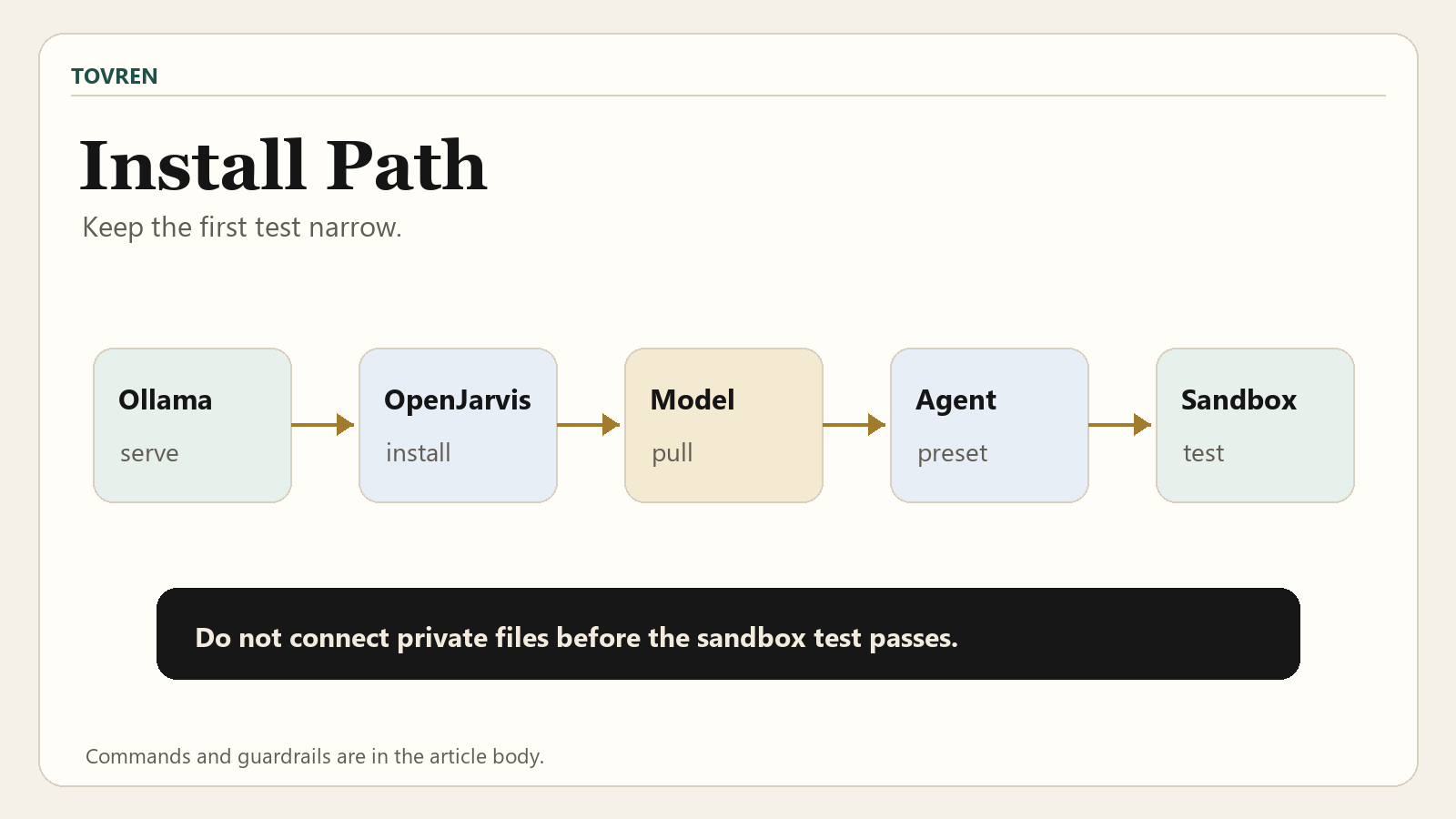
The official path is straightforward: install Ollama, install OpenJarvis, start Jarvis, pull a model, and run a test prompt. On Windows, use WSL2 or the desktop app path described by Ollama.
1. Make sure Ollama is running
ollama serve2. Install OpenJarvis on macOS or Linux
curl -fsSL https://open-jarvis.github.io/OpenJarvis/install.sh | bash3. Start OpenJarvis
jarvis4. Pull the Ollama model used in the Ollama example
jarvis model pull qwen3.5:35b5. Run a test prompt
jarvis ask -m qwen3.5:35b "Your prompt"6. Set Ollama as the preferred engine
Open ~/.openjarvis/config.toml and set the default model and engine:
default_model = "qwen3.5:35b" preferred_engine = "ollama"| Step | Command or file | Success check | Common fix |
|---|---|---|---|
| Start backend | ollama serve | Ollama is running and reachable. | Start Ollama before running Jarvis commands. |
| Install OpenJarvis | curl -fsSL https://open-jarvis.github.io/OpenJarvis/install.sh | bash | The jarvis command is available. | On Windows, use WSL2 or the desktop app path. |
| Launch Jarvis | jarvis | OpenJarvis starts without backend errors. | Confirm at least one inference backend is installed and running. |
| Pull model | jarvis model pull qwen3.5:35b | The model is available for local use. | Check model name and available storage. |
| Ask model | jarvis ask -m qwen3.5:35b "Your prompt" | You receive a model response. | Confirm config, backend, and model pull status. |
| Set default | ~/.openjarvis/config.toml | Ollama is the preferred engine by default. | Set preferred_engine = "ollama" and the correct default_model. |
Model choice matrix
The safest answer is not “use the biggest model.” The practical answer is: choose a model, define tasks, measure outputs, and only then decide whether OpenJarvis is good enough for your workflow. The paper’s key warning is that a naive local-model swap can lose substantial accuracy.
| Choice | Use when | Source-supported fact | Decision rule |
|---|---|---|---|
qwen3.5:35b through Ollama | You want to follow the Ollama example exactly. | The Ollama post shows jarvis model pull qwen3.5:35b and jarvis ask -m qwen3.5:35b. | Use it as the first reproducible test path, then benchmark your own tasks. |
| Smaller local model | Your device cannot comfortably run the larger example model. | The paper reports that replacing Claude Opus 4.6 with Qwen3.5-9B in existing stacks dropped accuracy by 25–39 percentage points. | Do not assume smaller local models are “good enough” without task tests. |
| Other local backend | Your team already uses vLLM, llama.cpp, or SGLang. | The installation docs list Ollama, vLLM, llama.cpp, SGLang, and cloud APIs as backend examples. | Use the backend your team can operate and monitor reliably. |
| Cloud API backend | You need optional cloud capability or want to compare local against frontier-model behavior. | The docs list cloud API as a backend option, and the paper describes cloud frontier models proposing spec edits at search time. | Use only with explicit privacy, cost, and data-routing controls. |
| Task-specific OpenJarvis spec | You care about repeatable personal-agent workflows, not one-off chat quality. | OpenJarvis represents personal AI as a typed spec over Intelligence, Engine, Agents, Tools and Memory, and Learning. | Evaluate the full agent workflow, not just raw model replies. |
For broader model-selection context, see Tovren’s Qwen agent model developer guide. For coding-agent prompt structure, see the Agents.md coding agent prompt pack.
Why OpenJarvis is not just a local model wrapper
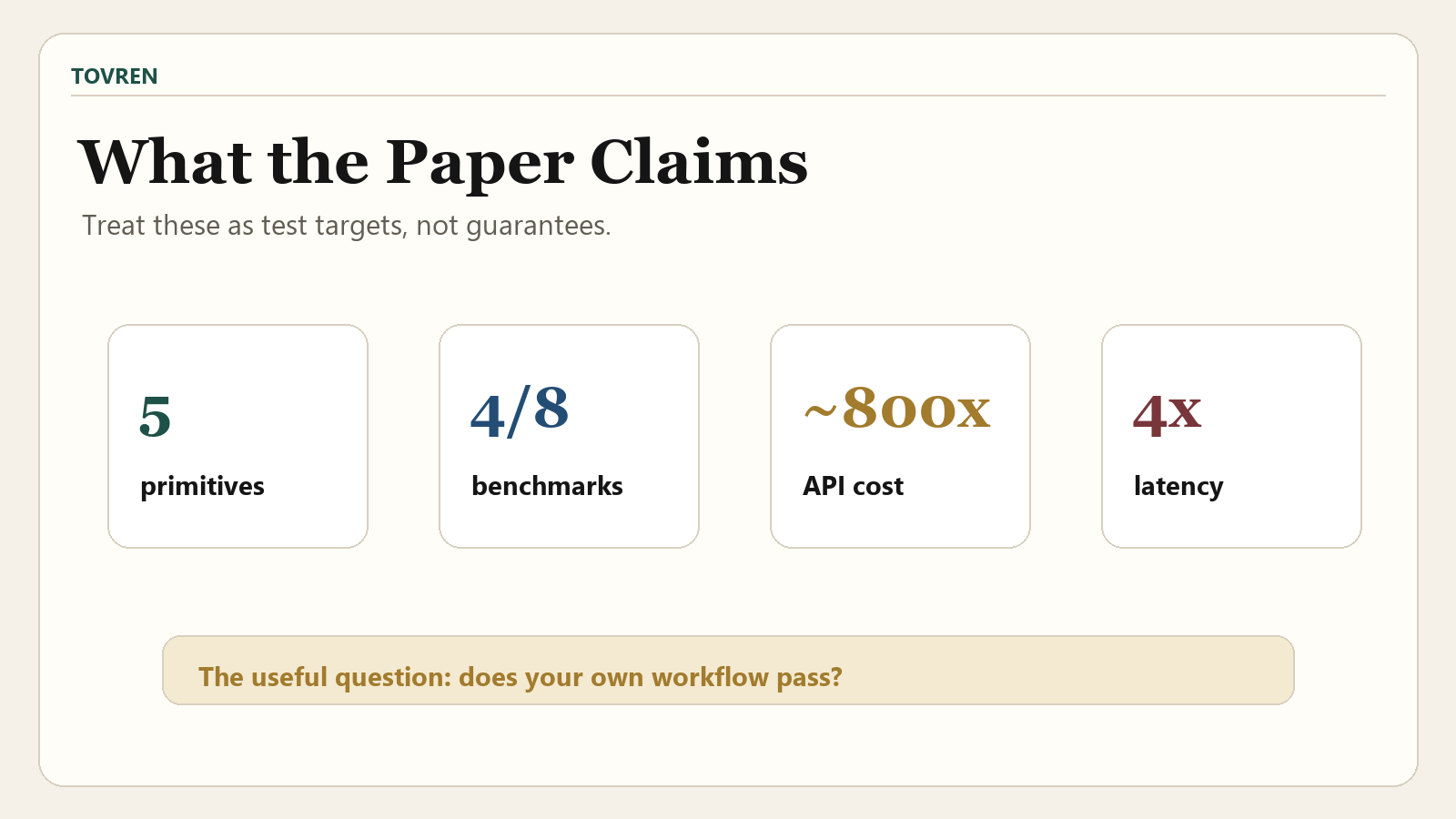
The arXiv paper describes OpenJarvis as a typed personal AI system built around five primitives: Intelligence, Engine, Agents, Tools and Memory, and Learning. It uses LLM-guided spec search: cloud frontier models propose spec edits at search time, only non-regressing edits are accepted, and the resulting spec runs on device at inference time.
That distinction matters. A naive local swap can fail. A task-specific spec can improve how the local system uses tools, memory, and agent structure. The paper reports that with LLM-guided spec search, on-device specs match or exceed cloud accuracy on 4 of 8 benchmarks, land within 3.2 percentage points of the best cloud baseline on average, reduce marginal API cost by about 800x, and reduce end-to-end latency by 4x.
Those are paper results, not a guarantee for your device or workflow. Treat them as a reason to run a pilot, not as a reason to skip evaluation.
Privacy and security checklist
Local-first is not the same as risk-free. OpenJarvis can be more private than cloud-first personal AI if you keep inference local and restrict data access. But the moment you connect email, calendar, local documents, cloud APIs, or a Python-running coding agent, you need a security checklist.
| Risk area | What to check | Why it matters | Practical control |
|---|---|---|---|
| Backend routing | Confirm preferred_engine = "ollama" when you intend local inference. | Cloud is optional, so configuration matters. | Review ~/.openjarvis/config.toml before using sensitive prompts. |
| Search-time cloud use | Distinguish spec-search use from inference-time use. | The paper’s LLM-guided spec search uses cloud frontier models at search time. | Do not route private data into search or optimization workflows without review. |
| Email and calendar | Limit accounts and scopes used in the morning briefing preset. | The preset can use calendar, email, and news. | Start with a low-risk account or limited test data. |
| Local documents | Control which folders are available to research workflows. | Deep research can use local documents with citations. | Create a dedicated test folder instead of pointing at your full home directory. |
| Python execution | Run the coding agent in a sandboxed project. | The local coding agent can write and run Python. | Keep secrets out of the workspace and review generated code before execution. |
| Credential exposure | Check environment variables, local config files, and API keys. | Agents can accidentally read or pass along sensitive local context. | Use the guidance in Tovren’s agent credential security checklist. |
| Operational monitoring | Track cost, latency, accuracy, and failure modes during the pilot. | OpenJarvis tracks energy, cost, latency, and accuracy. | Use a simple evaluation log and compare every run against expected output. |
For a deeper security checklist, use Tovren’s AI agent credential security guide. For monitoring patterns, see the agent observability stack guide.
Seven-day OpenJarvis Ollama test plan
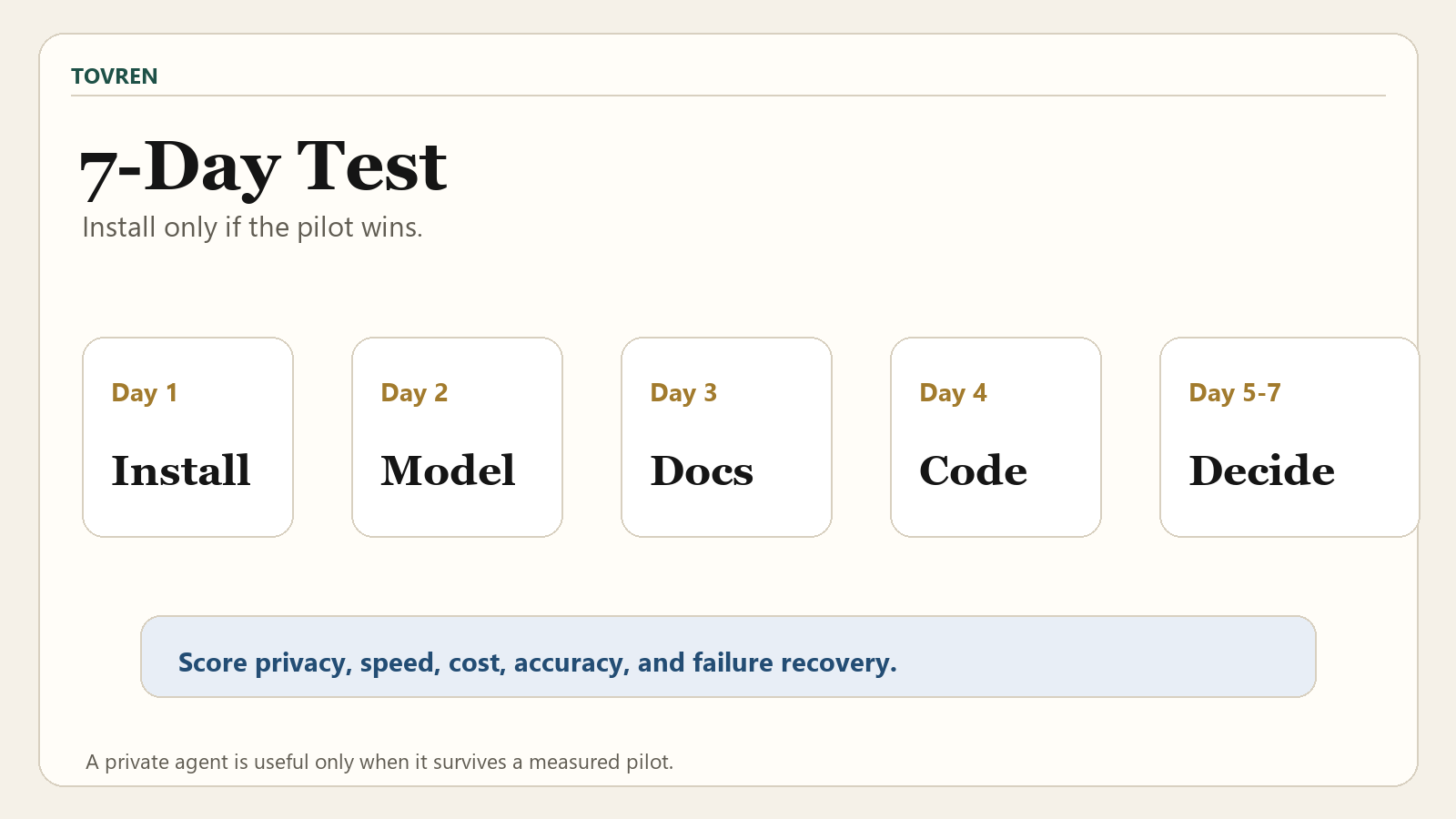
A one-week pilot is enough to decide whether OpenJarvis deserves more time. Keep the scope small and measurable. Do not start by connecting every personal data source.
| Day | Task | Pass condition | What to record |
|---|---|---|---|
| Day 1 | Install Ollama, install OpenJarvis, run jarvis ask. | OpenJarvis responds through the Ollama model. | Install issues, backend errors, model pull time, first response quality. |
| Day 2 | Create 5 baseline prompts from real work. | Responses are useful enough to compare against your current assistant. | Accuracy notes, latency, missing context, hallucinated assumptions. |
| Day 3 | Test the morning briefing preset with low-risk data. | Briefing is concise, relevant, and does not expose unrelated private content. | Permissions, irrelevant items, missed calendar/email priorities. |
| Day 4 | Test deep research on a folder of approved local documents. | Answer includes useful citations and separates evidence from synthesis. | Citation quality, document coverage, unsupported claims. |
| Day 5 | Test the local coding agent in a sandbox. | It writes and runs a small Python script without touching unrelated files. | Code correctness, execution safety, file access behavior. |
| Day 6 | Compare local results against a cloud workflow you already trust. | You can name where local is better, equal, or worse. | Accuracy, latency, cost, privacy exposure, manual correction time. |
| Day 7 | Make a go/no-go decision. | You have a written decision for each workflow: adopt, retest, or reject. | Final scorecard, blocked use cases, next tests. |
For a more formal pilot structure, use Tovren’s AI agent evaluations and runtime governance pilot.
Failure cases and fixes
The main way to get OpenJarvis wrong is to evaluate it like a chatbot. It is a personal-agent framework. Judge it by the full task: tool use, memory behavior, local data handling, citations, code execution, latency, cost, and recovery from errors.
| Failure case | Likely cause | Fix | Adoption signal |
|---|---|---|---|
jarvis cannot use a model. | No inference backend is running, or the model has not been pulled. | Run ollama serve, then pull the model with jarvis model pull qwen3.5:35b. | Fixable setup issue. |
| Local answers are much worse than cloud answers. | Naive local model replacement can lose accuracy. | Use task-specific evaluation and do not assume prompt optimization alone will close the gap. | Proceed only if the workflow still passes your threshold. |
| Research output has weak citations. | The deep research workflow may not be using the right sources or local document set. | Limit the document folder, require citations, and reject unsupported claims. | Adopt only when citations are consistently useful. |
| Morning briefing includes irrelevant private content. | Email/calendar scope is too broad. | Start with limited accounts, test data, or narrower permissions. | Do not expand access until relevance improves. |
| Coding agent touches files it should not. | Workspace is not isolated. | Run it in a sandbox project and keep secrets out of the directory. | Reject for production until file boundaries are reliable. |
| Cloud is used when you expected local-only behavior. | Backend or spec-search path is misunderstood. | Audit config and separate local inference from optional cloud-backed search or optimization. | Adopt only with clear routing rules. |
Verdict: should you install OpenJarvis with Ollama?
Yes, if you are evaluating local-first agents seriously. OpenJarvis with Ollama is one of the more practical local personal-AI releases because it combines an installable local backend path, useful presets, and a research-backed explanation for why local agents need more than a simple model swap.
No, if you want a frictionless assistant today. The setup still asks you to run a backend, choose a model, configure a default engine, and test agent behavior around sensitive data. The paper’s results are promising, but they do not remove the need for your own evaluation.
The best adoption path is narrow: install it, keep Ollama as the preferred engine, test one model, connect only low-risk data first, and run the seven-day plan above. Expand access only after the agent proves it can produce accurate, cited, safe, and repeatable results.
FAQ
Is OpenJarvis with Ollama fully offline?
Not automatically. OpenJarvis is local-first, and models run locally by default when configured with a local backend such as Ollama. Cloud is optional. The paper’s LLM-guided spec search uses cloud frontier models at search time, while the resulting spec runs on device at inference time, so you should verify which path you are using.
What model should I start with?
The Ollama post gives qwen3.5:35b as the example model for jarvis model pull and jarvis ask. Use that if you want to reproduce the documented path. If your hardware cannot run it comfortably, choose a smaller local model through a supported backend, but test accuracy carefully.
Can I install OpenJarvis on Windows?
Yes, but the Ollama post says Windows users should use WSL2 or the desktop app path. The shell install command shown in this guide is for macOS and Linux.
Does OpenJarvis beat cloud AI agents?
The paper reports that with LLM-guided spec search, on-device specs match or exceed cloud accuracy on 4 of 8 benchmarks, land within 3.2 percentage points of the best cloud baseline on average, reduce marginal API cost by about 800x, and reduce end-to-end latency by 4x. That is a strong research result, but it is not a guarantee for your own workflows.
What should I test first?
Start with three tasks: a normal prompt through jarvis ask, a deep research task over approved local documents, and a small Python coding task in a sandbox. These cover basic inference, cited research, local data access, and code execution risk.
Source log
| Source | URL | Publisher | Date visible in supplied facts | Access date | Claims supported |
|---|---|---|---|---|---|
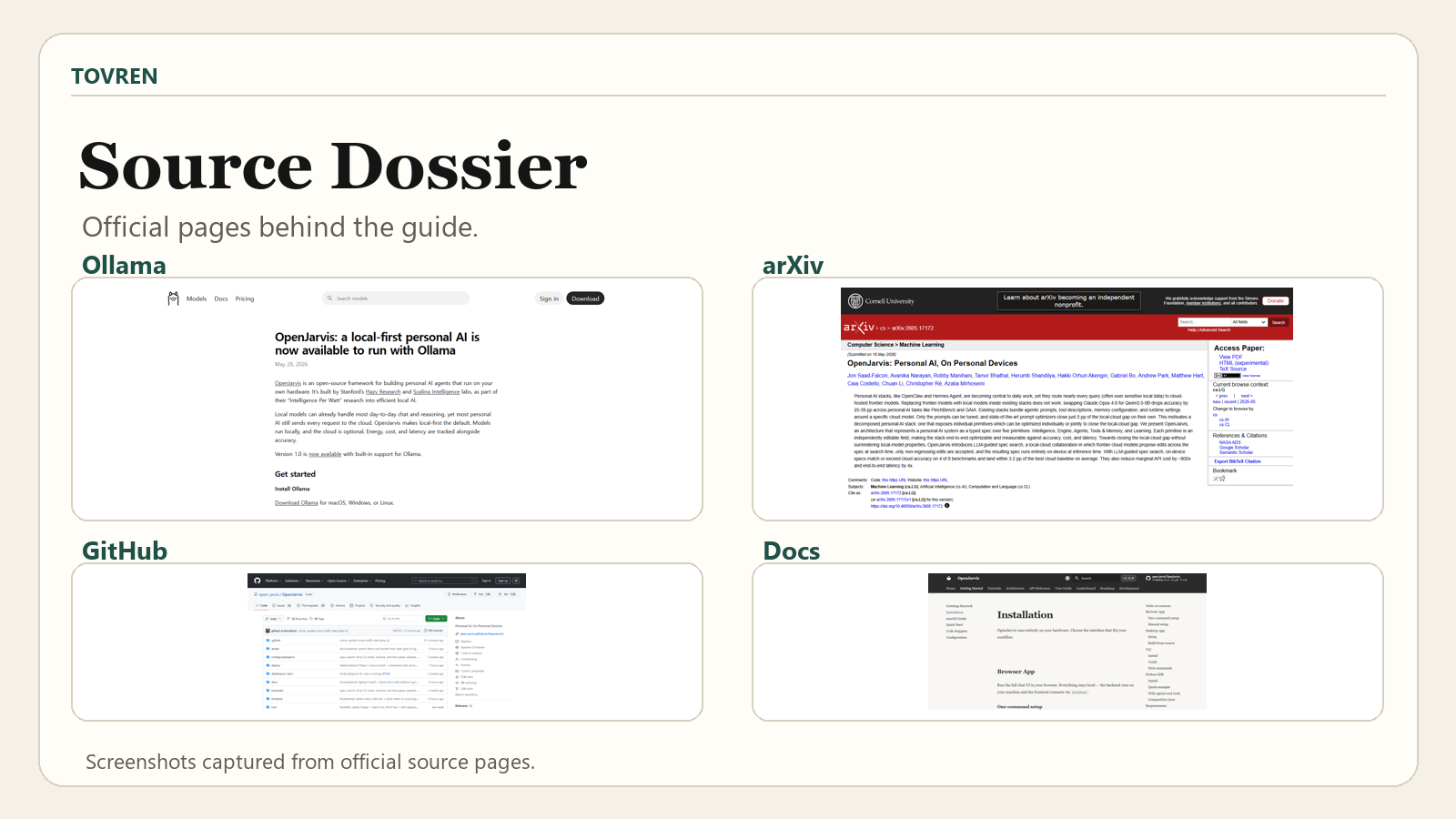
| OpenJarvis launch post | https://ollama.com/blog/openjarvis | Ollama | May 28, 2026 | May 30, 2026 | OpenJarvis availability with Ollama; local-first default; open-source status; Stanford Hazy Research and Scaling Intelligence labs; Intelligence Per Watt; tracked energy, cost, latency, and accuracy; install commands; presets. |
| OpenJarvis: Personal AI, On Personal Devices | https://arxiv.org/abs/2605.17172 | arXiv | Submitted May 16, 2026 | May 30, 2026 | Local-cloud accuracy gap; Claude Opus 4.6 to Qwen3.5-9B swap result; prompt optimizer result; five-primitives architecture; LLM-guided spec search; benchmark, cost, and latency results. |
| OpenJarvis installation docs | https://open-jarvis.github.io/OpenJarvis/getting-started/installation/ | OpenJarvis docs | Not specified in supplied facts | May 30, 2026 | Requirement for at least one inference backend; supported backend examples including Ollama, vLLM, llama.cpp, SGLang, and cloud API. |
| OpenJarvis quickstart docs | https://open-jarvis.github.io/OpenJarvis/getting-started/quickstart/ | OpenJarvis docs | Not specified in supplied facts | May 30, 2026 | Quickstart requirement to install OpenJarvis and ensure at least one backend is running, for example ollama serve. |
| Official OpenJarvis repository | https://github.com/open-jarvis/OpenJarvis | GitHub / OpenJarvis | Not specified in supplied facts | May 30, 2026 | Official repository location. |
| OpenJarvis documentation home | https://open-jarvis.github.io/OpenJarvis/ | OpenJarvis docs | Not specified in supplied facts | May 30, 2026 | Official documentation location. |
WordPress publishing checklist
- Set primary category to AI Tools with category_id 1.
- Use slug:
openjarvis-ollama-local-first-personal-ai-agent-guide. - Use focus keyword: OpenJarvis Ollama.
- Add internal links to the Qwen model guide, agent credential security guide, Agents.md prompt pack, observability stack guide, and runtime governance pilot.
- Check all command blocks render correctly on mobile.
- Ensure every table is wrapped in a horizontal-scroll container.
- Upload a 16:9 Tovren editorial hero image with low text, a TOVREN masthead, and safe margins.
- Add image alt text: “OpenJarvis Ollama local-first personal AI agent workflow on a laptop with optional cloud search layer.”
- Before publish, manually verify the official URLs and commands if browsing is available in the editorial workflow.
Refresh triggers
- Refresh when OpenJarvis changes its install command, default configuration path, or backend setup instructions.
- Refresh when Ollama changes the recommended OpenJarvis model example or model command syntax.
- Refresh when the OpenJarvis paper is revised, accepted, or benchmark numbers change.
- Refresh when official docs publish hardware recommendations, OS support changes, or Windows setup changes.
- Refresh when OpenJarvis adds, removes, or materially changes presets for briefing, research, or coding.
- Refresh if new security guidance appears for OpenJarvis tool access, local documents, cloud routing, or Python execution.