
Bottom line: if your AI agent can call internal tools, it should not also be able to read the credential that authorizes those tools. That is the security lesson behind the current Claude Managed Agents, MCP tunnels, Cloudflare sandbox, and MCP security debate.
This is not a theoretical architecture argument. On May 19, 2026, Claude announced self-hosted sandboxes and MCP tunnels for Claude Managed Agents. The important detail is direct: self-hosted sandboxes are in public beta, MCP tunnels are in research preview, and the agent loop can stay on Claude while tool execution and private MCP access move inside infrastructure the customer controls.
That landed at exactly the moment security teams are getting nervous about autonomous agents. A recent TechRadar Pro column framed agents as active actors moving through business systems, not passive chatbots. On Reddit, the highest-signal developer discussion around the Claude update centered on a sharper point: the useful security property is not simply “sandboxed.” It is that the agent never holds the credential.
This article is for teams that are already using Claude Code, Codex, Gemini CLI, Cursor, internal copilots, MCP servers, Zapier-style actions, browser agents, or long-running workflow agents. If an agent can read, write, call APIs, submit forms, push code, update CRM records, or touch customer data, treat it like a new employee with automation speed and no common sense.
The short answer
- Do not give agents raw long-lived secrets. Put credentials behind a gateway, vault, proxy, or scoped server that the agent can call but cannot inspect.
- Separate the brain from the hands. The model can decide what to do, but tool execution should happen in a controlled runtime with egress rules, logging, and resource limits.
- Split read-only and write-capable tools. Most agent tasks do not need write access. Default to read-only until a workflow proves it needs mutation.
- Log every tool call. A useful audit record includes agent ID, user, tool name, arguments, redacted payload fields, approval state, result type, and downstream system response.
- Do not connect random MCP servers. MCP is powerful because it standardizes access. That also standardizes the blast radius when a server is malicious or misconfigured.
Why this became urgent in May 2026
The last wave of AI security was about data typed into chatbots. The current wave is about agents that can act. That changes the threat model. A prompt leak is bad. A prompt leak plus tool access is worse. A prompt leak plus file access, browser automation, GitHub tokens, Slack write access, database credentials, and internal APIs is a production incident waiting to happen.
Claude’s May 19 update matters because it normalizes a split architecture for agent work. According to Claude’s post, the agent loop handles orchestration, context management, and error recovery, while tool execution can run in the customer’s configured environment. MCP tunnels let agents reach private MCP servers without exposing those servers publicly. A lightweight gateway opens an outbound connection, so the private service does not need inbound firewall rules or a public endpoint.
Cloudflare’s companion announcement adds another signal. Its Claude Managed Agents integration positions Cloudflare Sandboxes, Workers, private connectivity, observability, and egress controls as the runtime layer for agent execution. That is the market moving from “make agents smarter” to “make agents governable.”
What changed technically
| Layer | Old risky pattern | Better 2026 pattern | Why it matters |
|---|---|---|---|
| Credential access | Agent runtime has OAuth tokens, PATs, API keys, or service account files | Tokens live in a vault, local MCP server, or gateway the agent cannot read | Prompt injection cannot simply ask the agent to print the secret |
| Tool execution | Agent runs code in the same environment as context and credentials | Tool calls execute in a sandbox with policy, logging, and resource limits | Blast radius is smaller when generated code misbehaves |
| Private systems | Internal MCP server is exposed publicly or reached through broad network peering | MCP tunnel or outbound gateway connects to private systems | Private APIs stay private while still becoming callable tools |
| Audit trail | Only chat transcript exists | Session log plus tool-call logs plus downstream system logs | Teams can answer who did what, through which agent, and with what approval |
| Permissions | One tool set for everything | Separate read, draft, execute, admin, and break-glass tools | Most work stays low risk; dangerous actions require gates |
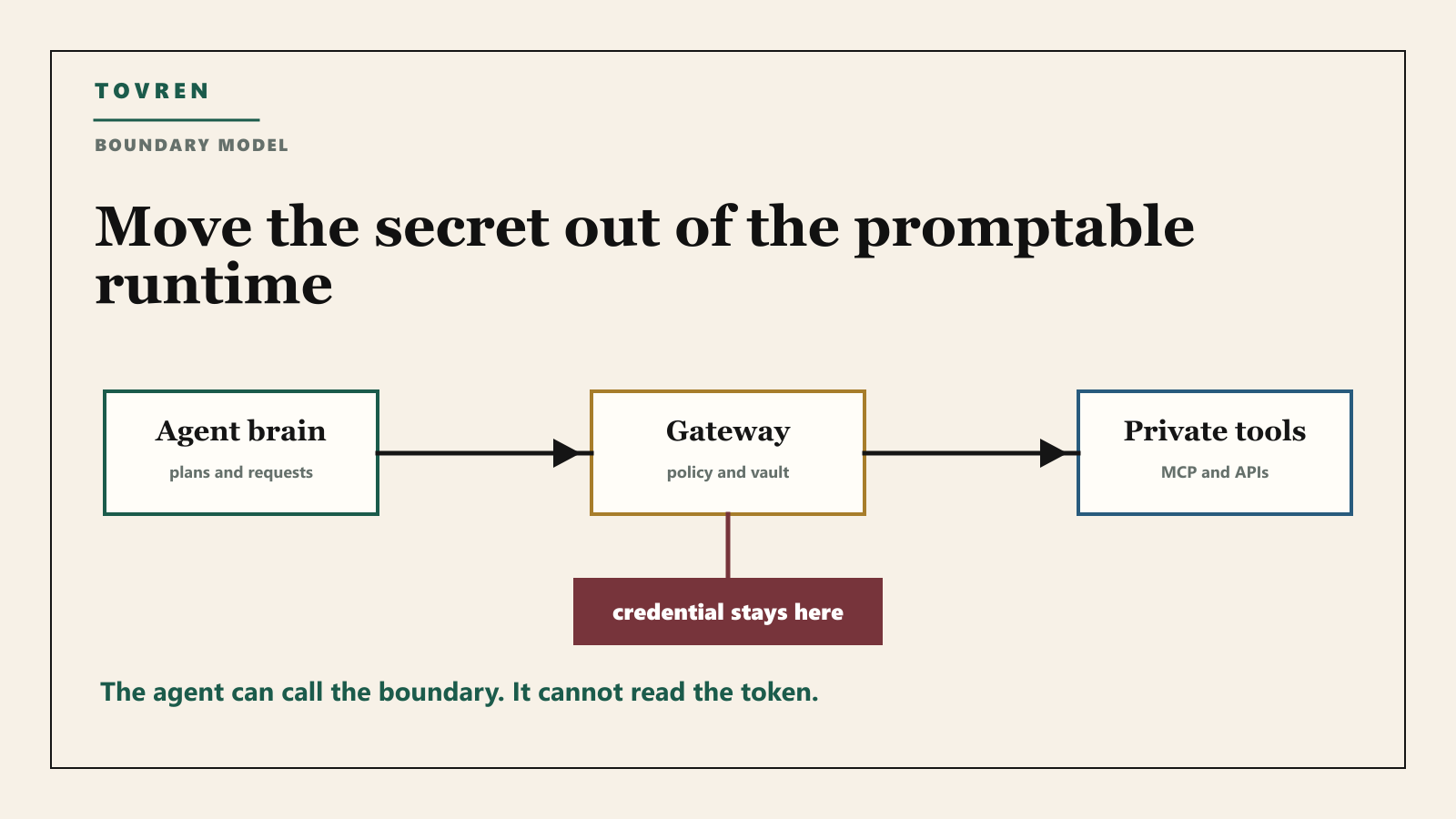
The real security property: the agent never holds the credential
Sandboxing is useful, but do not mistake it for the full solution. A sandbox limits execution. It does not automatically solve credential exposure if the credential is available inside the sandbox. The clean design is stricter: the agent can request an action, but the secret used to perform that action is not visible to the agent’s generated code, prompt context, memory, or tool output.
Anthropic’s engineering post on Managed Agents describes this as decoupling the “brain” from the “hands.” In plain terms: the model and harness can decide and route work, while the execution environment and tool proxies actually perform actions. For custom tools, Anthropic describes MCP calls going through a dedicated proxy while credentials are stored outside the sandbox.
The community reaction is useful because it cuts through marketing. The practical debate is not whether the architecture is “safe.” The question is where the boundary sits. If you use Claude Managed Agents, you may own the sandbox and private MCP boundary, while Claude still owns the agent loop. That may be acceptable for many teams. It may not be acceptable for teams that require full self-hosting, local traces, or vendor-independent failover.
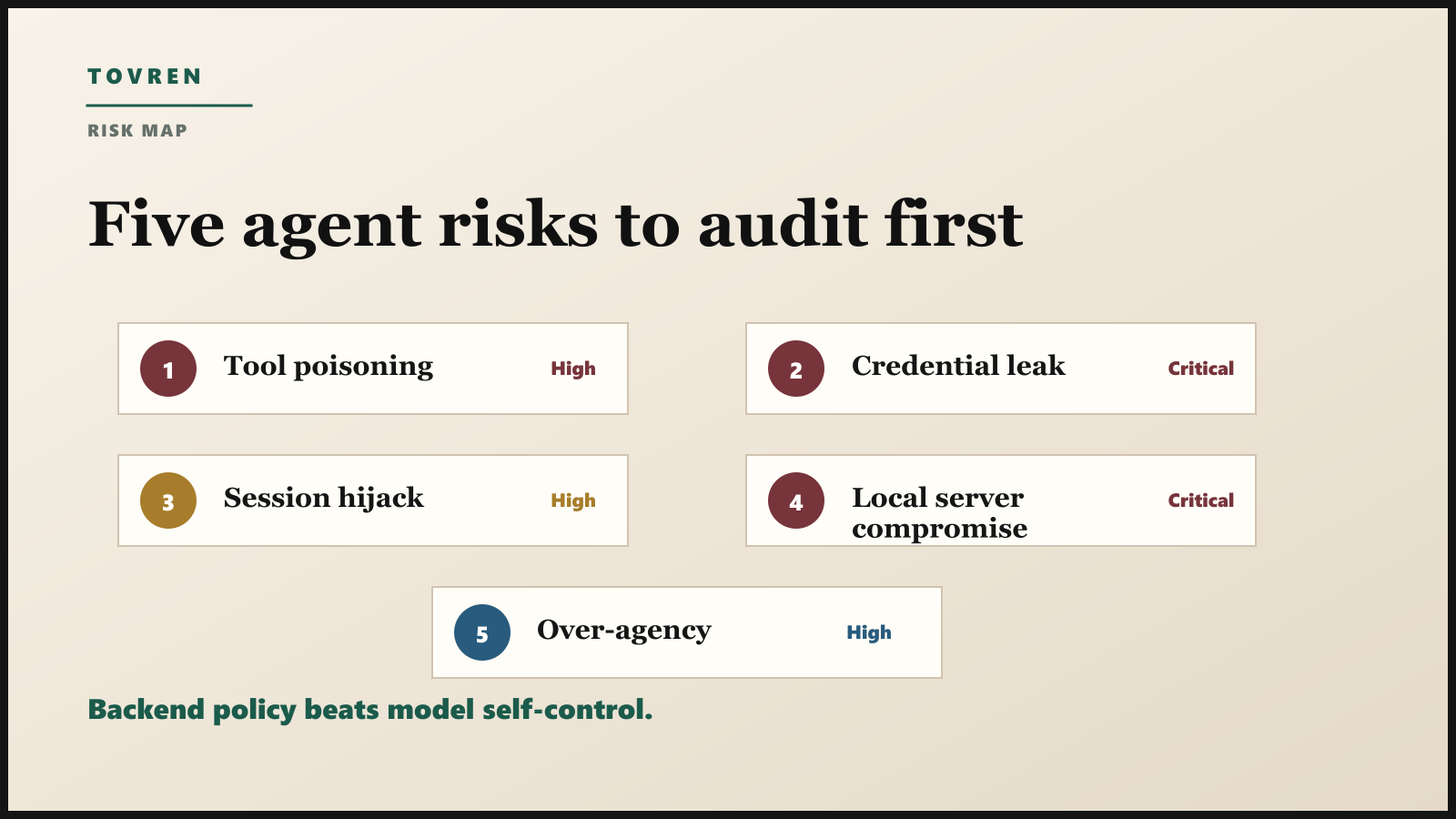
The five agent risks to audit first
| Risk | How it appears in real work | What to do before production |
|---|---|---|
| Tool poisoning | A tool response embeds hostile instructions that the model treats as a command | Enforce backend policy. Do not rely on the model to ignore unsafe tool output. |
| Credential leakage | The agent can read environment variables, config files, local keychains, or token-bearing logs | Move secrets out of process. Use scoped proxies, vaults, and short-lived tokens. |
| Excessive agency | The agent can send, delete, spend, publish, refund, or deploy without human gates | Separate draft from execute. Require approval for irreversible actions. |
| Session hijacking | An attacker guesses, steals, or injects into a session or event stream | Use secure random session IDs, bind sessions to users, verify inbound requests, and expire sessions. |
| Local MCP compromise | A downloaded MCP server runs arbitrary commands on the user’s machine | Show exact startup commands, require explicit consent, sandbox local servers, and maintain an allowlist. |
OWASP’s MCP Tool Poisoning example is a good warning. A malicious tool response can include fake compliance instructions that try to make an agent read sensitive files and post them externally. If your only defense is “the model should know better,” you do not have a defense. You need server-side enforcement.
What MCP security guidance already says
The MCP security best practices page is blunt about several risks that now matter to every agent team: confused deputy problems, token passthrough, SSRF, session hijacking, local MCP server compromise, and scope minimization.
The local MCP server section is especially important for power users and small teams. A local MCP server can have direct access to the user’s machine. If a client lets one-click configuration execute a startup command, the user needs to see the full command before approving it. Hidden, truncated, or obfuscated commands are not acceptable. Treat a local MCP server like software installation, not like a harmless browser extension.
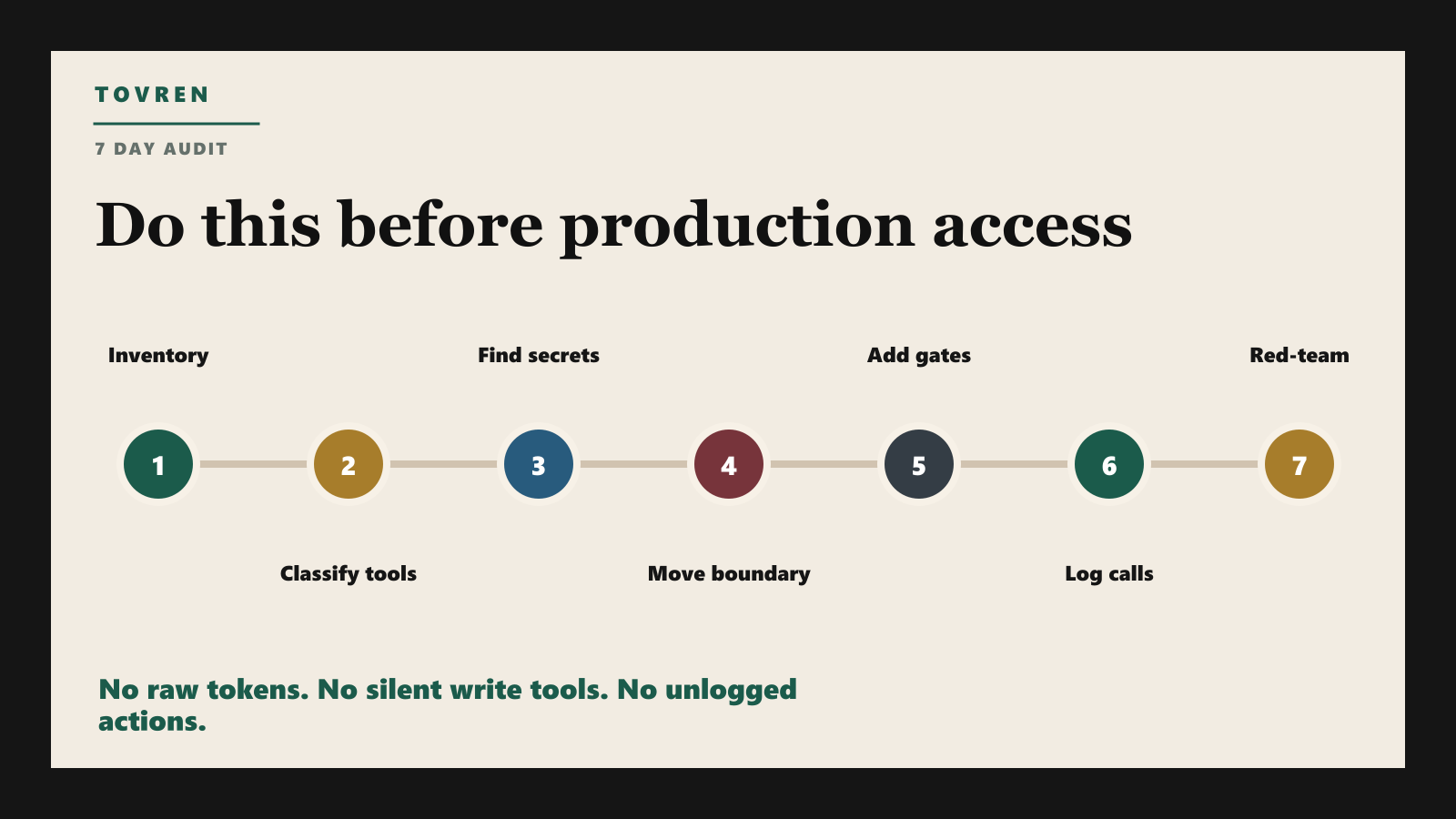
Use this 7-day audit plan
| Day | Task | Output |
|---|---|---|
| 1 | List every agent, MCP server, connector, browser automation, and scheduled AI job | Agent asset inventory with owner and purpose |
| 2 | Classify tools into read, draft, write, admin, and external-send | Permission map by tool and workflow |
| 3 | Find every credential the agent can read directly | Secrets exposure report with removal plan |
| 4 | Move high-risk credentials behind a gateway, vault, MCP server, or proxy | Credential boundary diagram |
| 5 | Add approvals for irreversible actions | Human gate policy for send, spend, delete, deploy, refund, and publish |
| 6 | Turn on tool-call logging with argument redaction | Audit log sample reviewed by security and ops |
| 7 | Run a red-team prompt injection test against each workflow | Go, fix, or block decision for production |
Architecture choices: which one should you use?
| Team type | Recommended pattern | Avoid |
|---|---|---|
| Solo developer or small startup | Local dev agent with read-only defaults and per-action confirmation | Random MCP servers from GitHub with broad file access |
| SaaS company | Hosted agent loop plus sandboxed execution and strict egress controls | Long-lived production API keys inside the agent runtime |
| Enterprise IT | Private MCP gateway, vault-backed credentials, SIEM logging, and approval gates | Department-built agents that bypass IAM and audit |
| Regulated finance, healthcare, legal | Self-hosted or tightly governed runtime with local audit ownership | Unreviewed remote connectors that can send data externally |
| Support or operations teams | Draft-first agents that prepare actions for review | Refund, delete, or customer-message tools without approval |
What to ask vendors before buying agent infrastructure
- Can the agent read any raw credential, token, refresh token, cookie, or service account secret?
- Where does the agent loop run, and can we self-host it if required?
- Where does tool execution run, and who controls the runtime image, filesystem, and network egress?
- Can each MCP server be scoped by user, group, environment, and action type?
- Can we block external network requests by default?
- Can logs show tool name, arguments, result type, approval state, and downstream status without exposing sensitive payloads?
- Can sessions be revoked, expired, replayed for audit, and tied to a human owner?
- Can irreversible actions be separated into a draft step and an execution step?
What not to overreact to
Do not ban agents just because the risk is real. That usually pushes teams into shadow AI. The better response is controlled access: approved tools, scoped permissions, logged actions, and clear escalation rules.
Also do not assume every workflow needs an autonomous agent. Many business tasks are better served by a copilot that drafts work for a human. Use full autonomy only where the action is reversible, low-risk, heavily logged, or already governed by a backend policy engine.
The bottom line
The agent security stack is becoming clearer. The model can reason. The harness can orchestrate. The sandbox can execute. The gateway can hold credentials. The policy layer can approve or block actions. The log can prove what happened.
If all of those jobs are collapsed into one agent runtime, you are trusting a promptable system with too much authority. If you split them, you can let agents do useful work without giving them the keys to the company.
Related Tovren reading
- MCP Server Sprawl Makes Agents Dangerous
- MCP Servers Are the New Shadow IT
- AI Agent Evaluations Are the New Runtime Governance Layer
- Self-Evolving AI Agents Are Becoming a Buying Problem
- Claude Agent SDK Credits and OpenClaw
Source log
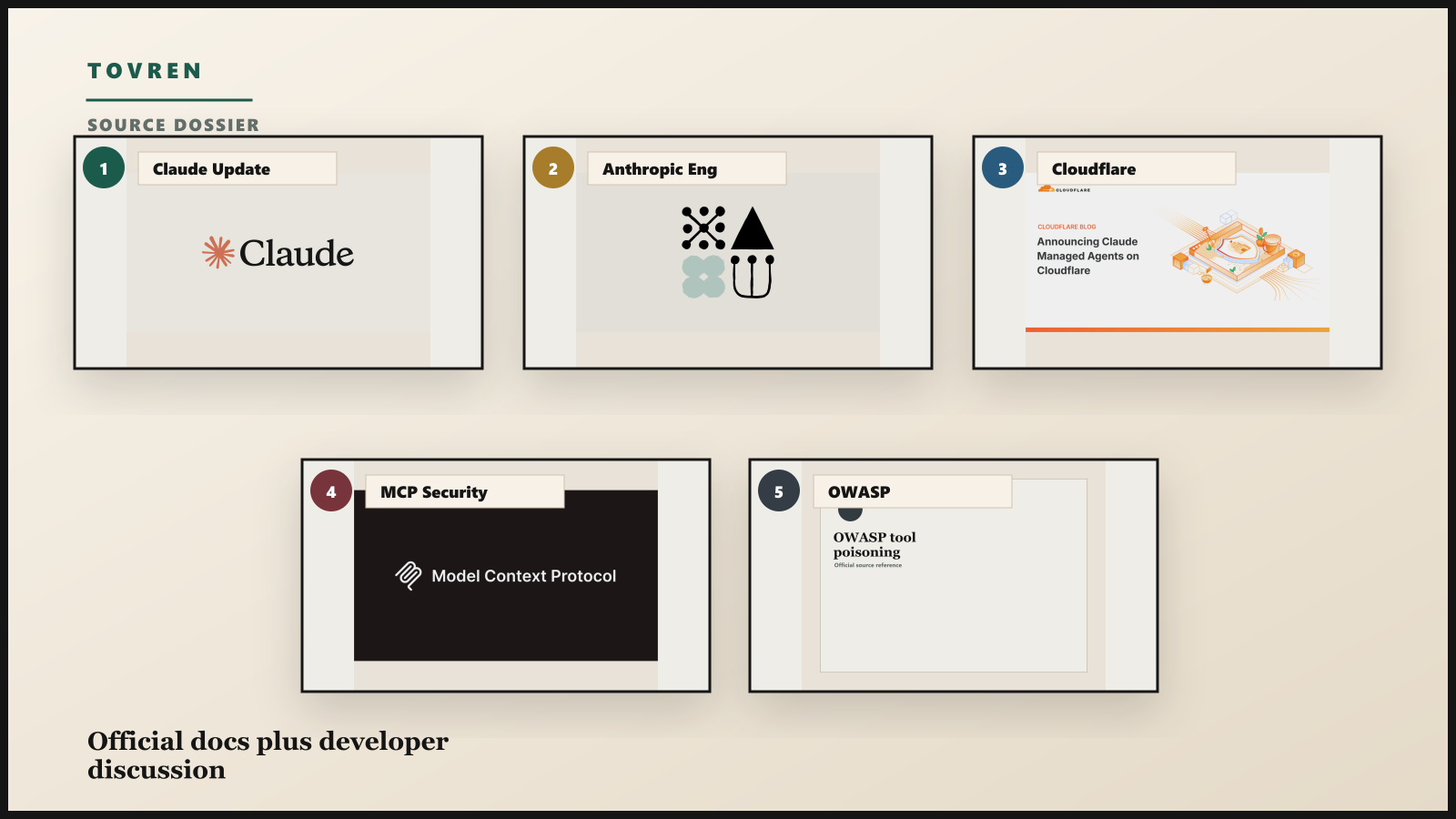
- Claude: New in Claude Managed Agents – self-hosted sandboxes, MCP tunnels, supported sandbox providers, and private network access model.
- Anthropic Engineering: Scaling Managed Agents – brain, hands, session, sandbox, and credential boundary architecture.
- Cloudflare: Claude Managed Agents on Cloudflare – Cloudflare Sandboxes, private connectivity, observability, and runtime controls.
- MCP Security Best Practices – authorization, session, local server, SSRF, and scope-minimization guidance.
- OWASP MCP Tool Poisoning – indirect prompt injection through malicious tool responses.
- r/mcp developer discussion – community debate about credential boundaries, agent loops, and audit ownership.