Last updated: May 19, 2026.
Bottom line: Claude Code is worth trying if you want an agentic coding assistant that can inspect a repository, edit multiple files, run commands, and help move a task from “bug report” to “tested diff.” Start with Claude Pro if you are experimenting, move to Max 5x or Max 20x only when rate limits interrupt real work, and use Team or Enterprise when billing, admin controls, and governance matter more than individual convenience.
The important caveat: Claude Code is not just a chat assistant. It can touch files and run commands. Treat setup as a safety and cost-control task, not just an install command.
What is Claude Code?
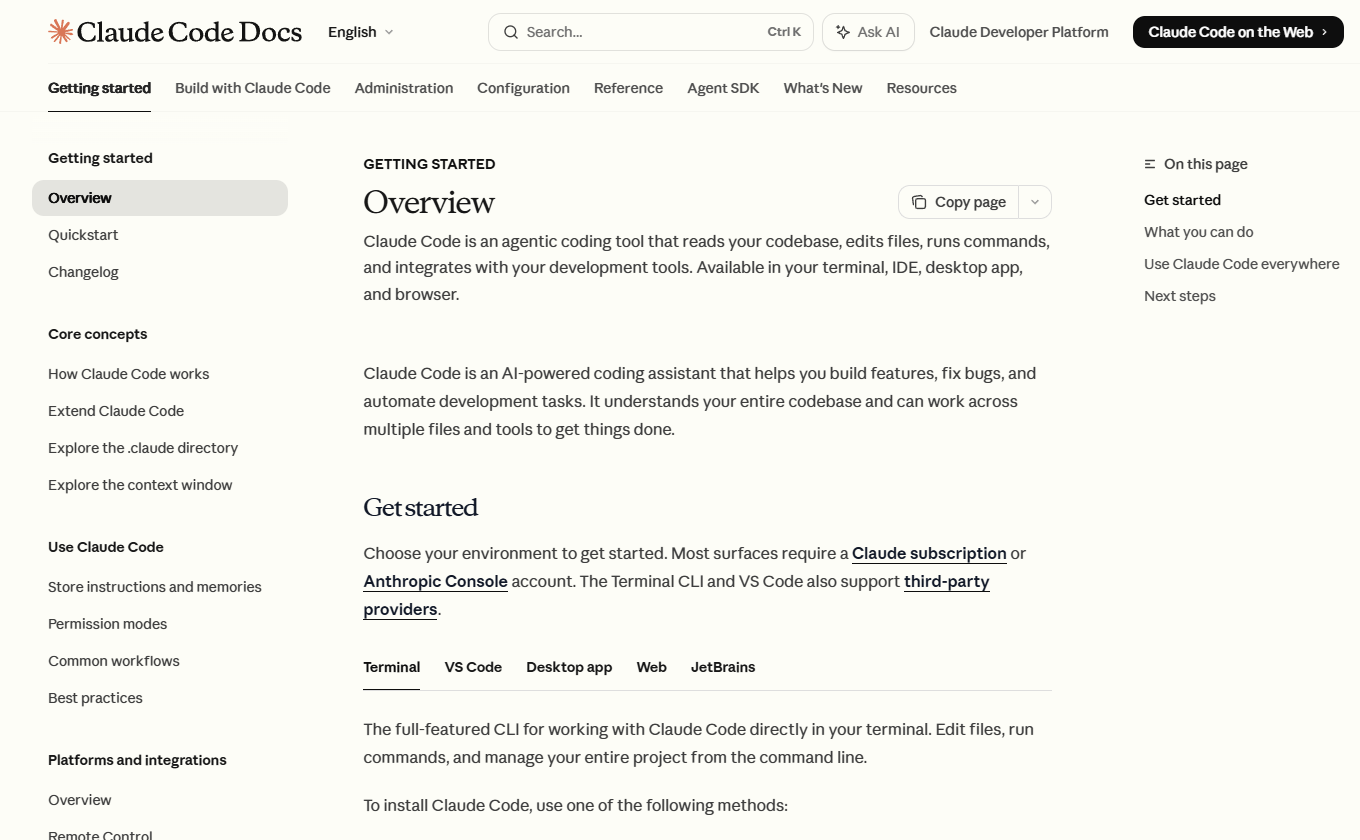
Claude Code is Anthropic’s agentic coding assistant for software development. In practice, that means it can read your codebase, search files, edit files, run shell commands, execute tests, use git, and reason across a multi-file task instead of only answering a coding question in chat.
That makes it most useful for work such as:
- Exploring an unfamiliar codebase
- Fixing a bug with tests
- Refactoring a small module
- Generating or updating documentation
- Reviewing a pull request
- Running repeatable coding workflows through scripts or GitHub Actions
It is less ideal if you mainly want inline autocomplete, offline/local-only coding, or a very predictable fixed monthly cost for heavy autonomous workloads.
What changed recently?
Three 2026 changes matter for buyers and operators:
| Change | Why it matters | What to do |
|---|---|---|
| Claude Code is now clearly included in paid Claude plans such as Pro, Max, and Team. | Individual developers no longer need to think only in API-token terms. | Start with subscription pricing unless you intentionally need API billing. |
| Anthropic doubled Claude Code five-hour rate limits for Pro, Max, Team, and seat-based Enterprise plans on May 6, 2026. | Claude Code is more usable for sustained work sessions than before, but limits still apply. | Use the usage dashboard before upgrading plans. |
| Claude Code now has more explicit docs for permissions, sandboxing, settings, web sessions, GitHub Actions, and cost controls. | Teams can manage Claude Code more like an engineering tool, not a toy chatbot. | Configure permissions and sandboxing before giving it broad repo access. |
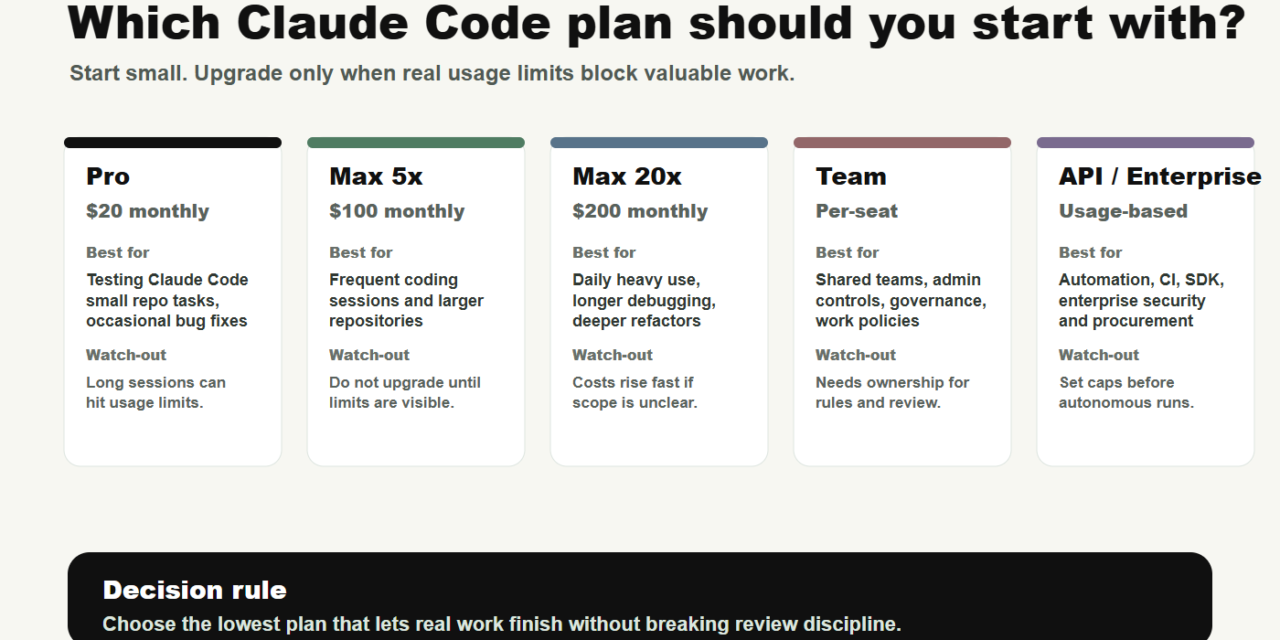
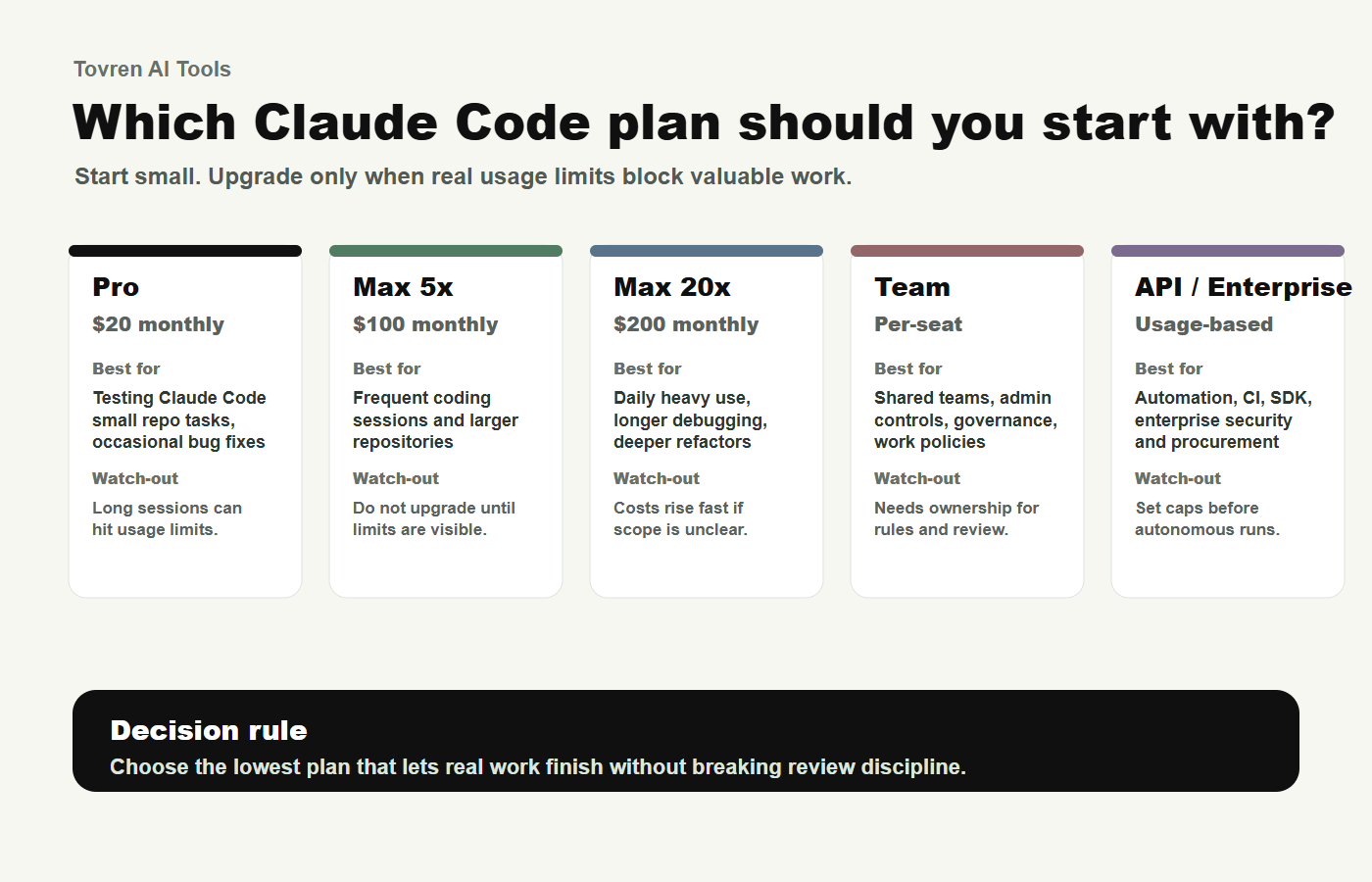
Claude Code pricing in 2026: which plan should you choose?
Prices can vary by country, tax, billing method, and future changes. As of this update, Anthropic’s published pricing shows these practical starting points:
| Plan | Current published price | Best for | Main watch-out |
|---|---|---|---|
| Claude Pro | $17/month with annual billing discount, or $20 monthly | Individual developers testing Claude Code, occasional bug fixes, small repo tasks | You may hit limits during longer coding sessions. |
| Claude Max 5x | $100/month | Daily Claude Code users who frequently exhaust Pro | Still has usage limits; do not assume unlimited autonomous coding. |
| Claude Max 20x | $200/month | Power users doing long repo sessions, heavier coding work, or frequent multi-step tasks | Worth it only if interruptions cost more than the plan difference. |
| Claude Team Standard | $20/seat/month annually, or $25 monthly | Small teams that need centralized billing, admin controls, and shared tool access | Team governance helps, but usage still needs monitoring. |
| Claude Team Premium | $100/seat/month annually, or $125 monthly | Teams with heavier usage across several developers | Seat cost rises quickly; track actual adoption. |
| Enterprise or API billing | Enterprise: sales-assisted / seat plus usage patterns; API: per-token pricing by model | Organizations that need SSO, policies, compliance controls, usage-based billing, CI, or custom infrastructure | API usage can become expensive if prompts are broad or automated loops are unconstrained. |
Simple recommendation
- Start with Pro if you are learning Claude Code or doing a few coding tasks each week.
- Upgrade to Max 5x if you repeatedly hit limits during valuable work sessions.
- Upgrade to Max 20x only if Claude Code is part of your daily development workflow.
- Use Team if shared billing, admin controls, and employee access management matter.
- Use API or Enterprise when Claude Code is part of CI, automation, managed infrastructure, or strict procurement.
The billing trap to check before you run Claude Code
Before starting your first session, check whether your system has an ANTHROPIC_API_KEY environment variable set. Anthropic’s help docs warn that if this variable is present, Claude Code may use the API key instead of your Claude subscription, resulting in API usage charges rather than included subscription usage.
Run:
echo $ANTHROPIC_API_KEYOn Windows PowerShell:
echo $env:ANTHROPIC_API_KEYIf you intentionally want subscription billing, remove or unset the variable before starting Claude Code. If you intentionally want API billing, set spend controls and monitor usage before running autonomous tasks.
Install Claude Code
Anthropic’s official docs list several install routes. For most developers, the native installer is the fastest path.
macOS, Linux, or WSL
curl -fsSL https://claude.ai/install.sh | bashWindows PowerShell
irm https://claude.ai/install.ps1 | iexWindows CMD
curl -fsSL https://claude.ai/install.cmd -o install.cmd && install.cmd && del install.cmdHomebrew
brew install --cask claude-codeWinGet
winget install Anthropic.ClaudeCodeAfter installation, open a project directory and run:
claudeOn first launch, Claude Code will prompt you to log in. Individual users can log in with Claude Pro or Max. Teams can use Claude for Teams or Enterprise, the Claude Console, or supported cloud providers.
Before your first repo task: run this safety checklist
| Check | Why it matters | Command or action |
|---|---|---|
| Confirm clean git state | You need to separate Claude’s changes from your own. | git status |
| Know the test command | Claude needs a real success condition. | npm test, pytest, go test ./..., etc. |
| Protect secrets | Agents should not read keys, tokens, or private credentials. | Deny .env, credential folders, and local secrets. |
| Start in plan mode | Plan mode lets Claude inspect and propose before editing. | claude --permission-mode plan |
| Review every diff | Claude can be useful and still wrong. | git diff |
A safe first Claude Code workflow
Use this workflow for your first serious session. The goal is not to maximize autonomy. The goal is to build trust through a narrow, testable task.
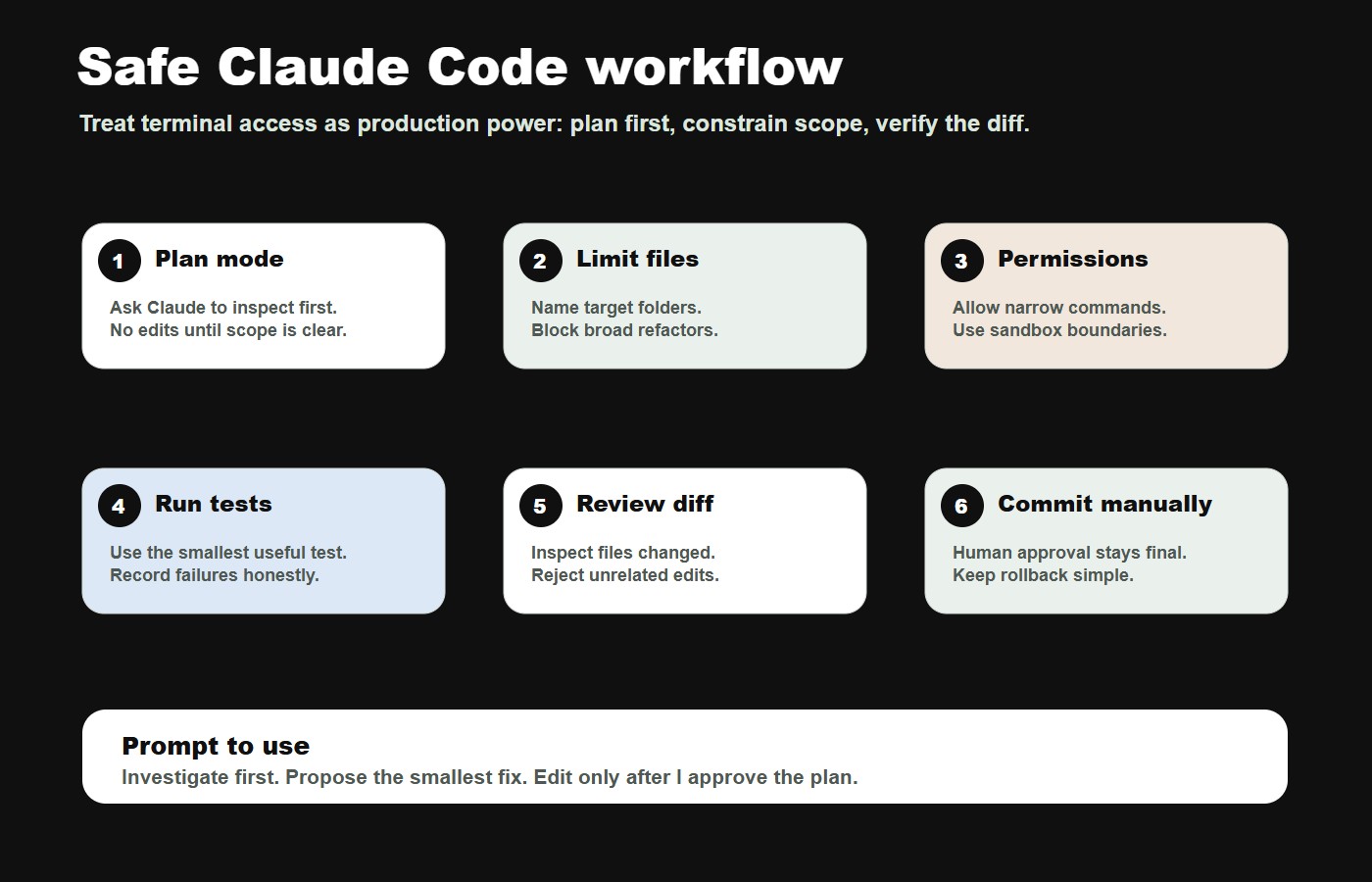
Step 1: start with plan mode
claude --permission-mode planThen prompt:
You are helping me make a safe first pass on this repository.

Do not edit files yet.

Please inspect the project and answer:
1. What framework and language is this repo using?
2. What command appears to run tests?
3. Which files seem relevant to the issue below?
4. What is the smallest safe plan?

Issue:
[Paste the bug, feature request, or failing test here]
Step 2: approve a narrow file scope
After Claude proposes a plan, choose the smallest set of files it can touch. Then prompt:
Proceed with the smallest safe implementation.

Rules:
- Only edit these files: [list files]
- Do not change dependencies
- Do not change environment files
- Do not push to git
- Run the relevant tests after editing
- If tests fail, stop and explain before trying a second approach
Step 3: run tests and inspect the diff
git diff
npm test
Replace npm test with the test command for your stack.
Step 4: ask Claude for a post-change review
Summarize the changes you made.

Include:
- Files changed
- Why each change was necessary
- Tests run
- Any tests not run
- Risks or assumptions
- Anything I should manually review before committing
What a good result looks like
- The change touches only the files you expected.
- Tests pass, or failures are clearly explained.
- The diff is readable and not padded with unrelated refactors.
- No secrets, credentials, deployment files, or production config were accessed unnecessarily.
- You, not Claude, make the final commit or push decision.
Recommended permissions and sandbox setup
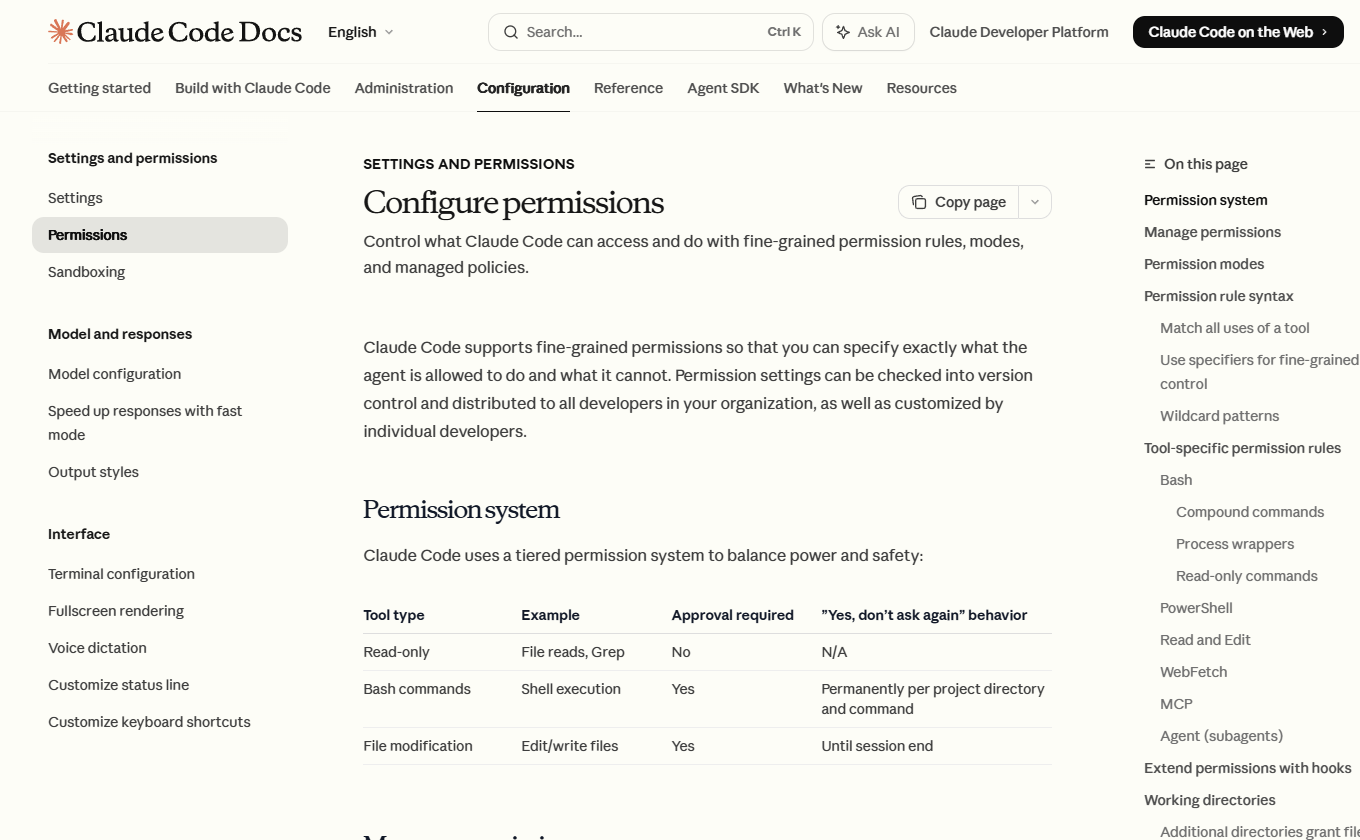
Claude Code supports fine-grained permissions, permission modes, and sandboxing. Use them. The more autonomy you give an agent, the more important boundaries become.
Permission modes to know
| Mode | Use it when | Risk level |
|---|---|---|
plan |
You want Claude to inspect and propose without editing source files. | Low |
default |
You want standard prompts before tool use. | Moderate |
acceptEdits |
You trust Claude to make file edits inside the working directory. | Moderate to high |
auto |
You are experimenting with auto-approved tool calls and background safety checks. | High; use carefully |
bypassPermissions |
Only in isolated containers or VMs where mistakes cannot damage your machine or repo. | Very high |
Starter project settings
Create or update .claude/settings.json in the repository. Adapt this example to your stack:
{
  "permissions": {
    "allow": [
      "Bash(npm run test *)",
      "Bash(npm test *)",
      "Bash(npm run build)",
      "Bash(git diff *)",
      "Bash(git status *)"
    ],
    "deny": [
      "Read(**/.env)",
      "Read(**/secrets/**)",
      "Read(//**/.ssh/**)",
      "Bash(git push *)",
      "Bash(rm -rf *)",
      "Bash(curl *)",
      "Bash(wget *)"
    ]
  },
  "sandbox": {
    "enabled": true,
    "autoAllowBashIfSandboxed": true,
    "allowUnsandboxedCommands": false,
    "filesystem": {
      "denyRead": ["~/.aws/credentials", "~/.ssh"],
      "allowRead": ["."]
    },
    "network": {
      "allowedDomains": ["github.com", "*.npmjs.org", "registry.yarnpkg.com"],
      "deniedDomains": ["uploads.github.com"]
    }
  }
}
This is intentionally restrictive. Add permissions only when your workflow actually needs them.
How to control Claude Code costs
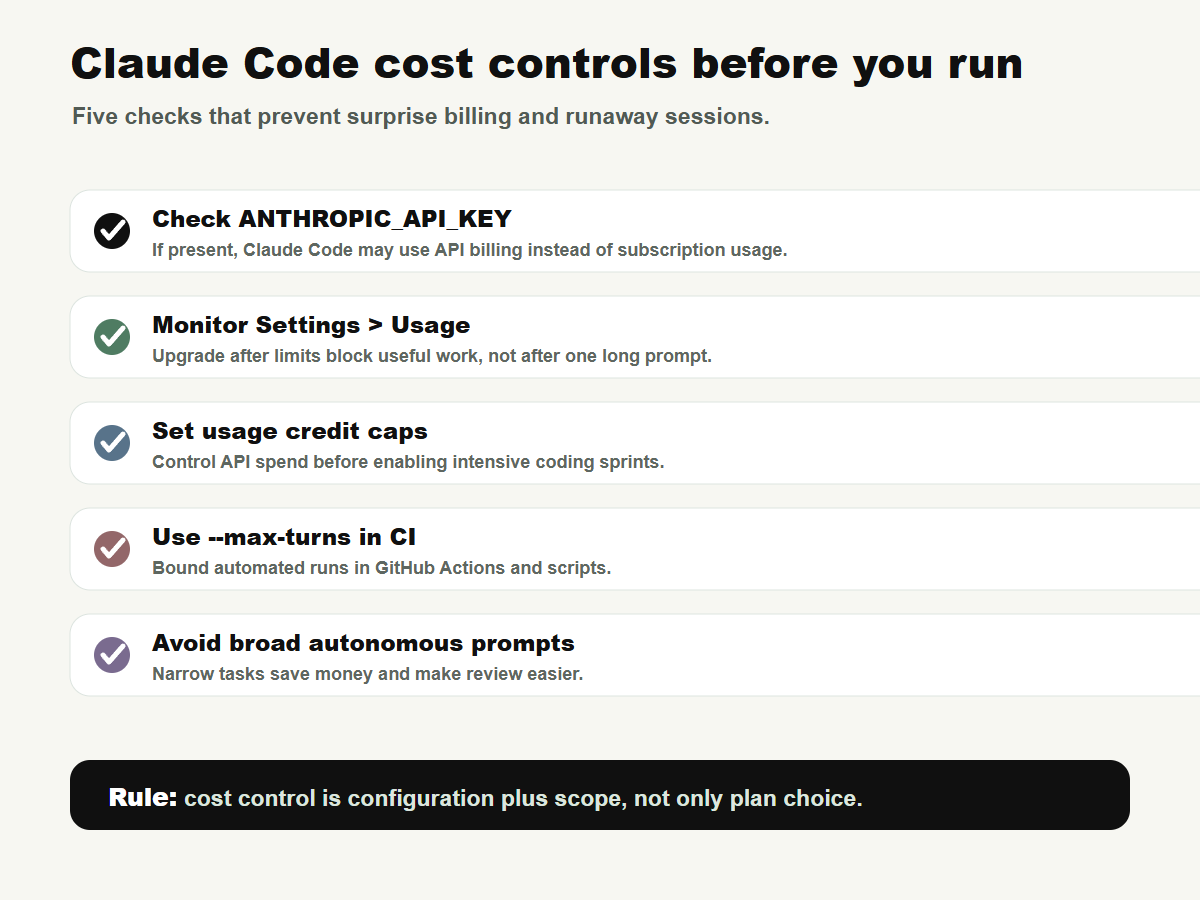
Plan choice is only one part of cost control. The bigger risks are accidental API billing, long autonomous loops, broad prompts, repeated context-heavy sessions, and CI workflows that run too often.
| Cost risk | Prevention |
|---|---|
| Claude Code uses API billing instead of subscription usage | Check whether ANTHROPIC_API_KEY is set before starting Claude Code. |
| Session hits plan limits | Use Settings > Usage to monitor five-hour and weekly limits. |
| CI job loops too long | Use --max-turns, workflow timeouts, and concurrency controls. |
| Prompt is too broad | Ask for a plan first, then approve one narrow implementation. |
| Large repo burns context | Point Claude to specific files, keep CLAUDE.md concise, and compact context when needed. |
| Extra usage creates surprise charges | Enable usage credits only with a monthly spend limit you are comfortable with. |
When to use Claude Code on the web
Claude Code on the web is useful when you want a cloud session to keep working while you do something else. Anthropic’s docs describe web sessions as research preview for eligible paid users and note that tasks run on Anthropic-managed cloud infrastructure.
Use web sessions for:
- Background tasks that can run independently
- Parallel repo tasks that should not collide with your local session
- Work that benefits from a browser-based diff and PR review flow
Be careful with:
- Private repositories with strict data rules
- Uncommitted local changes
- Parallel tasks that consume usage limits faster
- Repositories that need unavailable local services or secrets
A useful pattern is: plan locally, commit the plan, then send a narrow execution task to the cloud.
claude --permission-mode plan
claude --remote "Execute the migration plan in docs/migration-plan.md"
Common Claude Code failures and fixes
| Problem | Likely cause | Fix |
|---|---|---|
claude command not found |
Install path or shell profile issue | Restart the shell, check PATH, or reinstall using the native installer. |
| Login loop in WSL, SSH, or container | Browser callback cannot reach local server | Copy the login URL or code into the terminal when prompted. |
| Claude edits too many files | Prompt was too broad | Restart in plan mode and provide a strict allowed file list. |
| Claude keeps retrying a failing test | No retry budget or stop condition | Tell it to stop after one failed fix attempt and explain the failure. |
| High CPU or memory usage | Large codebase or long session context | Compact context, restart between major tasks, and ignore large build directories. |
| CI workflow gets expensive | Too many turns or repeated triggers | Use specific @claude commands, --max-turns, workflow timeouts, and concurrency controls. |
| Auto mode feels too permissive | Agent autonomy exceeds your comfort level | Use plan, default, dontAsk, explicit deny rules, and sandboxing. |
Claude Code vs Cursor vs Copilot: quick positioning
This article is not a full benchmark, but the buying distinction is simple:
| Use case | Likely best fit | Why |
|---|---|---|
| You want inline coding help inside an editor | Cursor or GitHub Copilot | Lower-friction autocomplete and editor-native assistance. |
| You want an agent to inspect, edit, run tests, and reason through a repo task | Claude Code | Terminal and agentic workflow are the point. |
| You want team-wide governance and centralized admin | Claude Team or Enterprise, Copilot Business, or managed IDE-agent platforms | The right answer depends on procurement, audit, model, and data policies. |
| You want local-only coding | Local model tooling | Claude Code is not the right default for strict offline requirements. |
Verdict
Claude Code is one of the most practical AI coding tools to evaluate in 2026 because it sits close to the real developer workflow: repo, terminal, tests, diffs, and pull requests. The right way to adopt it is not to hand over your entire project on day one. Start with Pro, run a small task in plan mode, configure permissions, enable sandboxing where practical, and upgrade only after you can show that usage limits—not lack of skill or unclear prompts—are the bottleneck.
Recommended starting setup: Claude Pro, terminal CLI, plan mode, strict file scope, deny rules for secrets, sandbox enabled, and one narrow test-backed task.
FAQ
Is Claude Code included with Claude Pro?
Yes. Anthropic’s current pricing page lists Claude Code as included with Pro, and the Pro plan is priced at $17/month with annual billing or $20 monthly as of this update. Always check the live pricing page before purchase.
Is Claude Max worth it for Claude Code?
Max is worth considering if Pro limits interrupt real development work. Max 5x is the sensible first upgrade for frequent users. Max 20x is for daily heavy users who can justify the higher monthly cost.
Can Claude Code create surprise API charges?
Yes, if Claude Code authenticates through an API key instead of your subscription. Check whether ANTHROPIC_API_KEY is set before starting Claude Code, and use spend controls if you intentionally choose API billing.
Should I use auto mode?
Use auto mode carefully. It can reduce approval friction, but autonomous tool use deserves boundaries. For most first sessions, plan mode or default permissions are safer.
What is the safest first task for Claude Code?
Pick a small bug with a known test. Ask Claude to inspect and plan first, then allow edits only to the relevant files, run tests, and review the diff manually.
Does Claude Code replace Cursor or Copilot?
Not always. Claude Code is stronger as an agentic terminal workflow. Cursor and Copilot can be better for inline editing and day-to-day autocomplete. Many developers may use both styles.
Source log
| Source | Publisher | Date visible | URL | Claims supported |
|---|---|---|---|---|
| Claude Code Docs / Overview | Anthropic | Accessed May 19, 2026 | https://code.claude.com/docs | Claude Code description, surfaces, install commands. |
| Plans & Pricing | Claude / Anthropic | Accessed May 19, 2026 | https://claude.com/pricing | Pro, Max, Team, Enterprise, and API pricing details. |
| What is the Max plan? | Claude Help Center | April 7, 2026 | https://support.claude.com/en/articles/11049741-what-is-the-max-plan | Max 5x and Max 20x prices and usage positioning. |
| Use Claude Code with your Pro or Max plan | Claude Help Center | Accessed May 19, 2026 | https://support.claude.com/en/articles/11145838-use-claude-code-with-your-pro-or-max-plan | Shared usage limits and API key billing warning. |
| Higher usage limits for Claude and a compute deal with SpaceX | Anthropic | May 6, 2026 | https://www.anthropic.com/news/higher-limits-spacex | Doubled Claude Code five-hour rate limits and removal of peak-hour reduction for Pro and Max. |
| Configure permissions | Claude Code Docs | Accessed May 19, 2026 | https://code.claude.com/docs/en/permissions | Permission rules, modes, deny/ask/allow behavior, and safety boundaries. |
| Sandboxing | Claude Code Docs | Accessed May 19, 2026 | https://code.claude.com/docs/en/sandboxing | Filesystem and network sandboxing, OS-level enforcement, limitations. |
| Claude Code settings | Claude Code Docs | Accessed May 19, 2026 | https://code.claude.com/docs/en/settings | Settings scopes, sandbox settings, network allowed domains, permission examples. |
| Common workflows | Claude Code Docs | Accessed May 19, 2026 | https://code.claude.com/docs/en/common-workflows | Planning before editing, worktrees, subagents, scripts, and common development workflows. |
| Use Claude Code on the web | Claude Code Docs | Accessed May 19, 2026 | https://code.claude.com/docs/en/claude-code-on-the-web | Web sessions, cloud execution, remote tasks, rate-limit considerations. |
| Claude Code GitHub Actions | Claude Code Docs | Accessed May 19, 2026 | https://code.claude.com/docs/en/github-actions | CI costs, API-token usage, max turns, timeouts, concurrency controls. |
| Which AI Coding Tools Do Developers Actually Use at Work? | JetBrains Research Blog | April 2, 2026 | https://blog.jetbrains.com/research/2026/04/which-ai-coding-tools-do-developers-actually-use-at-work/ | Developer adoption, awareness, satisfaction, and demand context. |
| Measuring the Permission Gate: A Stress-Test Evaluation of Claude Code’s Auto Mode | arXiv | Submitted April 4, 2026; revised April 28, 2026 | https://arxiv.org/abs/2604.04978 | Independent cautionary evidence on auto-mode permission boundaries under stress-test scenarios. |
Refresh triggers
- Update immediately if Anthropic changes Claude Pro, Max, Team, Enterprise, or API pricing.
- Update if Claude Code web, desktop, or code review features leave research preview or change eligibility.
- Update after June 15, 2026 if Agent SDK or
claude -psubscription-credit changes affect scripted Claude Code workflows. - Update if Anthropic changes Claude Code permission modes, sandboxing, auto mode, or API-key authentication precedence.
- Update if a major competitor changes pricing or capabilities enough to alter the Claude Code vs Cursor vs Copilot positioning.
- Re-check all pricing and install commands every 30 days while Claude Code adoption and limits are changing quickly.