Updated May 18, 2026, Asia/Seoul. The best AI coding agent in 2026 is not simply the one with the strongest demo. It is the one that fits your repository, review process, budget model, and risk tolerance. For most developers, the practical shortlist is OpenAI Codex, Claude Code, Cursor, Gemini Code Assist, and GitHub Copilot.
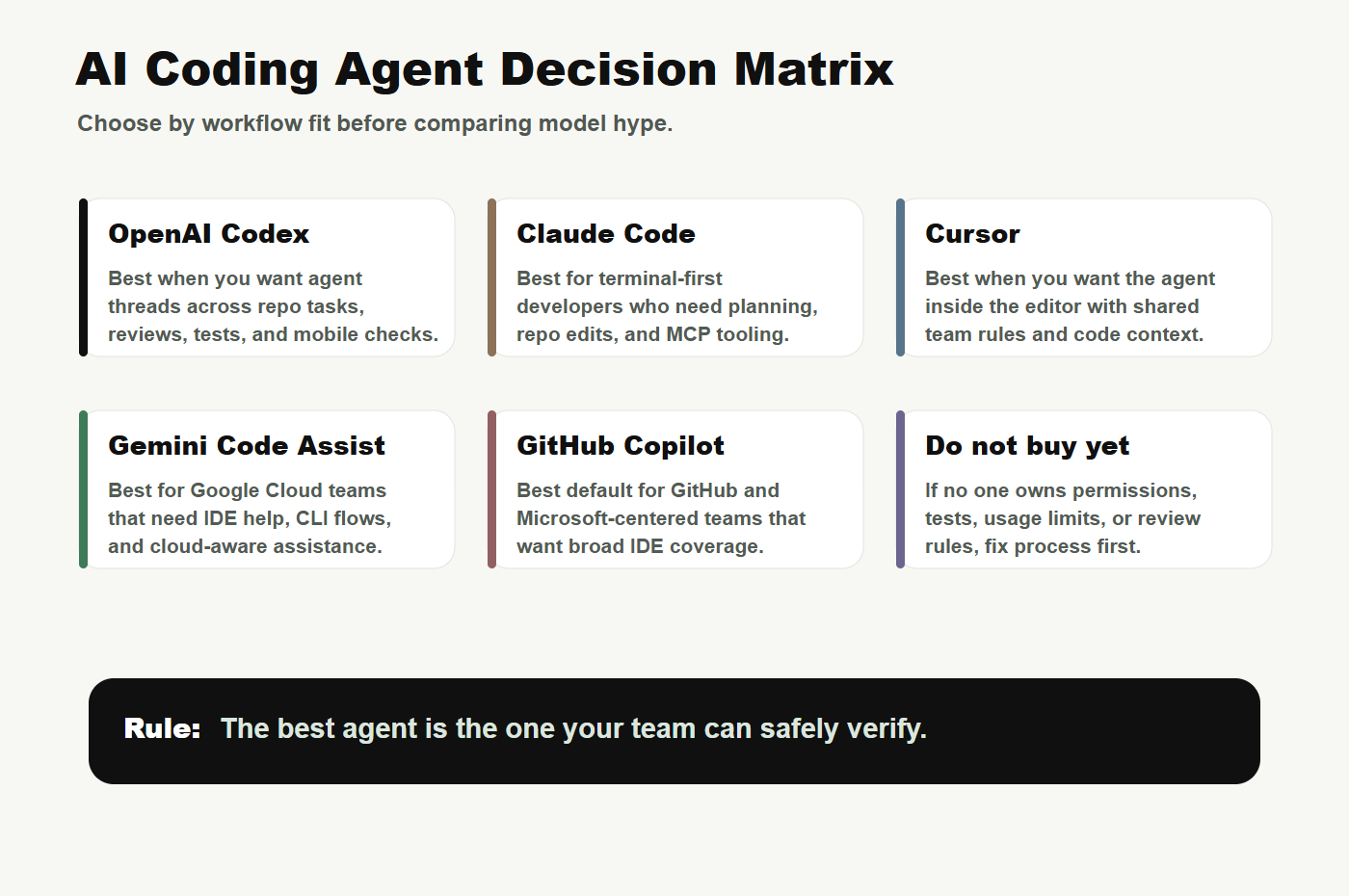
Short answer: choose Cursor if you want an AI-native editor, Claude Code if you want a terminal-first coding agent, OpenAI Codex if you want longer-running agent tasks across ChatGPT/Codex workflows, Gemini Code Assist if your team is built around Google Cloud, and GitHub Copilot if your company standardizes on GitHub and Microsoft tooling.
Quick Decision Table
| Tool | Best fit | Be careful when… |
|---|---|---|
| OpenAI Codex | Delegating repo tasks, mobile supervision, PR review, docs updates, and longer-running agent threads. | You cannot review the changed files, commands, or risk notes before approval. |
| Claude Code | Terminal-first developers who want the agent to read a repo, edit files, run commands, and use MCP-style tools. | Your team needs a non-technical IDE experience or strict centralized admin controls from day one. |
| Cursor | Developers who want agentic editing directly inside a VS Code-like environment. | Your team wants detached cloud agents or strict separation from the editor. |
| Gemini Code Assist | Google Cloud teams that need IDE support, cloud-aware assistance, and enterprise Google governance. | Your development stack is not connected to Google Cloud workflows. |
| GitHub Copilot | GitHub-centered teams that need broad IDE coverage and organization-level adoption. | You have heavy agent usage and have not modeled usage-based or premium-request costs. |
1. OpenAI Codex: best for delegated agent work
OpenAI positions Codex as a coding agent that can operate across development work, and the May 2026 mobile update makes the workflow more continuous: developers can review outputs, steer work, and approve next steps from the ChatGPT mobile app while the work runs on connected environments. That makes Codex especially useful when the bottleneck is not typing code, but keeping agent work moving between focused review moments.
Use Codex for scoped bug fixes, documentation updates, pull request preparation, issue triage, test-gated changes, and tasks where you want an agent thread that can be supervised. Do not use it as a blind deploy button. The best Codex habit is asking for a compact evidence report before approval: files changed, tests run, failures, remaining risks, and exact commands.
2. Claude Code: best terminal-first agent
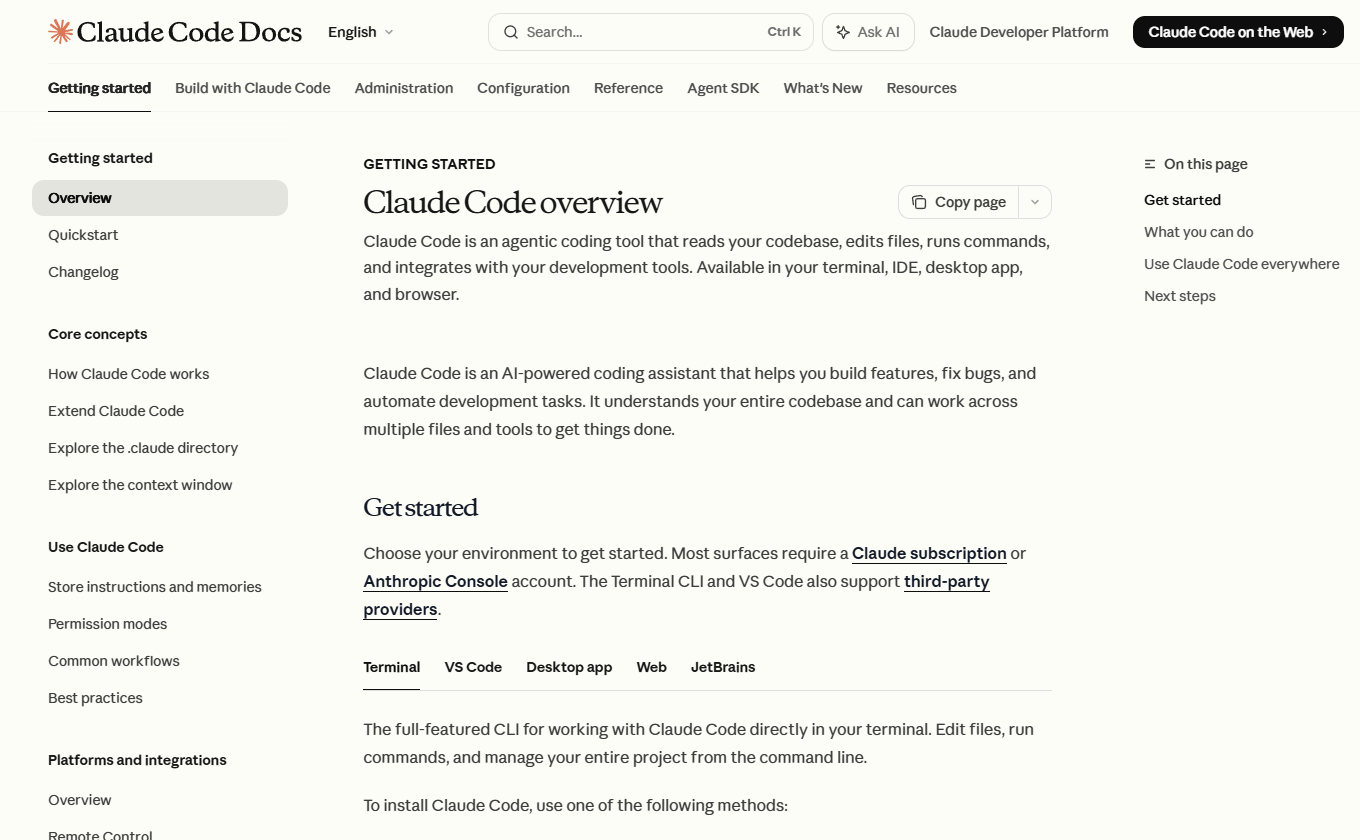
Anthropic describes Claude Code as an agentic coding tool that reads a codebase, edits files, runs commands, and integrates with development tools across terminal, IDE, desktop app, and browser surfaces. In practice, Claude Code is strongest for developers who are comfortable giving a coding agent a repository-level task and then inspecting plans, commands, and diffs.
Claude Code is a good fit for codebase exploration, test debugging, refactors with a clear stop condition, shell-heavy workflows, and teams that already use MCP or custom developer tooling. It is less ideal when the team wants a lightweight inline autocomplete experience only.
3. Cursor: best AI-native editor workflow
Cursor remains the easiest mental model for many developers: open the editor, ask the agent to change code, inspect the diff, and keep working in the same place. Its strongest use case is not replacing your whole engineering process. It is compressing the loop between reading code, editing code, and asking the model to make a specific multi-file change.
Choose Cursor when your team wants a VS Code-like environment with AI deeply embedded in the editor. It is especially useful for frontend work, product iteration, small feature implementation, and teams that want shared rules inside the workspace. Check the current Cursor pricing and usage page before rolling it out widely because plan mechanics and usage limits can change.
4. Gemini Code Assist: best for Google Cloud teams
Gemini Code Assist is most compelling when the development work already lives near Google Cloud. Google’s pricing page describes Gemini Code Assist Standard and Enterprise as part of Gemini for Google Cloud, with use cases across IDEs, local codebase recognition, code transformation, and cloud-aware assistance. That makes the product more interesting for cloud application teams than for solo developers comparing consumer coding tools.
If your company uses Google Cloud, the right question is whether Gemini Code Assist can reduce handoffs across code, infrastructure, operations, and documentation. If your team does not use Google Cloud, start with a more editor- or terminal-native option first.
5. GitHub Copilot: best default for GitHub organizations
GitHub Copilot remains the most obvious default for many companies because it fits the GitHub and Microsoft toolchain. It is usually the easiest option to justify when a team already manages identity, repositories, code review, and policy through GitHub. The tradeoff is that broad adoption can hide cost and quality differences between simple autocomplete, chat, review, and heavier agentic work.
Before expanding Copilot usage, separate three jobs: inline completion, code chat, and agentic task execution. Those jobs have different value and different cost risk.
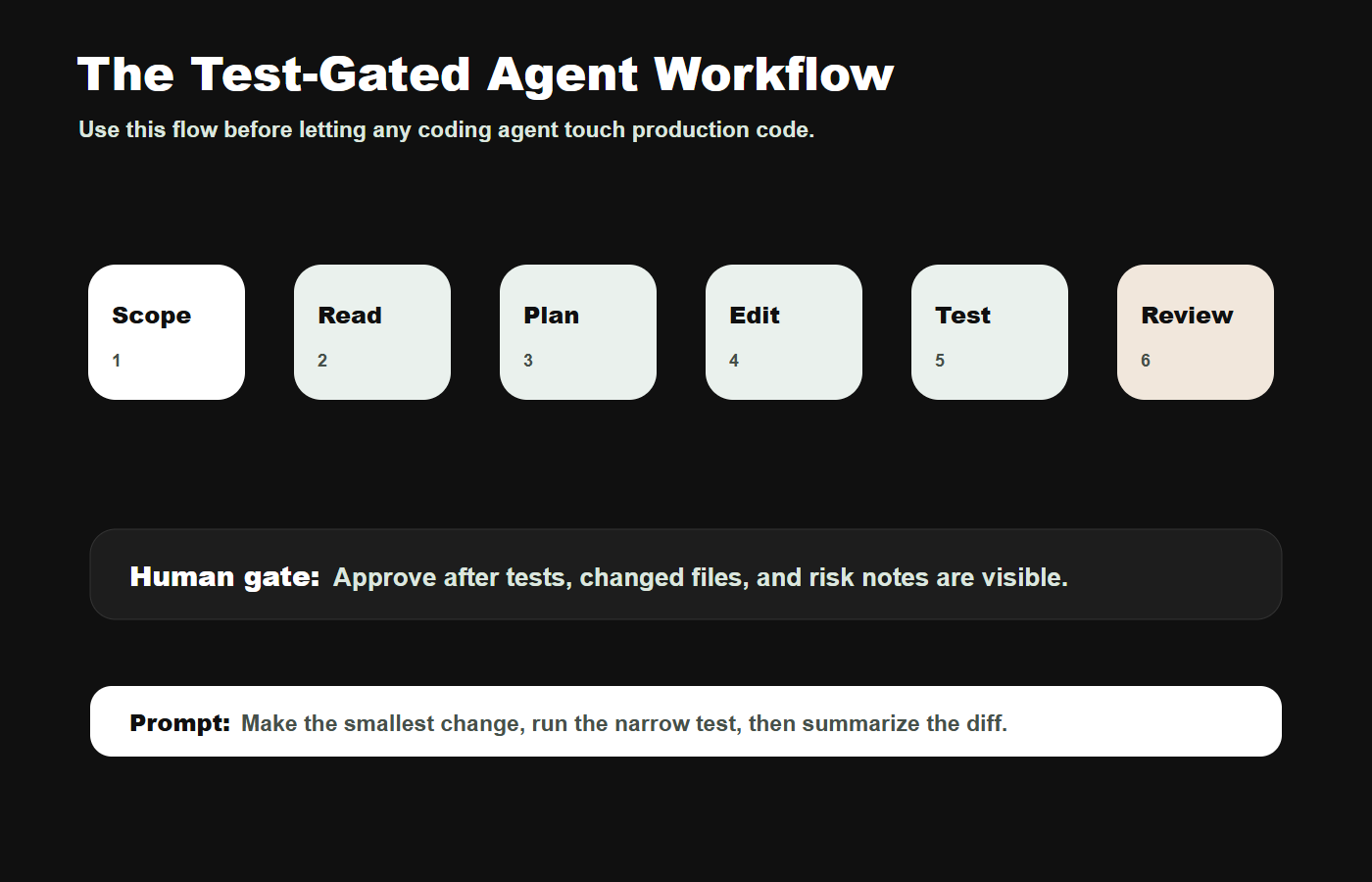
The practical workflow every team should use
- Scope the task. Name the issue, expected behavior, affected files if known, and what should not change.
- Ask for a plan before edits. The agent should explain the likely files, tests, and risks before touching code.
- Make the smallest change. Avoid broad refactors, formatting churn, dependency upgrades, and unrelated cleanup.
- Run the narrow test first. A useful agent should reproduce or target the relevant failure before claiming success.
- Inspect the diff. Review changed files, commands run, screenshots if relevant, and remaining risk.
- Only then approve broader work. Production, auth, billing, migrations, secrets, and deployments need stricter gates.
Prompts to copy
Safe first pass
Investigate this issue without editing first. Find the likely files, explain the cause, identify the narrowest useful test, and propose the smallest safe fix.Test-gated fix
Make the smallest change that fixes the issue. Do not refactor unrelated code. Run the narrow test, then summarize changed files, commands run, failures, and remaining risk.Diff cleanup
Review your own diff. Remove unrelated edits, formatting churn, and unnecessary dependencies. Keep only the minimal change needed for the stated task.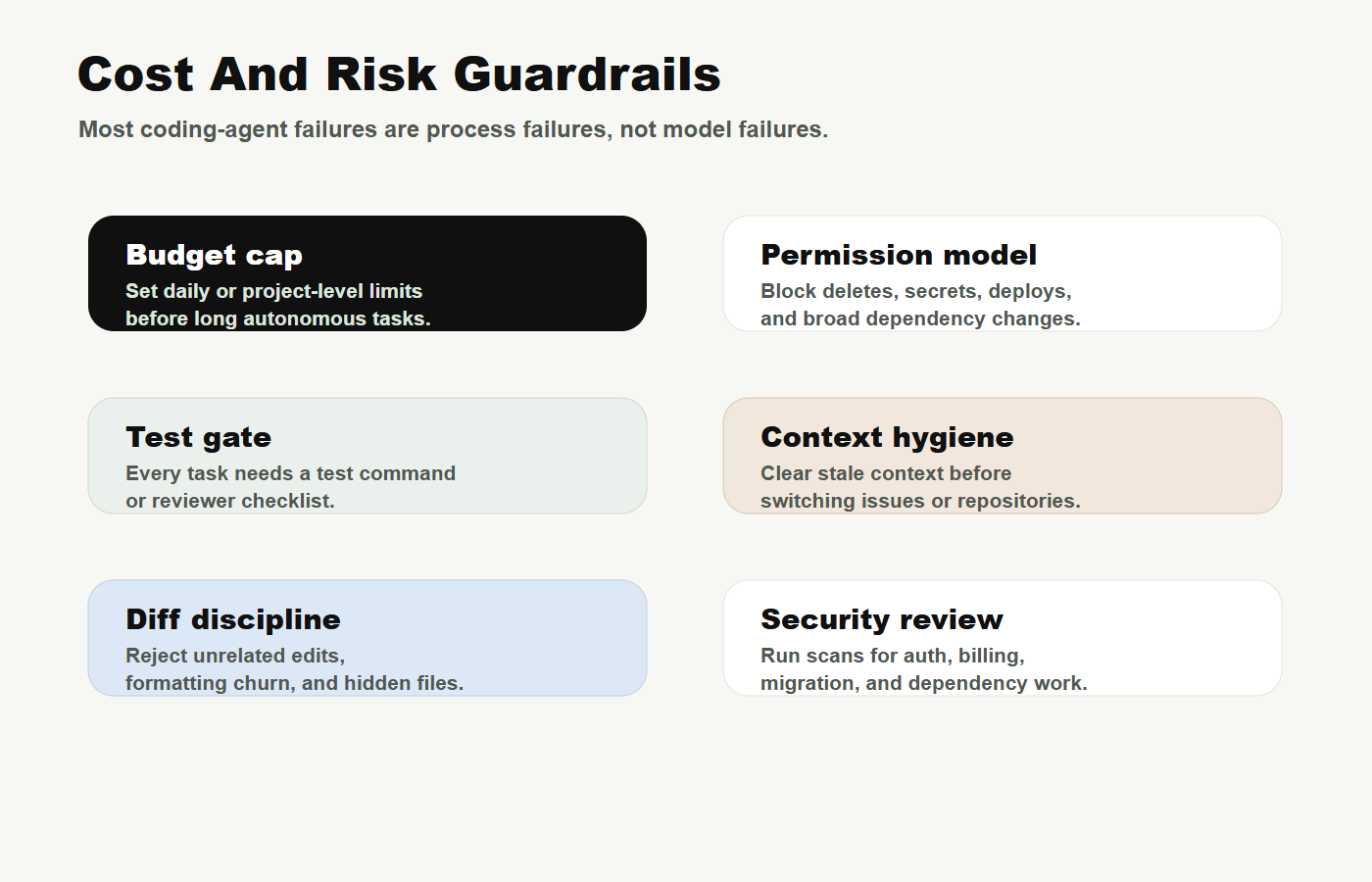
Cost and risk checklist
- Set usage limits before long tasks. Coding agents can consume more tokens and runtime than ordinary chat.
- Block dangerous actions by default. Deletes, deploys, migrations, secrets, billing changes, and broad dependency updates need explicit review.
- Measure output quality, not vibe. Track tests passed, review time, bug regressions, and lines changed per useful result.
- Keep context clean. Start a new session before switching repos, issues, or architecture areas.
- Assign an owner. Someone must maintain prompts, rules, allowed tools, budgets, and review policy.
FAQ
What is the best AI coding agent in 2026?
There is no universal winner. Cursor is often best for editor-native work, Claude Code for terminal-first development, Codex for delegated agent threads, Gemini Code Assist for Google Cloud teams, and GitHub Copilot for GitHub-centered organizations.
Should I use more than one coding agent?
Yes, but only with clear roles. For example, use Cursor for interactive editing, Codex or Claude Code for delegated repo tasks, and Copilot where the organization already standardizes on GitHub.
Are coding agents safe for production code?
They can be useful for production code if the team has tests, human review, permission controls, and rollback expectations. They are not safe when they can make broad changes without evidence and review.
What should I test before buying seats for a team?
Run the same three real tasks in each candidate tool: one bug fix, one small feature, and one documentation or test update. Score accuracy, time saved, diff quality, cost, and reviewer confidence.
Bottom line
Start with the workflow, then choose the tool. If your developers live inside the editor, trial Cursor. If they live in the terminal, trial Claude Code. If you want delegated tasks that can keep running under review, trial Codex. If your work is tied to Google Cloud, trial Gemini Code Assist. If your organization already runs on GitHub, evaluate Copilot as the default baseline.
The wrong move is buying an agent because it looked impressive in a demo. The right move is giving each candidate the same repo, the same bug, the same test gate, and the same review standard. The agent that produces the smallest correct diff with the least review debt is the one worth expanding.
Source note
This article was prepared through the Tovren Editorial OS workflow and fact-checked against current official vendor sources before publication.
Source log
- OpenAI Developers: Codex – Codex product positioning and developer workflow context.
- OpenAI: Work with Codex from anywhere – Codex mobile preview, connected host workflow, and approval loop.
- OpenAI Help Center: Codex rate card – token-based pricing direction and rate-card notes.
- Claude Docs: Claude Code overview – Claude Code surfaces, repo editing, command execution, and developer workflow.
- Claude Code Docs: How Claude Code works – agentic harness, tools, context, and execution model.
- Cursor pricing – current plan and usage page for Cursor buyers.
- Cursor Docs: Background Agents – Cursor background-agent workflow and controls.
- Google Cloud: Gemini for Google Cloud pricing – Gemini Code Assist Standard and Enterprise positioning.
- GitHub Copilot plans – official Copilot plan and pricing surface.
Refresh triggers
- OpenAI changes Codex pricing, mobile support, connected-host support, or plan availability.
- Anthropic changes Claude Code plan access, limits, or permission behavior.
- Cursor changes plan credits, background-agent limits, or team governance features.
- Google changes Gemini Code Assist Standard or Enterprise pricing and access.
- GitHub changes Copilot plan pricing, usage-based billing, AI Credits, or agent features.