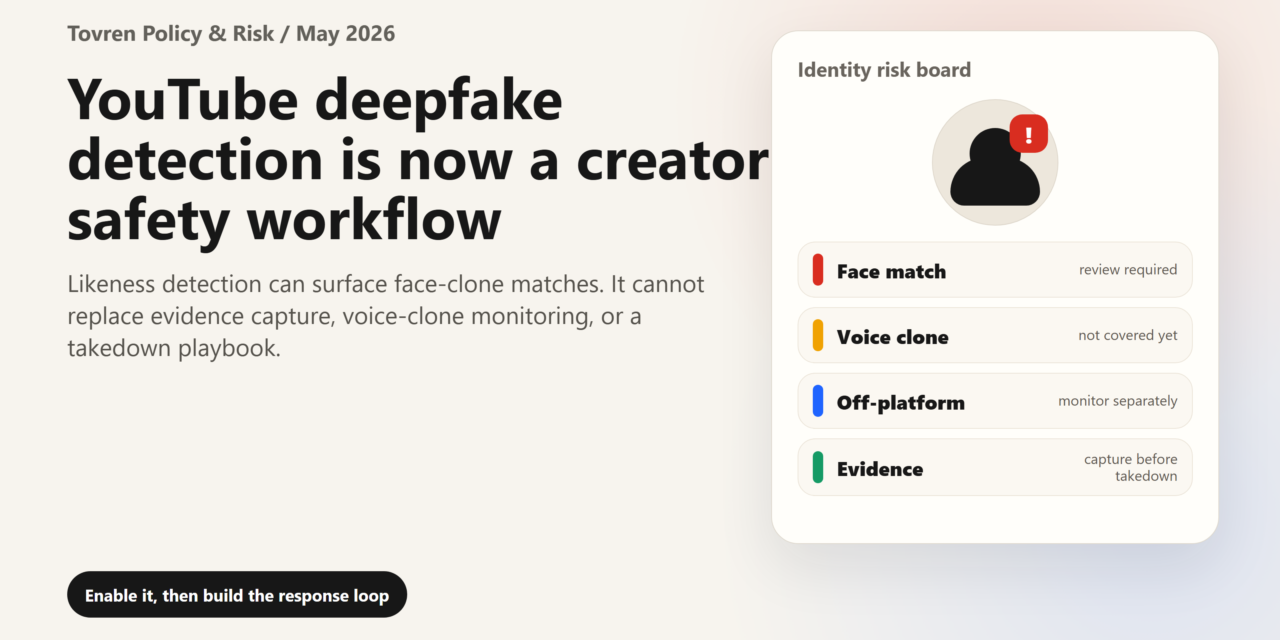
Short answer: Creators should treat likeness detection as a monitoring and evidence workflow. Save originals, document impersonation cases, use platform reporting tools, and avoid relying on one automated detector for final judgment.
Verdict: turn on YouTube’s likeness detection if you are eligible, but do not mistake it for deepfake protection. It is a useful alert system for possible facial likeness misuse on YouTube. It is not a reputation firewall, a voice-clone detector, a legal remedy, or an off-platform monitoring service.
YouTube’s likeness detection tool has moved from a specialist creator-protection feature into something every visible person now has to understand. The practical reason is simple: realistic AI video is no longer limited to professional studios, and public-facing people are becoming reusable visual assets. A creator’s face, a founder’s face, a teacher’s face, or a journalist’s face can now be copied into a clip that looks plausible enough to confuse viewers before the victim even knows it exists.
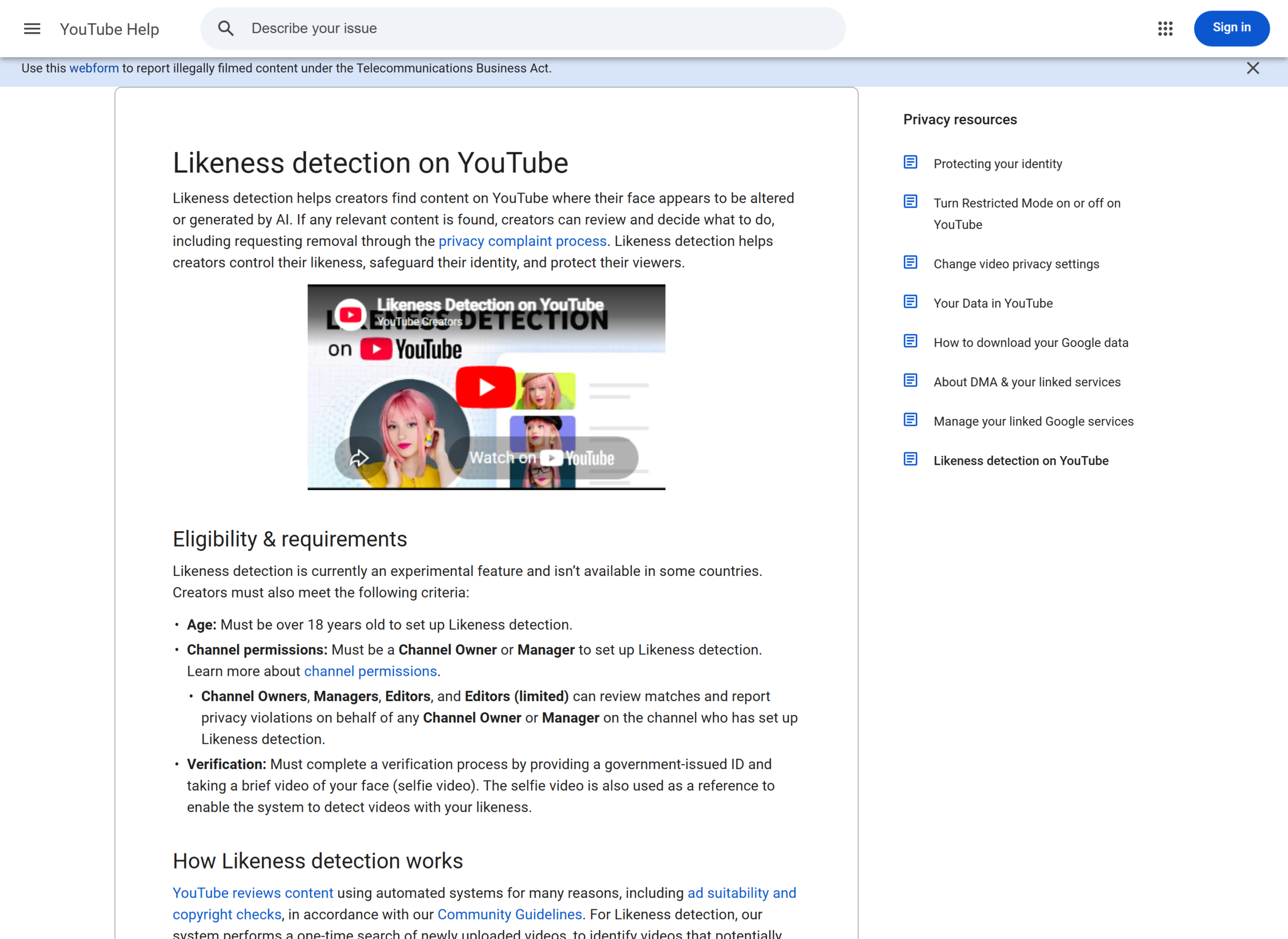
The provocative part is the trade-off. To use the tool, eligible users must verify identity with a government-issued ID and a brief selfie video. In return, YouTube can look for possible matches where a person’s facial likeness appears altered or AI-generated. That is not nothing. It is also not a small privacy decision.
What changed
YouTube says likeness detection helps creators find content where their face appears altered or generated by AI. The tool works through YouTube Studio: eligible users enrol, verify identity, review detected matches, and request removal through YouTube’s privacy process where appropriate.
The feature began with narrower groups, including YouTube Partner Program creators, then expanded to civic leaders, journalists, political candidates, celebrities, and entertainment-industry participants. Recent reporting says YouTube is now widening access to creators and adult users more broadly. Because reports vary between “all creators 18 and over,” “channel owners,” and “all adult users,” Tovren’s working wording is conservative: check your own YouTube Studio account rather than assuming global availability.
Community Heat Check
| Signal | What people are saying | How to use it |
|---|---|---|
| r/youtube, May 2026 | Creators are discussing one-time face scans, alerts, and whether the tool finds anything useful. | Use as creator sentiment, not proof of tool performance. |
| r/ArtificialInteligence, May 2026 | Users are debating whether face verification is protection or biometric overreach. | Use as privacy concern evidence, not policy fact. |
| r/ContentCreators, May 2026 | Creators frame face detection as one layer, with voice cloning still a gap. | Useful practical framing for brand-safety teams. |
| r/youtube AI slop thread | Viewers complain about low-quality AI-generated video flooding search and recommendations. | Use only as mood/context, not as moderation evidence. |
Confirmed Facts vs Community Claims vs Tovren Analysis
| Point | Status | Tovren take |
|---|---|---|
| The tool looks for facial likeness in altered or AI-generated YouTube videos. | Confirmed by YouTube Help. | Good for face-clone discovery, not full identity protection. |
| Setup requires ID and selfie video verification. | Confirmed by YouTube Help. | Worth it for high-risk public people; a real privacy trade-off for low-risk users. |
| Removal is guaranteed after detection. | False. | YouTube reviews requests and may reject them, including for parody, satire, or public-interest reasons. |
| Voice clones are covered. | Not currently. | Voice remains the most dangerous operational gap for scams and executive impersonation. |
| YouTube is creating a mandatory biometric database. | Community concern, not confirmed as mandatory. | The concern is legitimate, but enrolment is currently presented as opt-in and consent-based. |
Why Veo-style AI video makes this more urgent
This is not only about YouTube. Google DeepMind’s Veo page describes modern AI video systems with stronger realism, prompt adherence, image-to-video, text-to-video, audio-video generation, and realistic physics. That matters because the abuse surface has changed. A bad actor no longer needs a full production pipeline to make a convincing “CEO statement,” fake apology, fake endorsement, fake classroom incident, fake journalist field report, or fake influencer ad.
Keep the facts separate: YouTube’s likeness detection is a YouTube safety tool. Veo and other realistic AI video systems are part of the broader reason face-clone misuse is becoming easier, cheaper, and harder for viewers to spot quickly.
Setup checklist: what to do in YouTube Studio
- Check availability: open YouTube Studio on a computer and look for Content detection → Likeness.
- Confirm eligibility: you generally need to be over 18 and have the right channel permissions, such as Owner or Manager.
- Prepare verification: expect a government-issued ID and a brief selfie video. Make sure the name on relevant Google payment or verification records matches your ID.
- Read the consent step: distinguish between data needed to run the feature and any optional consent to improve likeness detection models.
- Repeat for on-camera team members: founders, hosts, teachers, executives, spokespeople, and regular presenters should enrol separately where eligible.
- Review matches: go to Content detection → Likeness → For review, then filter by views or channel subscribers to prioritise high-impact videos.
- Save evidence before filing: screenshot the video page, title, channel name, URL, upload date, view count, description, comments if relevant, and the exact timestamp where the likeness appears.
- Choose the right action: request likeness removal for realistic altered or synthetic impersonation; use copyright removal only when your original copyrighted content was copied and after considering fair use or similar exceptions.
- Archive non-urgent matches: if the video is harmless, commentary, parody, or actual footage, move it to archive rather than over-reporting.
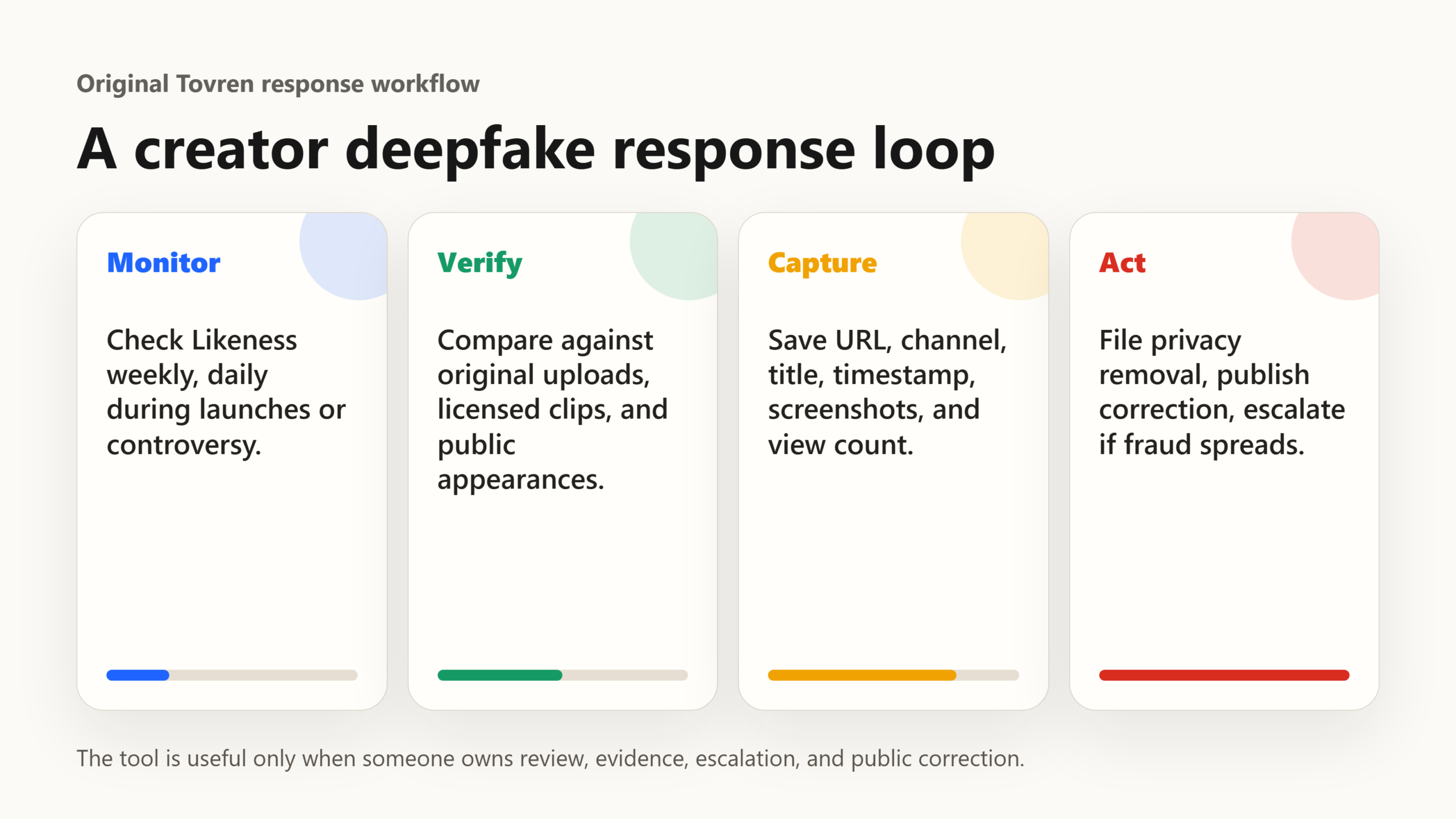
The creator safety workflow
Monitor: check the Likeness tab weekly if you are public-facing, daily during launches, elections, controversies, product announcements, layoffs, fundraising, or litigation.
Verify: do not assume every match is malicious. Compare the clip against your original videos, public appearances, licensed brand work, and known reposts.
Capture: preserve evidence before the uploader edits, deletes, or privates the video. Use screenshots, screen recordings where lawful, archive services, and a shared incident log.
Request removal: file a privacy complaint when the clip realistically makes you appear to say or do something you did not do, misuses your face, or creates viewer confusion. Keep the confirmation email.
Notify: if the video could mislead customers, voters, students, investors, sources, or partners, publish a short correction from your verified channel and alert key stakeholders privately.
Escalate: involve legal counsel, platform trust-and-safety contacts, law enforcement, or crisis communications only when the clip is defamatory, fraudulent, intimate, threatening, election-related, financially harmful, or spreading fast.
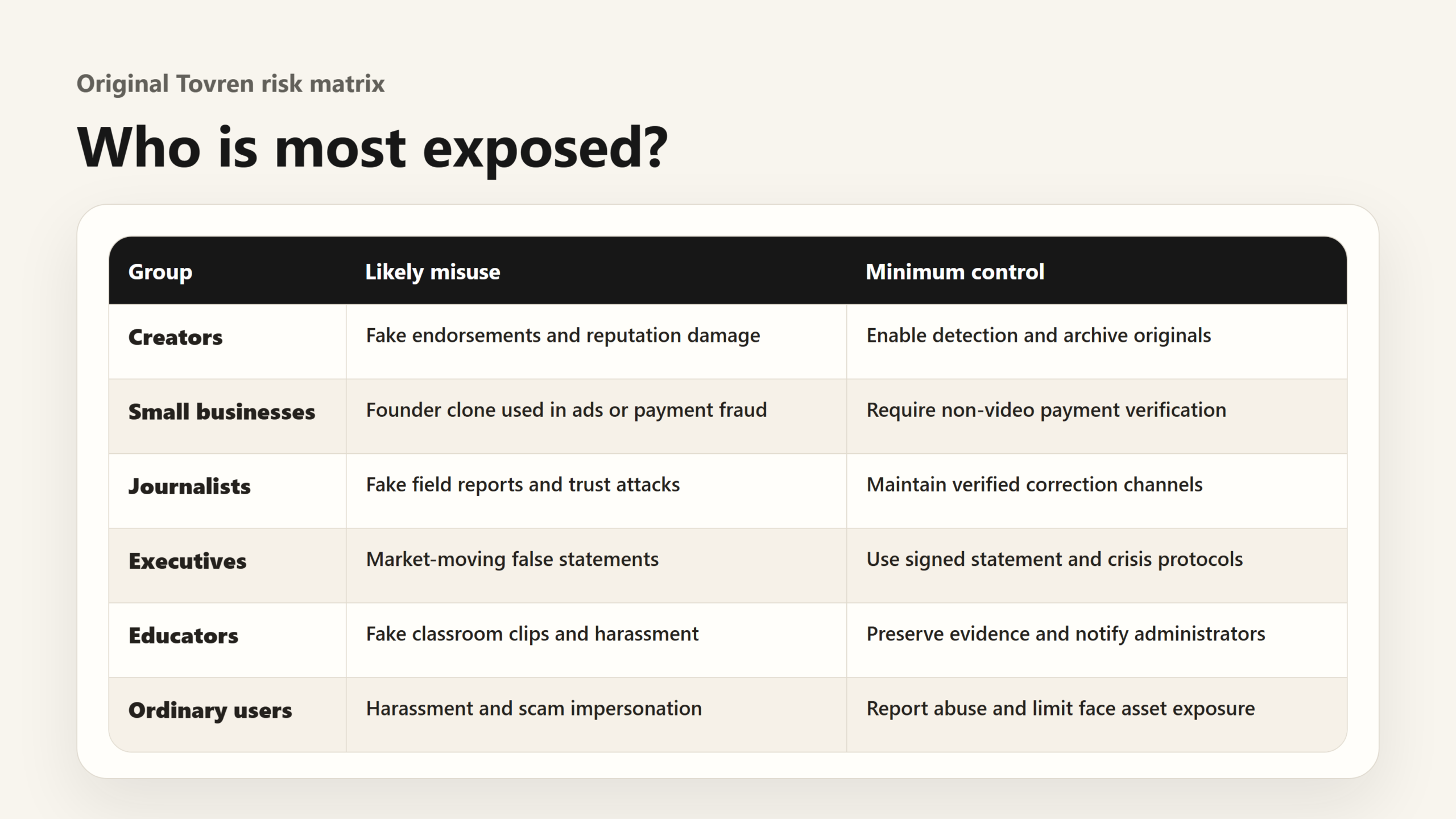
Risk matrix
| Group | Main risk | Minimum control |
|---|---|---|
| Creators | Fake endorsements, scams, reputation damage. | Enable detection, maintain original-content archive, publish correction protocol. |
| Small businesses | Founder clone used in ads, hiring scams, payment fraud. | Approve all AI video centrally and require payment verification by non-video channel. |
| Journalists | Fake field reports, source manipulation, public-trust attacks. | Enrol visible reporters and maintain newsroom verification pages. |
| Executives | Market-moving statements, investor fraud, internal confusion. | Use signed statement channels and executive impersonation playbooks. |
| Educators | Fake classroom clips, harassment, parent panic. | Document official communication channels and evidence-preservation rules. |
| Ordinary users | Harassment, scams, non-consensual impersonation. | Check eligibility, report abuse, avoid oversharing face/video assets publicly. |
What this does not solve
Voice clones: YouTube says likeness detection currently focuses on visual content that looks like you, while audio expansion is still being worked on in 2026.
Off-platform videos: TikTok, X, Instagram, Telegram, Discord, websites, and ad networks require separate monitoring and takedown routes.
Parody, satire, and fair use: detection does not equal removal. YouTube may preserve content with public-interest, parody, satire, commentary, or other contextual value.
False positives and delays: the tool is experimental, may show actual footage, may miss altered videos, and may not surface matches immediately.
Non-face synthetic video: fake scenes, fake documents, fake locations, synthetic body doubles, and misleading edits may still cause harm without matching your face.
Account scam impersonation: a fake channel using your name, logo, profile photo, or brand language may not be solved by facial-likeness detection alone.
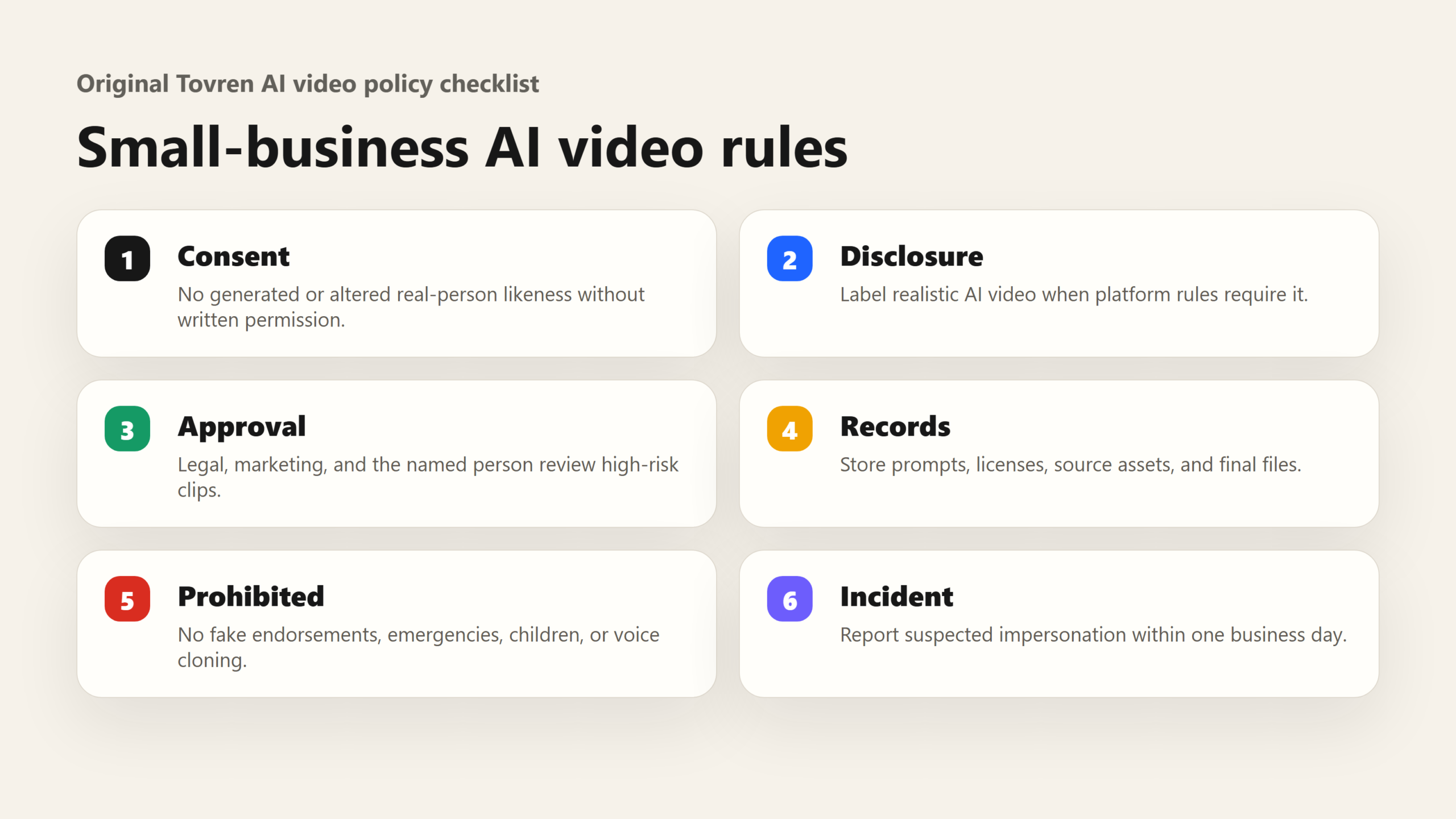
Small-business AI video policy template
Use this as a starting policy for teams that create or approve AI video:
1. Consent: no employee, contractor, customer, teacher, student, executive, creator, or partner likeness may be generated, altered, cloned, dubbed, or animated without written permission.
2. Disclosure: any realistic altered or synthetic video must be disclosed during upload when platform rules require it, and clearly described in campaign notes.
3. Approval: AI video involving a real person, brand spokesperson, customer story, election issue, health, finance, education, legal topic, or crisis message requires review by marketing, legal, and the named person or their representative.
4. Records: store prompts, source assets, licences, consent forms, edit history, upload dates, and final files for at least three years or your local retention period.
5. Prohibited uses: no fake endorsements, fake testimonials, fake apologies, fake news footage, fake emergency messages, synthetic children, non-consensual intimate content, or undisclosed voice cloning of another person.
6. Incident response: suspected impersonation must be reported internally within one business day, with screenshots, URLs, timestamps, and a recommended takedown route.
Red flags to act on immediately
- A video makes you appear to endorse a product, investment, political candidate, charity, or cryptocurrency.
- A clip shows an executive, journalist, educator, or creator saying something unusually inflammatory.
- The upload appears during a launch, election, crisis, earnings window, court matter, or public controversy.
- The account asks viewers to send money, click a link, join a Telegram group, or verify identity.
- The voice sounds right but the face, mouth movement, lighting, or context feels slightly wrong.
FAQ
Should every creator enrol?
If your face is part of your work, yes, strongly consider it. If you rarely appear publicly and are uncomfortable submitting ID and a selfie video, weigh the privacy trade-off against your actual exposure.
Does detection remove deepfakes automatically?
No. It surfaces possible matches so you can review them and request removal. YouTube still evaluates the request.
Does this protect my voice?
Not yet in the same detection workflow. You can still report voice-related altered or synthetic content through YouTube’s privacy complaint process, but the likeness tool currently focuses on visual matches.
Can a manager file reports for a channel owner?
Yes, YouTube says certain delegated roles can access the Content detection tab and report privacy violations for enrolled people on the channel.
What is the safest operating rule?
Treat YouTube likeness detection as one control in a broader identity-safety stack: monitoring, evidence capture, verified communication channels, AI video policy, crisis response, and legal escalation when harm is serious.
Related Tovren Reading
For follow-up reading, browse Policy & Risk, AI Tools, Automation & Agents, and Business AI.
Source Log
- YouTube Help: Likeness detection on YouTube – accessed May 22, 2026. Used for eligibility, verification, visual-match limits, review workflow, opt-out, and data-use details.
- YouTube Blog: Expanding likeness detection to civic leaders and journalists – used for staged rollout context.
- YouTube Blog: Expanding likeness detection to the entertainment industry – used for broader public-figure rollout context.
- TechRadar, May 19, 2026 – secondary report on broader rollout to channel owners over 18.
- Google DeepMind: Veo – used only for broader AI-video realism context, not as evidence of YouTube policy.
- Reddit r/youtube thread – community signal only.
- Reddit r/ArtificialInteligence thread – community privacy and AI-risk sentiment only.
- Reddit r/ContentCreators thread – creator workflow sentiment only.
Refresh Triggers
- YouTube changes eligibility wording from creators to all adult users, or vice versa.
- YouTube launches audio or voice-likeness detection inside the same workflow.
- YouTube changes ID, selfie, storage, model-improvement consent, or opt-out requirements.
- YouTube publishes takedown success, rejection, or appeal metrics for likeness complaints.
- Major legal changes affect platform duties around deepfakes, voice clones, or digital replicas.
- Major AI video models add stronger identity, voice, long-form, or real-time generation features.