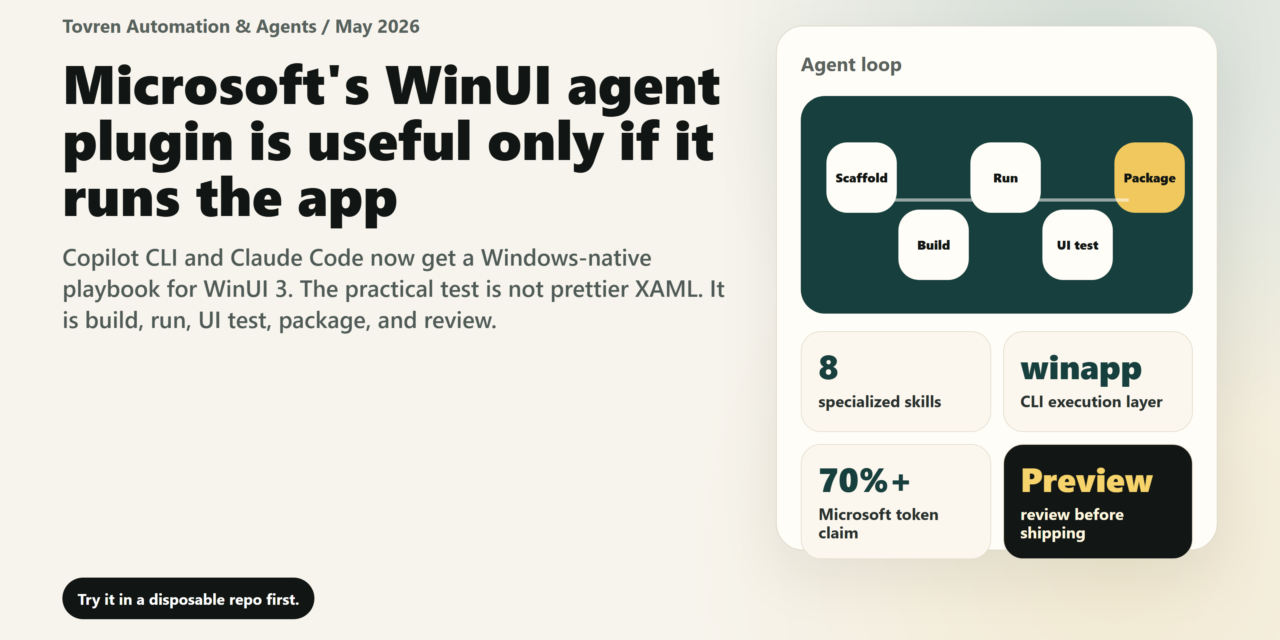
Direct verdict
Yes — Windows desktop developers should test Microsoft’s WinUI agent plugin now for prototypes, internal tools, and WinUI 3 migrations. Do not ship agent-generated Windows apps without human code review, accessibility review, UI testing, packaging checks, and security review. That is the practical line. The plugin is useful because it gives Copilot CLI and Claude Code a domain-specific Windows workflow instead of letting a generic agent improvise from old UWP/WPF examples. It is not a license to vibe-code a signed MSIX and push it to users.
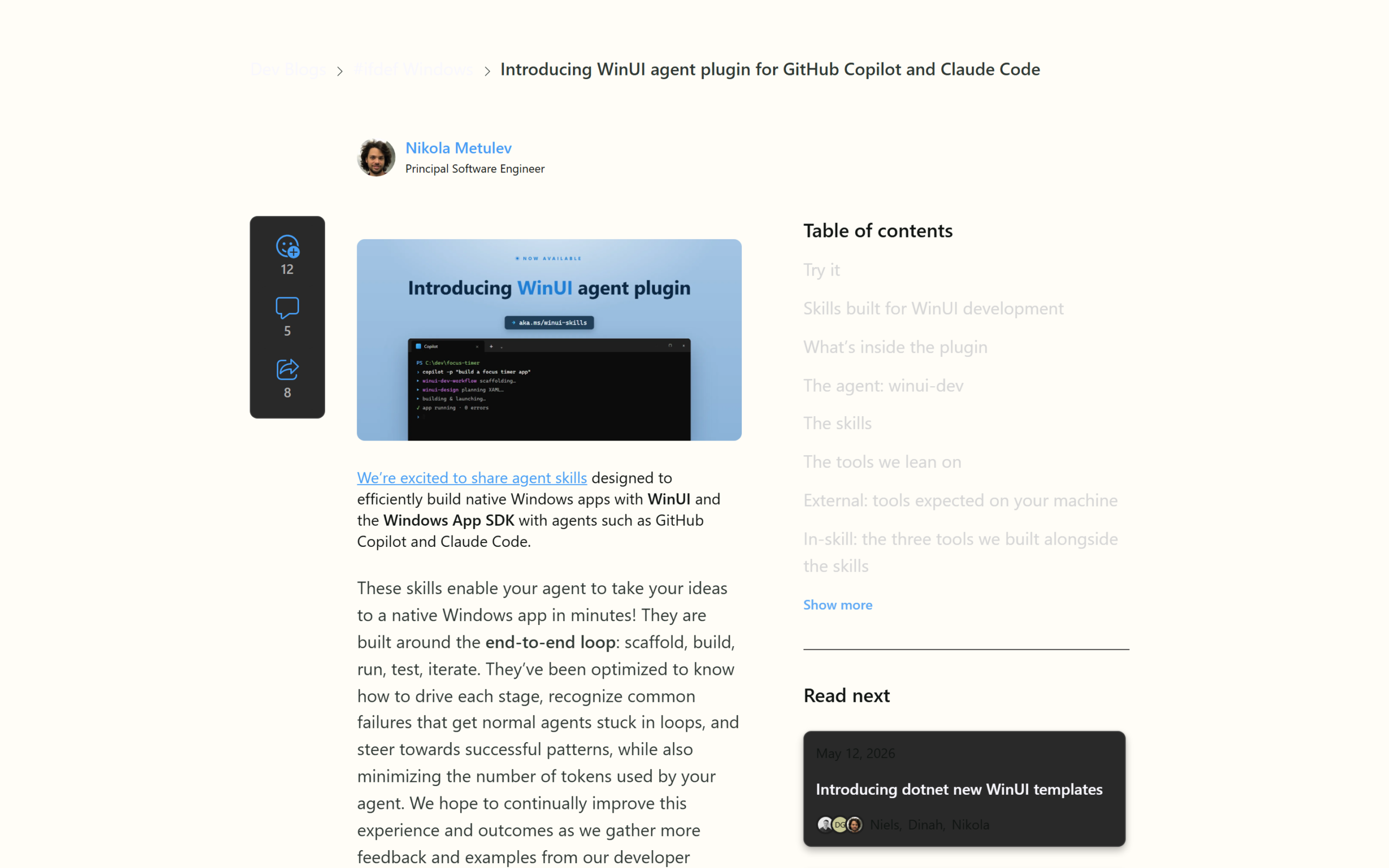
Microsoft published Introducing WinUI agent plugin for GitHub Copilot and Claude Code on its #ifdef Windows Dev Blog on May 13, 2026. The plugin is designed to help agents such as GitHub Copilot and Claude Code build native Windows apps with WinUI and the Windows App SDK, and Microsoft frames the workflow as an end-to-end loop: scaffold, build, run, test, iterate.
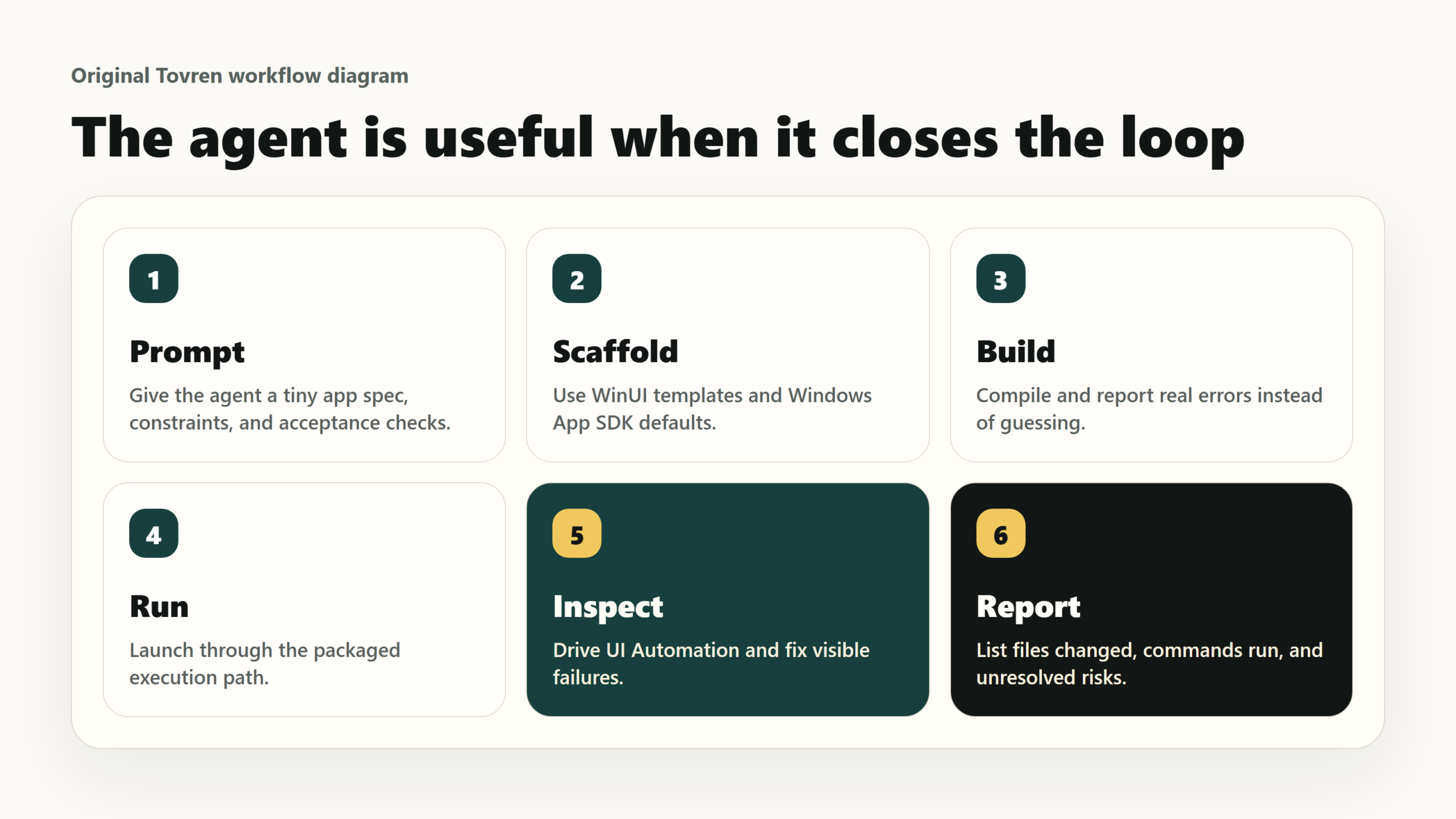
The important part is not that an AI model can write XAML. The important part is that the plugin tries to close the loop that generic coding agents usually leave open: build the app, run it through the right packaged-execution path, inspect failures, test the UI, and only then iterate. Microsoft says generic agents working from web context often mix WinUI with older stacks, miss packaged execution, or stop before running and verifying the app.
What the WinUI agent plugin actually does
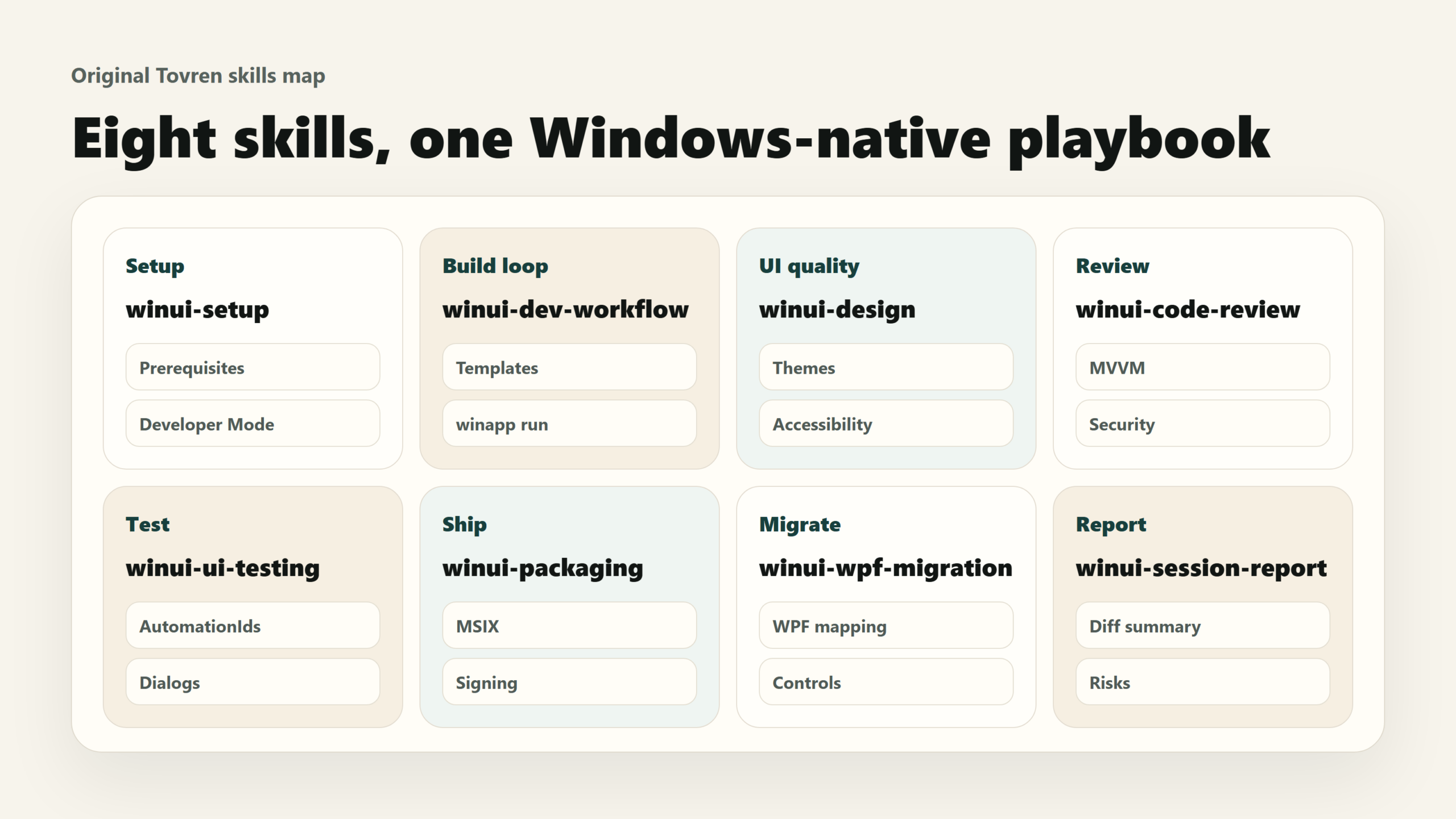
The WinUI agent plugin gives Copilot CLI and Claude Code a specialized Windows desktop development layer for WinUI 3, Windows App SDK, XAML, and C#. Microsoft Learn describes the plugin as providing accurate, up-to-date WinUI 3 and Windows App SDK knowledge, with one dedicated agent named winui-dev and eight specialized skills for scaffold, build, run, test, package, and migration work.
Think of it as a workflow pack, not a model upgrade. It does not make Copilot or Claude magically “know Windows.” It gives the agent a set of task playbooks and supporting tools so it can behave less like a general autocomplete model and more like a junior Windows developer who has been handed the correct checklist.
The plugin ships one agent, winui-dev, and eight skills: winui-dev-workflow, winui-design, winui-code-review, winui-ui-testing, winui-packaging, winui-wpf-migration, winui-session-report, and winui-setup. Microsoft says winui-dev loads the design and workflow skills by default, then pulls in other skills when the task needs them.
The quiet dependency is winapp, Microsoft’s Windows App Development CLI. Microsoft Learn describes winapp CLI as a public-preview command-line interface for managing Windows SDKs, packaging, app identity, manifests, certificates, and build tools across Windows app frameworks. Microsoft announced winapp’s public preview on January 22, 2026, explicitly positioning it as a way to unify SDK, manifest, certificate, and packaging work that has historically made Windows development feel scattered.
That matters because native Windows apps are not just files and views. They involve package identity, MSIX, manifests, signing, activation, UI Automation, permissions, and distribution. Microsoft’s April 22, 2026 winapp CLI v0.3 post added winapp run, winapp ui, and dotnet run support for packaged apps — exactly the surfaces an agent needs if it is going to run and inspect a real desktop app instead of merely generating code.
Confirmed facts, community sentiment, and Tovren analysis
| Type | What we can say | Evidence / basis | How developers should interpret it |
|---|---|---|---|
| Confirmed Microsoft fact | Microsoft published the WinUI agent plugin article on May 13, 2026, for GitHub Copilot and Claude Code. | Microsoft Dev Blogs / #ifdef Windows. | Treat this as an official Microsoft Windows developer tooling push, not a random community prompt pack. |
| Confirmed Microsoft fact | The plugin targets native Windows apps built with WinUI and Windows App SDK and is organized around scaffold → build → run → test → iterate. | Microsoft launch blog. | The plugin’s value is the loop, not the chat interface. Judge it by whether it actually builds and runs your app. |
| Confirmed Microsoft fact | Microsoft says the system reduced token use by more than 70% compared with the starting point on the same model. | Microsoft launch blog. | Useful signal, but not an independent benchmark. Treat it as Microsoft’s internal efficiency claim until developers reproduce it. |
| Confirmed Microsoft fact | The plugin uses winapp CLI for installing, running, UI automation, packaging, signing, and app identity work. | Microsoft launch blog and Microsoft Learn winapp documentation. | The boring packaging layer is the whole point. Without command-line app identity and UI automation, agents stall at “code generated.” |
| Confirmed Microsoft / GitHub fact | GitHub Docs says Agent Skills work with Copilot cloud agent, GitHub Copilot CLI, and agent mode in VS Code; project skills can live in .github/skills, .claude/skills, or .agents/skills. |
GitHub Docs. | Skills are becoming a portable unit of agent workflow knowledge. That is bigger than this single WinUI plugin. |
| Important nuance | Microsoft Learn says this specific winui@awesome-copilot plugin works with GitHub Copilot CLI and Claude Code, and does not currently integrate with VS Code Copilot Chat. |
Microsoft Learn WinUI agent plugin page. | Do not assume every Agent Skills feature applies to this plugin in every editor today. Test the actual path you plan to use. |
| Developer-community sentiment | There is visible interest from Windows developers because agents often struggle with WinUI details; one Microsoft blog commenter said agents had been messing up simple UI bindings. | Microsoft blog comments. | The demand is practical: developers want agents that stop breaking XAML, bindings, packaging, and execution. |
| Developer-community sentiment | There is also long-running skepticism about Microsoft Windows UI stacks, including “not another UI toolkit” and “yet another rewrite” reactions in older HN/GitHub discussions. | Hacker News and GitHub discussions. | The plugin inherits WinUI’s trust problem. A good agent workflow helps, but it does not erase years of Windows desktop fragmentation. |
| Tovren analysis | The plugin is most important as proof that reliable coding agents need domain-specific workflows, tools, and verification loops — not just larger context windows. | Microsoft’s skill/tool architecture plus GitHub/VS Code Agent Skills documentation. | This is the direction serious agentic development is moving: scoped skills, executable tools, and repeatable review gates. |
Install and first-test walkthrough
Use a disposable repository first. Do not point the plugin at your production Windows app and ask it to “modernize everything.” That is how teams turn a useful tool into a diff bonfire.
1. Install the base Windows tooling
Install the Windows App Development CLI first:
winget install Microsoft.winappcli --source wingetMicrosoft Learn lists winapp CLI as a prerequisite for the plugin, and the quickstart also uses.NET SDK 10, WinUI templates, GitHub CLI/Copilot, and the WinApp VS Code extension for the broader Windows AI development path.
2. Install the WinUI agent plugin
For GitHub Copilot CLI, Microsoft Learn currently shows:
gh copilot plugin install winui@awesome-copilot gh copilot plugin listThe May 13 launch blog shows the slash-command style inside Copilot CLI:
/plugin install winui@awesome-copilot /winui:winui-setupMicrosoft Learn also shows the setup skill in prompt form:
gh copilot -p "/winui-setup"Use the command style your installed Copilot CLI exposes. The practical requirement is the same: install winui@awesome-copilot, run the setup skill, and verify that winapp,.NET, templates, and Developer Mode are ready.
3. For Claude Code
Microsoft Learn says Claude Code uses its own plugin registry:
claude plugin marketplace add microsoft/win-dev-skills claude plugin install winui@win-dev-skillsThen use the same agent prefix pattern in Claude Code:
@winui-dev Build me a WinUI 3 app that shows a list of files in a folder.4. Run a first smoke test
Use a small app that forces the agent to touch UI layout, file picking, MVVM, build, run, and UI verification:
@winui-dev Build a WinUI 3 app named AgentSmokeTest. It should show a folder picker, list files from the selected folder, include a search box, and display file count. Use MVVM, Microsoft.UI.Xaml namespaces only, DispatcherQueue when needed, and AutomationIds on interactive controls. Build it, run it through the packaged execution path, perform UI testing, then summarize every file changed and every failure fixed.A good first result is not “the agent wrote code.” A good result is: the app builds, launches through the packaged execution path, has accessible names/automation IDs, survives a basic UI test, and gives you a clean session report with changed files, unresolved issues, and commands run.
The eight WinUI skills and when to use each
| Skill | What it does | Use it when | Human check still required |
|---|---|---|---|
winui-setup |
Installs and verifies prerequisites such as.NET SDK, winapp CLI, WinUI templates, and Developer Mode. | You are setting up a new machine or the agent reports missing Windows tooling. | Confirm what it installs, review elevation prompts, and document machine changes. |
winui-dev-workflow |
Guides scaffold, build, run, and iterate workflows; uses templates, build helpers, winapp run, and diagnostics. |
You want a new WinUI 3 app, a build fix, or a working inner loop. | Review generated project structure, dependency changes, and build scripts. |
winui-design |
Handles XAML layout, control choice, Fluent Design, theme support, spacing, typography, bindings, and accessibility review. | You are creating or refactoring pages, converting from web/Electron/WPF UI, or fixing theme issues. | Check keyboard navigation, high contrast, screen reader labels, density, and localization readiness. |
winui-code-review |
Reviews WinUI code for MVVM, x:Bind, accessibility, theming, security, and performance issues. |
Before committing agent-generated changes. | Do a real human PR review. The skill is a checklist assistant, not an accountable reviewer. |
winui-ui-testing |
Generates and runs UI automation checks using winapp ui. |
You need proof the app launches, controls exist, dialogs open, values update, and accessibility basics are present. | Run manual exploratory testing and add durable automated tests for critical flows. |
winui-packaging |
Guides MSIX packaging, certificates, signing, release builds, CI/CD, and Store submission. | You are preparing an internal installer, test MSIX, or Store path. | Validate app identity, signing chain, capabilities, update behavior, Store policies, and installer rollback. |
winui-wpf-migration |
Maps WPF patterns to WinUI 3: namespaces, controls, dispatching, resources, MVVM, and common substitutions. | You are moving WPF screens, controls, or app shell patterns to WinUI 3. | Manually review lifecycle, threading, third-party controls, accessibility, performance, and unsupported WPF features. |
winui-session-report |
Summarizes what happened in a session and suggests next steps. | After a long agent run, failed build, migration attempt, or before filing an issue. | Compare the report to Git diff, build logs, and test output. Agents omit uncomfortable details. |
The skill descriptions above are based on Microsoft’s plugin table and Microsoft Learn’s eight-skill summary.
A practical 60-minute test plan for developers
This is the test Tovren recommends before you let the plugin touch a real app.
| Time | Action | Prompt or command | Pass / fail standard |
|---|---|---|---|
| 0–10 min | Install and verify prerequisites. | winapp --version, gh copilot plugin list, then setup skill. |
Pass if winapp,.NET SDK, templates, and plugin are available in a fresh shell. |
| 10–20 min | Create a tiny WinUI 3 app. | @winui-dev Build a WinUI 3 file-list app with folder picker, search, and file count. |
Pass if the agent scaffolds a plausible app and explains the files it created. |
| 20–30 min | Force a real build/run loop. | Build it, run it using the packaged execution path, and fix any build or runtime errors. |
Pass if the app launches and the agent reports actual commands, errors, and fixes. |
| 30–40 min | Ask for UI automation. | Use winui-ui-testing to verify the folder button, search box, file list, and file count. |
Pass if the agent can inspect or drive the UI and produce readable test output. |
| 40–48 min | Ask for accessibility and theme review. | Run winui-design and winui-code-review. Check AutomationProperties, keyboard order, dark mode, high contrast, and input validation. |
Pass if it finds at least concrete checks, not generic “looks good” filler. |
| 48–55 min | Ask for packaging dry run. | Use winui-packaging to explain the packaging plan, required manifest capabilities, certificate steps, and Store blockers. Do not install certificates without asking. |
Pass if it separates local test packaging from real signing and Store submission. |
| 55–60 min | Generate the session report and review the diff. | Use winui-session-report. List commands run, files changed, known risks, and what a human must review next. |
Pass if the report matches the actual Git diff and does not hide failures. |
If it fails this one-hour test, do not blame the model first. Check the basics: stale winapp install, missing Developer Mode, old templates, shell PATH issues, corporate endpoint restrictions, or a Copilot/Claude plugin version mismatch.
WPF/Electron-to-WinUI migration checklist
Do not treat migration as “ask the agent to convert the app.” Split it into inventory, prototype, mapping, rewrite, test, and packaging.
For WPF apps
- Decide whether you actually need WinUI 3. Microsoft’s own modernization guidance separates “upgrade the existing WPF/WinForms app” from “rebuild with WinUI 3.” If you only need modern Windows features, you may be able to keep WPF and add Windows App SDK features plus package identity.
- Inventory WPF-only features. Flag
AdornerLayer,FlowDocument,DocumentViewer,Viewport3D, custom HWND hosting, heavy third-party controls, and designer-dependent workflows before the agent starts editing. - Map namespaces explicitly. WPF
System.Windows.*patterns need targeted movement toMicrosoft.UI.Xaml.*, not blind search-and-replace. Microsoft’s WPF migration page lists namespace, control, threading, windowing, binding, and resource mappings. - Replace dispatching deliberately. Move
Dispatcher.Invoke/BeginInvoketoDispatcherQueue.TryEnqueuepatterns and review background-thread behavior. - Review binding changes. Use
x:Bindwhere it improves safety, but do not let the agent rewrite every binding without checking data context assumptions. - Plan control substitutions.
TabControlbecomesTabView;ToolBarbecomesCommandBar;WebBrowserbecomesWebView2; DataGrid choices need support scrutiny because WinUI 3 does not map every WPF control one-to-one. - Check theme resources. Convert WPF
DynamicResourcepatterns to WinUIThemeResourcewhere appropriate, then test light, dark, and high-contrast modes.
For Electron apps
- Decide between “native migration” and “Windows integration.” If the Electron app is working and only lacks notifications, file associations, Store packaging, or shell integration, winapp CLI may be enough.
- Use winapp before rewriting. Microsoft’s modernization guide shows Electron apps can use
npm install @microsoft/winappcli --save-dev,npx winapp init, and Windows-specific addon scaffolding for features such as notifications. - Inventory web-only assumptions. List Node APIs, IPC channels, local storage, updater logic, auth redirects, native modules, menu/tray behavior, and file-system access.
- Prototype only one native screen first. Ask
winui-devto rebuild a single high-value screen in WinUI 3, not the whole Electron app. - Compare startup, memory, install size, accessibility, and keyboard behavior. If the WinUI prototype is not measurably better for your users, do not migrate for vibes.
- Plan data migration. Moving from Electron storage patterns to WinUI/.NET storage is an app migration, not a UI refactor.
- Retest packaging and update flows. Electron installers and MSIX/App Installer/Store flows behave differently. Treat distribution as a separate workstream.
Shipping risk checklist
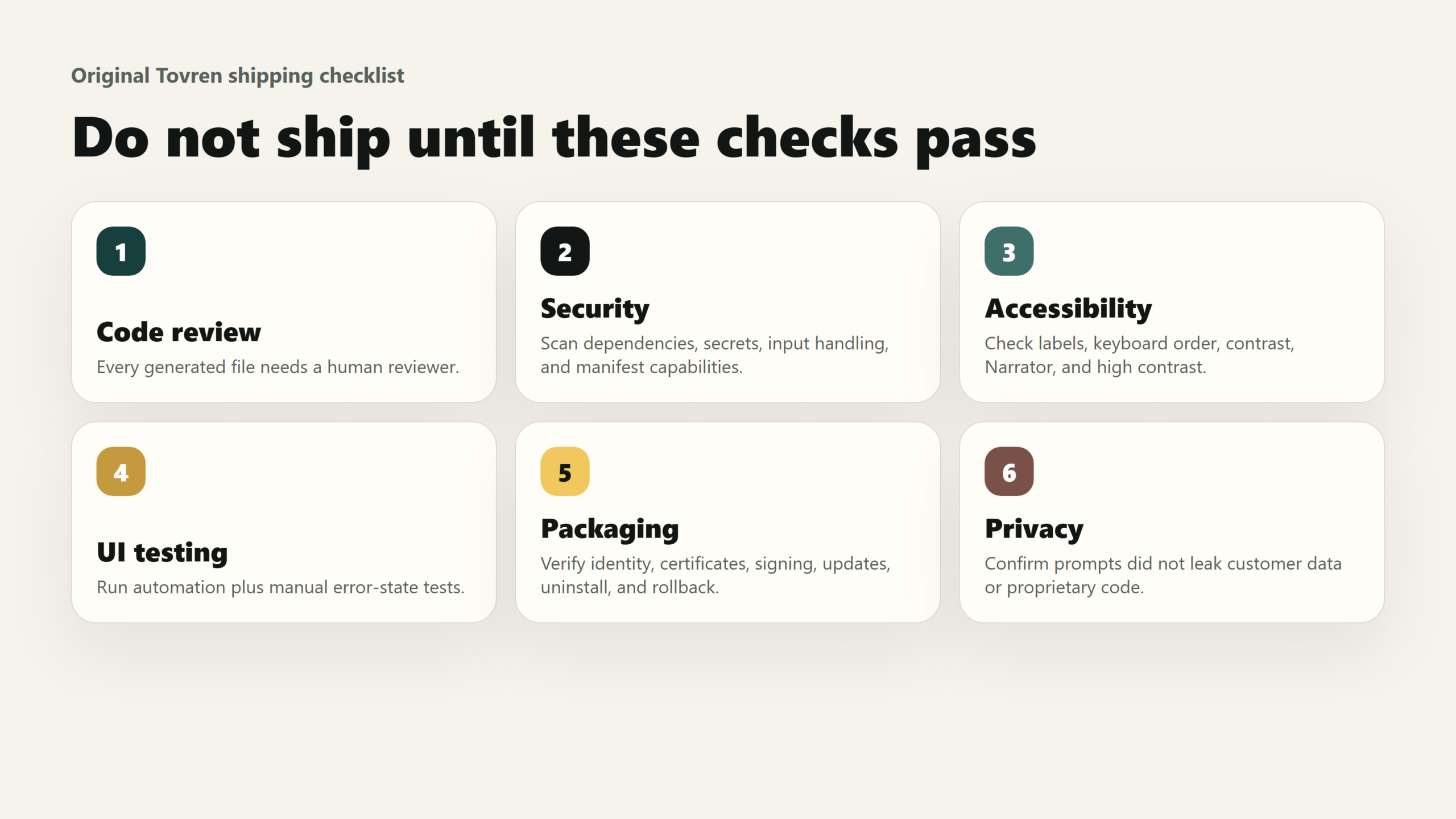
Microsoft’s own responsible-AI guidance for Windows development is blunt: AI-generated code becomes your code when you commit it, and speed does not remove responsibility. The same page tells developers to read every change, test AI-generated code as thoroughly as hand-written code, avoid secrets/PII in prompts, validate input, review dependencies, minimize manifest capabilities, and test accessibility.
| Risk area | Minimum shipping check | Block release if… |
|---|---|---|
| Human code review | Every generated file is reviewed by a developer who understands WinUI, C#, app lifecycle, and packaging. | The PR contains unexplained generated code, broad rewrites, or “trust me” agent summaries. |
| Security | Run static analysis, dependency vulnerability checks, manifest capability review, and secret scanning. | There are hardcoded keys, broad file-system capabilities, unvalidated input, or unexplained new packages. |
| Accessibility | Check AutomationProperties, keyboard navigation, focus order, contrast, Narrator behavior, and high-contrast mode. | Interactive controls are unlabeled, tab order is broken, or the app fails screen-reader basics. |
| UI testing | Run winapp ui-style checks plus manual tests for core flows, error states, dialogs, and persistence. |
The app only “looks right” in one happy-path screenshot. |
| Packaging | Verify MSIX/App Installer/Store packaging, app identity, certificate chain, versioning, updates, uninstall, and rollback. | The package works only on the developer machine or requires undocumented manual certificate steps. |
| Privacy | Confirm prompts did not include customer data, secrets, or proprietary source outside your organization’s policy. | Real customer records, credentials, or sensitive internal logic were pasted into an external agent. |
| Licensing | Review generated code and new dependencies for license obligations and attribution. | The agent added packages or code patterns that nobody has approved. |
| Performance | Measure launch time, memory, UI responsiveness, file-picker behavior, and large-list performance. | The generated UI works for ten records but freezes for a real dataset. |
Decision table: who should try now, wait, or ignore
| Developer / team | Recommendation | Why | First action |
|---|---|---|---|
| Windows desktop developers building prototypes or internal tools | Try now | The plugin is strongest when speed, scaffolding, build/run loops, and UI experiments matter more than long-term architecture. | Run the 60-minute smoke test in a disposable repo. |
| Teams evaluating WinUI 3 migrations from WPF | Try now, but isolate scope | The winui-wpf-migration skill can accelerate API and XAML mapping, but lifecycle and unsupported WPF features need human design decisions. |
Pick one representative screen and migrate only that screen first. |
| Electron teams targeting Windows-only enterprise deployments | Try now for comparison | The agent can help prototype a native WinUI alternative, while winapp can add Windows features to Electron without a full rewrite. | Prototype one native screen and one winapp-enhanced Electron feature, then compare. |
| Teams shipping regulated, medical, financial, or safety-relevant Windows apps | Wait for governed pilot | Agent-generated UI and app logic need stricter traceability, audit, security, and accessibility gates. | Create an internal policy and review workflow before coding with the plugin. |
| Teams fully invested in WPF with stable LOB apps | Use selectively | A full WinUI rewrite may not pay off. Use Copilot/winapp to add Windows App SDK features or modernize incrementally. | Ask whether the user benefit requires a WinUI rewrite or just packaging/app identity. |
| Cross-platform-first teams targeting macOS/Linux/web equally | Mostly ignore | WinUI is a Windows-native bet. If Windows is not strategic, this plugin is not your main agent workflow. | Use platform-neutral agents and test Windows packaging separately. |
| Developers expecting one-click production apps | Ignore until expectations improve | This is an accelerator, not an accountability transfer machine. | Start with code review and testing discipline before adding agents. |
What not to overclaim
- Do not claim the plugin makes WinUI apps production-ready in minutes. It can create a working app quickly; production readiness still depends on review, tests, packaging, accessibility, security, and distribution.
- Do not call Microsoft’s 70% token reduction an independent benchmark. Microsoft says it reduced token use by more than 70% versus its starting point on the same model. That is useful, but it is still Microsoft’s measurement.
- Do not say it solves Windows desktop fragmentation. It makes WinUI agent work less error-prone; it does not erase WPF, WinForms, UWP, Electron, MAUI, Avalonia, React Native, or the history that made developers skeptical.
- Do not say it works everywhere Copilot works. GitHub Agent Skills broadly work with Copilot cloud agent, Copilot CLI, and VS Code agent mode, but Microsoft Learn says this specific plugin currently works with GitHub Copilot CLI and Claude Code and does not currently integrate with VS Code Copilot Chat.
- Do not ignore preview risk. The Microsoft GitHub repository labels the plugin preview/v0.x and warns that skill names, on-disk layout, agent configuration, analyzer rule IDs, and CLI tool surfaces may change before v1.0.
- Do not let the agent choose manifest capabilities casually. Microsoft’s security guidance warns that AI-generated manifests can include broad capabilities and tells developers to review and remove anything unnecessary.
FAQ
Should I use Microsoft’s WinUI agent plugin today?
Yes, if you build Windows desktop apps and can test it in a controlled repo. Use it for prototypes, internal tools, UI experiments, and migration planning. Do not ship its output without human code review, security review, accessibility testing, UI testing, and packaging validation.
Does the plugin work with both GitHub Copilot and Claude Code?
Yes. Microsoft’s launch blog names GitHub Copilot and Claude Code, and Microsoft Learn provides install/use paths for GitHub Copilot CLI and Claude Code.
Is this better than just pasting WinUI instructions into a prompt?
Usually, yes. A prompt can remind the model to avoid UWP APIs, but a skill can package repeatable instructions, scripts, examples, and resources. VS Code’s Agent Skills documentation describes skills as folders of instructions, scripts, and resources that load when relevant, rather than always-on custom instructions.
Can this migrate a production WPF app to WinUI 3 automatically?
No. It can accelerate mapping and first-pass conversion. Microsoft’s own migration guidance says many WPF and UWP substitutions are tractable, but app model changes, resources, background tasks, unsupported controls, and lifecycle behavior need human review.
What is the biggest practical benefit?
The biggest benefit is that the agent can be pushed toward a complete Windows app loop: scaffold, build, run, inspect UI, package, and report. Generic coding agents often stop at generated code. For native Windows work, the run/package/UI automation loop is the difference between a demo snippet and an app you can evaluate.
Source Log
| Source | Publisher | Date / updated date visible | URL | Claims supported |
|---|---|---|---|---|
| Introducing WinUI agent plugin for GitHub Copilot and Claude Code | Microsoft Dev Blogs / #ifdef Windows | May 13, 2026 | https://devblogs.microsoft.com/ifdef-windows/build-native-windows-apps-with-ai-agents-for-winui-and-windows-app-sdk/ | Announcement date; plugin purpose; Copilot/Claude Code support; scaffold/build/run/test/iterate loop; install commands; generic-agent failure modes; eight skills; token-reduction claim; winapp dependency. |
| WinUI agent plugin for GitHub Copilot CLI and Claude Code | Microsoft Learn | Last updated May 21, 2026 | https://learn.microsoft.com/en-us/windows/apps/develop/ai-assisted/winui-agent-plugin | Current plugin scope; Copilot CLI and Claude Code install paths; no current VS Code Copilot Chat integration; winui-dev usage; eight-skill summary. |
| Set up GitHub Copilot for Windows development | Microsoft Learn | Last updated May 21, 2026 | https://learn.microsoft.com/en-us/windows/apps/how-tos/ai-setup | Setup flow; plugin gives Copilot Windows App SDK context; prevents deprecated UWP API mistakes; Microsoft Learn MCP Server context. |
| Quickstart: Build and publish a Windows app with AI | Microsoft Learn | Last updated May 21, 2026 | https://learn.microsoft.com/en-us/windows/apps/develop/ai-assisted/quickstart | Prerequisites; quickstart install flow; scaffold/run/package/publish steps; winui-dev feature workflow. |
| AI-assisted Windows development | Microsoft Learn | Last updated May 21, 2026 | https://learn.microsoft.com/en-us/windows/apps/develop/ai-assisted/ | Microsoft’s broader AI-assisted Windows development framing; tools used together: winapp CLI, WinUI agent plugin, Microsoft Learn MCP Server, AI-assisted testing. |
| Windows App Development CLI (winapp CLI) | Microsoft Learn | May 11, 2026 visible in search result; page accessed May 24, 2026 | https://learn.microsoft.com/en-us/windows/apps/dev-tools/winapp-cli/ | winapp CLI public-preview status; manages SDKs, packaging, app identity, manifests, certificates, and build tools; package identity explanation. |
| Announcing winapp, the Windows App Development CLI | Windows Developer Blog | January 22, 2026 | https://blogs.windows.com/windowsdeveloper/2026/01/22/announcing-winapp-the-windows-app-development-cli/ | Public preview announcement; rationale for unifying SDK, manifest, certificate, and packaging tasks. |
| Windows App Development CLI v0.3: new run and ui commands, plus dotnet run support for packaged apps | Microsoft Dev Blogs / #ifdef Windows | April 22, 2026 | https://devblogs.microsoft.com/ifdef-windows/windows-app-development-cli-v0-3-new-run-and-ui-commands-plus-dotnet-run-support-for-packaged-apps/ | winapp run; winapp ui; built-in UI Automation; dotnet run support for packaged apps; agentic run/debug/inspect loop. |
| About agent skills | GitHub Docs | Accessed May 24, 2026 | https://docs.github.com/en/copilot/concepts/agents/about-agent-skills | Agent Skills work with Copilot cloud agent, GitHub Copilot CLI, and VS Code agent mode; project skill folders: .github/skills, .claude/skills, .agents/skills. |
| Use Agent Skills in VS Code | Visual Studio Code Docs | Accessed May 24, 2026 | https://code.visualstudio.com/docs/copilot/customization/agent-skills | Agent Skills as folders of instructions, scripts, and resources; open standard; portability; skills versus custom instructions. |
| microsoft/win-dev-skills | GitHub / Microsoft | Accessed May 24, 2026 | https://github.com/microsoft/win-dev-skills | Repository status; preview/v0.x warning; install options; plugin contents; agent/skill files; winapp dependency; review warning. |
| Modernize or port a Windows app with GitHub Copilot | Microsoft Learn | Last updated April 29, 2026 | https://learn.microsoft.com/en-us/windows/apps/windows-app-sdk/migrate-to-windows-app-sdk/ai-modernize | Modernization paths; WPF/WinForms upgrade versus WinUI rebuild; Electron/cross-framework Windows App SDK integration; package identity. |
| Migrate a WPF app to WinUI 3 | Microsoft Learn | Last updated May 21, 2026 | https://learn.microsoft.com/en-us/windows/apps/develop/ai-assisted/migrate/wpf-to-winui | WPF-to-WinUI migration mappings; namespace/control/threading/windowing/resource substitutions; APIs requiring manual review. |
| Migrate WPF app patterns to WinUI 3 | Microsoft Learn | Last updated April 9, 2026 | https://learn.microsoft.com/en-us/windows/apps/windows-app-sdk/migrate-to-windows-app-sdk/wpf-patterns-winui3 | WPF control and XAML pattern mappings; unsupported or different WinUI 3 equivalents; XAML Designer limitation. |
| Migrate a UWP app to WinUI 3 | Microsoft Learn | Last updated May 21, 2026 | https://learn.microsoft.com/en-us/windows/apps/develop/ai-assisted/migrate/uwp-to-winui | UWP-to-WinUI mappings; stale-model risk from older UWP examples; lifecycle and picker caveats. |
| Security and responsible AI for Windows development | Microsoft Learn | Last updated May 21, 2026 | https://learn.microsoft.com/en-us/windows/apps/develop/ai-assisted/security-and-responsible-ai | AI-generated code accountability; code review; input validation; secrets; dependencies; manifest capabilities; accessibility; licensing. |
| WinUI, The modern native UI platform of Windows | Hacker News | March 16, 2020 discussion | https://news.ycombinator.com/item?id=22596478 | Historical developer skepticism about another Microsoft UI toolkit and Windows UI fragmentation. Used as anecdotal community sentiment only. |
| Developing for Windows with the Windows App SDK | GitHub Discussions / microsoft/WindowsAppSDK | October 26, 2021 discussion excerpt | https://github.com/microsoft/WindowsAppSDK/discussions/1615 | Historical developer skepticism around Windows App SDK rewrites and tooling burden. Used as anecdotal community sentiment only. |
| Why so many UI frameworks, Microsoft? | Reddit / r/dotnet | Accessed May 24, 2026 | https://www.reddit.com/r/dotnet/comments/1riqzg9/why_so_many_ui_frameworks_microsoft/ | Recent community discussion reflecting confusion about overlapping Microsoft UI frameworks. Used as anecdotal sentiment only. |