Short answer: Consumer AI agents should be tested like delegated assistants, not chatbots. Start with low-risk browsing and planning tasks, verify every purchase or message manually, and avoid connecting private accounts until permissions are clear.
Updated: May 26, 2026, Asia/Seoul
Verdict: Gemini Spark may be the first serious mainstream consumer AI agent because it sits inside Google’s everyday ecosystem: Gmail, Calendar, Drive, Docs, Sheets, Slides, YouTube, Maps, and the Gemini app. That also makes it risky. Treat Spark as a supervised assistant on day one, not a fully autonomous worker.
Google presented Spark at I/O 2026 as a 24/7 personal AI agent that can work in the background, take action under your direction, and continue working even when your phone or laptop is off. That is a meaningful shift from chatbot-style AI. But the product is still early, access is limited, and the real test is not whether Spark looks impressive in a demo. The real test is whether it can act reliably inside messy personal accounts without overreaching.
The practical advice is simple: test Spark, but do not give it broad account access, payment authority, or permission to send messages automatically until you have watched it handle lower-risk tasks repeatedly.
What Google has actually confirmed
| Confirmed | What it means for users |
|---|---|
| Gemini Spark is described by Google as a 24/7 personal AI agent. | It is meant to do more than answer prompts. It can work on multi-step tasks in the background. |
| Spark runs on Gemini 3.5 and Google Antigravity. | Google is positioning Spark as part of its agent platform, not just a Gemini chat feature. |
| Google says Spark is under user direction and designed to check before major actions. | Users should still verify how approvals work in practice before trusting it with sensitive actions. |
| Google says Spark is very early and safety is being prioritized in the first release. | This is not a mature “set it and forget it” product. Expect limits, bugs, and phased access. |
| Trusted testers get access first, with a beta planned for Google AI Ultra subscribers in the U.S. | Most users should not expect full global availability immediately. |
| Google is tying the agent push to everyday Google surfaces such as Gemini, Search, Workspace, YouTube, Android, and Maps. | The safest setup is to connect only the minimum surface needed for each test. |
What is still speculation
Do not treat community excitement as proof that Spark is ready for full autonomy. Reddit threads, Gemini community posts, and social discussions are already debating whether Spark is a real consumer agent or another polished I/O demo. That debate is useful sentiment, not evidence.
As of this article’s update, the following remain unproven for normal users:
- How reliably Spark performs across messy real inboxes, calendars, files, and third-party apps.
- How often it asks for confirmation before actions that users consider sensitive.
- Whether it can recover cleanly from mistakes without creating duplicate files, bad calendar entries, or incorrect drafts.
- How quickly access expands outside U.S. Google AI Ultra users and select business users.
- Whether early third-party integrations will be safe enough for payments, bookings, and account changes.
Why Spark matters more than another AI demo
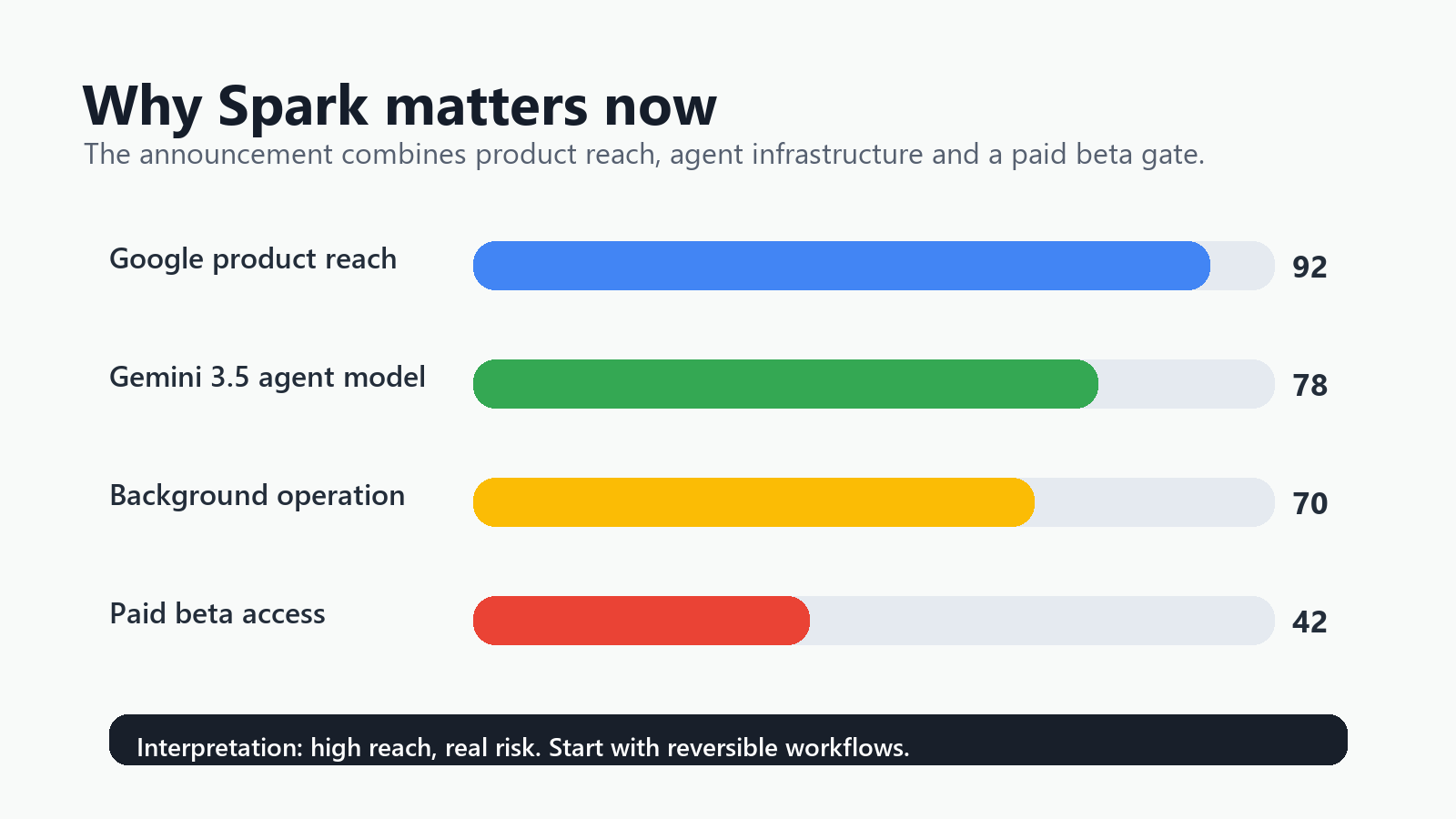
Google’s advantage is distribution. A standalone AI agent has to persuade users to install it, connect accounts, and trust it. Spark starts closer to the places where many people already work and plan: Gmail, Calendar, Drive, Docs, Sheets, and Android.
That is why Spark could become mainstream faster than earlier consumer agents. It does not need to replace your workflow. It can sit inside it.
But the same advantage creates the safety problem. A weak chatbot gives a bad answer. A weak agent with broad permissions can send the wrong email, move the wrong file, create the wrong calendar invite, or summarize private information into the wrong document. The cost of error rises when the model can act.
Who should test Gemini Spark first
Test Spark early if you meet most of these conditions:
- You are a U.S.-based Google AI Ultra subscriber or are invited as a trusted tester.
- You already use Gmail, Calendar, Drive, Docs, or Sheets heavily.
- You can start with low-stakes tasks that do not involve clients, money, legal obligations, medical data, or confidential work.
- You are willing to review every output before sending, publishing, deleting, moving, or buying anything.
- You can create a dedicated test label, test folder, or sample workspace instead of opening your whole account.
Spark is especially worth testing for: solo operators, students, creators, productivity-heavy professionals, Google Workspace power users, and reviewers who can evaluate agent behavior systematically.
Who should wait
Wait before using Spark seriously if any of these apply:
- You handle regulated data, including health, legal, financial, HR, education, or government records.
- You cannot tolerate a mistaken email, booking, file edit, or calendar invite.
- Your Google account contains sensitive client files mixed with personal data.
- You need admin-grade audit logs, retention controls, or approval workflows before using agents.
- You are outside the initial supported access group and would need to use workarounds to try it.
- You want Spark to make purchases, authorize payments, or interact with third-party services without supervision.
For businesses, the safer path is to test Spark in a sandbox Workspace environment before connecting it to production accounts.
Permissions to avoid on day one
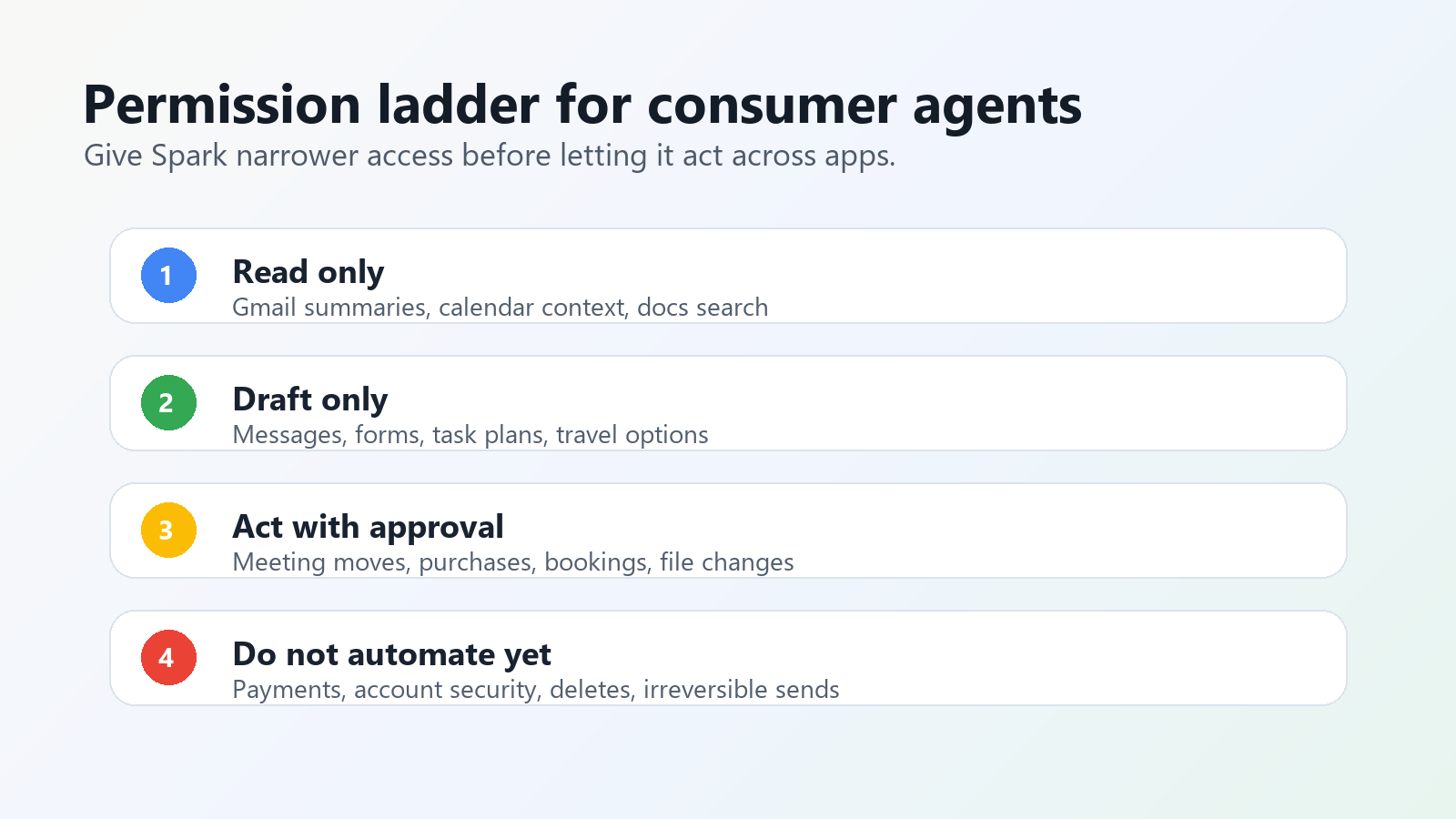
The rule is: give Spark the smallest useful permission, not the most convenient one.
| Permission or capability | Why to avoid it initially | Safer first test |
|---|---|---|
| Full Gmail history access | Your inbox may contain passwords, receipts, personal messages, contracts, and private contacts. | Create a label called “Spark Test” and only ask Spark to summarize messages in that label. |
| Permission to send emails automatically | A wrong tone, recipient, attachment, or factual claim can create real damage. | Allow draft creation only. Send manually. |
| Drive-wide file organization | Agents can misclassify, duplicate, rename, or move important files. | Use one test folder with copied files. |
| Calendar editing with invites | Incorrect invites can affect other people, not just you. | Ask for suggested time blocks and review them before adding. |
| Payments, shopping, bookings, or Google Wallet-related actions | Money and commitments should not be early autonomy tests. | Use research-only mode: compare options, but do not checkout. |
| Third-party app connections | External apps add new privacy policies, permissions, and failure points. | Start with Google-native read-only tasks. |
| Browser or screen context for sensitive work | Screen content may expose private pages, customer records, or internal tools. | Use a clean browser profile or non-sensitive tab set. |
The first Spark workflows worth testing
1. Weekly inbox digest from a test label
Good first prompt:
Review only emails with the label “Spark Test” from the past seven days. Summarize the five most important updates, list action items, and identify anything that needs my reply. Do not draft or send replies.
Good result: Spark identifies real priorities, cites the relevant email context, and separates facts from suggested next steps.
Stop if: it invents deadlines, merges separate threads incorrectly, or treats promotional emails as urgent.
2. Calendar planning without automatic invites
Look at my calendar for next week and suggest three 90-minute focus blocks for writing. Do not create events. Explain why each time works.
This tests whether Spark can reason across schedule constraints without affecting anyone else.
3. Drive folder inventory
Scan only the folder named “Spark Test Folder.” Create a table listing each file, its likely topic, whether it needs review, and one suggested next action. Do not rename, move, or delete anything.
This is a safe way to test file understanding before giving Spark broader Drive access.
4. Receipt and invoice extraction
From emails labeled “Receipts Test,” extract vendor name, date, amount, and category into a draft spreadsheet. Flag uncertain fields instead of guessing.
This is useful because it has structured output and obvious error checks. Compare totals manually before relying on it.
5. Research-only shopping or booking
Research three suitable options for a weekend hotel near Seoul Station for the dates I provide. Compare price, cancellation policy, location, and review concerns. Do not book or enter payment details.
This tests web browsing and comparison behavior while keeping checkout under human control.
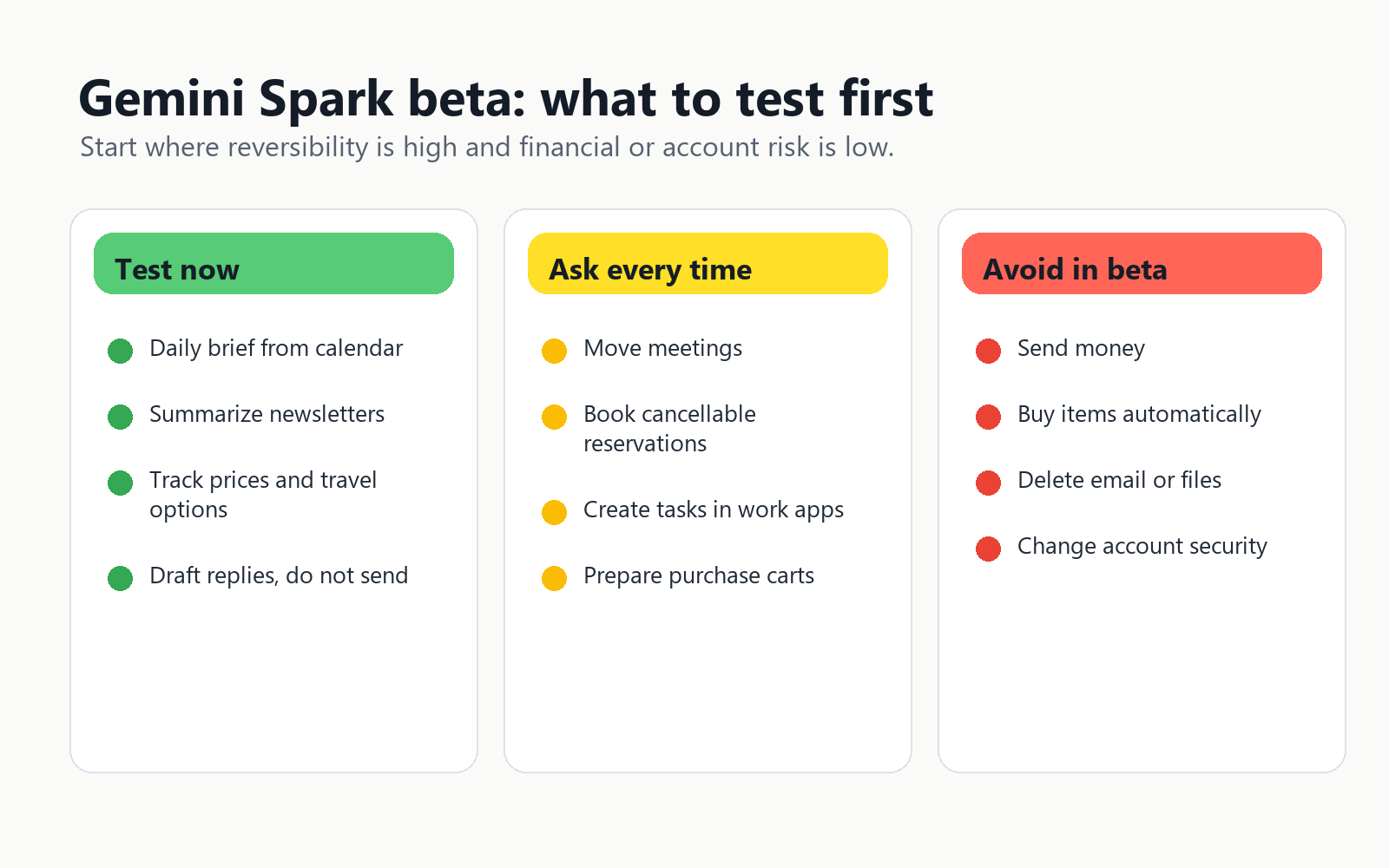
Simple Gemini Spark risk table
| Risk | Likelihood in early use | Impact | Practical control |
|---|---|---|---|
| Wrong summary or invented action item | Medium | Medium | Require source links or quoted evidence for every action item. |
| Overbroad private data access | Medium | High | Use labels, folders, and limited app connections. |
| Incorrect email draft | High | Medium to high | Draft-only mode; never auto-send at first. |
| Bad calendar action | Medium | Medium | Suggestions only; manually approve event creation. |
| File misclassification or accidental reorganization | Medium | High | Use copied files in a sandbox folder. |
| Unwanted purchase, booking, or payment | Low to medium if approvals work; high impact if they fail | High | Disable payment authority and checkout actions. |
| Third-party app data leakage | Unknown | High | Avoid third-party connectors until policies and permissions are clear. |
A safe 20-minute setup checklist
- Create a Gmail label called “Spark Test.”
- Create a Drive folder called “Spark Test Folder.”
- Copy non-sensitive files into that folder.
- Pick one workflow: inbox digest, folder inventory, or calendar suggestions.
- Connect only the app required for that workflow.
- Disable sending, deleting, purchasing, booking, and broad file changes where controls are available.
- Ask Spark to explain every proposed action before it takes it.
- Run the same task twice and compare consistency.
- Keep a mistake log: missed facts, invented facts, wrong priorities, bad formatting, or permission surprises.
- Only expand access after three to five clean runs.
What a good first-week Spark test looks like
A good test does not ask, “Can Spark run my life?” It asks, “Can Spark safely reduce one repetitive workflow under supervision?”
Use these success criteria:
- Accuracy: It identifies real facts and flags uncertainty.
- Traceability: It shows where each conclusion came from.
- Restraint: It asks before doing anything consequential.
- Reversibility: Its actions can be undone easily.
- Permission discipline: It does not request more access than the task requires.
If Spark fails any of these, reduce the task scope. Do not compensate by giving it more data or more permissions.
The bottom line
Gemini Spark is important because Google is not launching an isolated agent. It is moving agentic AI toward the consumer tools people already use every day. That makes Spark one of the most consequential AI announcements from Google I/O 2026.
But “mainstream” does not mean “ready for full autonomy.” The right first move is controlled testing: narrow permissions, low-stakes workflows, draft-only outputs, manual approvals, and a written mistake log.
Use Spark like a new employee on probation. Give it small tasks. Check its work. Do not hand it your wallet, inbox, and calendar on the first day.
Further reading on Tovren
- Google I/O 2026 recap: Gemini, agents, and what changed
- Gemini 3.5 Flash release, benchmarks, and pricing
- Best AI subscription in 2026: ChatGPT vs Gemini vs Claude vs Grok
- WinUI Agent Plugin: why desktop agents are becoming practical
Sources
- Google The Keyword: 100 things we announced at I/O 2026
- Axios: Google unveils broad new push to put AI everywhere
- Tom’s Guide: Google unveils Gemini Spark
- Android Central: Google AI plan and Gemini Spark beta access
FAQ
What is the safest first consumer-agent task?
Use low-risk research, planning, summarization, or comparison tasks before giving the agent account access or purchasing authority.
What is the main consumer-agent risk?
The main risk is invisible side effects: purchases, messages, privacy exposure, or settings changes that the user did not intend.
How should permissions be handled?
Grant the minimum permission needed for the task, then remove or review access after the task is complete.