Short answer: Small businesses should test Claude on one repeatable workflow before buying broader AI tooling. Start with customer replies, document summaries, proposals, or finance/admin review, then measure time saved and review risk.
Anthropic’s new Claude for Small Business is interesting because it points to where business AI is going next: not another empty chat box, but approved workflows inside the tools where small businesses already run payroll, sales, marketing, contracts, and customer work.
The product was announced on May 13, 2026. Anthropic says the package puts Claude inside small-business tools such as QuickBooks, PayPal, HubSpot, Canva, Docusign, Google Workspace, and Microsoft 365, with workflows for finance, operations, sales, marketing, HR, and customer service.
Demand Snapshot
| Search angle | Reader intent | Tovren angle |
|---|---|---|
| Claude for Small Business | Understand the launch and who it is for | Explain what changed and how to test it |
| AI for small business 2026 | Find practical, affordable AI workflows | Map the use cases to real owner tasks |
| QuickBooks AI workflow | Automate finance without losing control | Show payroll, close, invoice, and cash-flow examples |
| PayPal invoice automation | Chase overdue invoices and reconcile settlements | Explain review-before-send guardrails |
| Claude Cowork plugins | Understand the plugin and workflow model | Position Claude as an operator tool, not only chat |
What Actually Launched
According to Anthropic, Claude for Small Business is a package of connectors, skills, and ready-to-run workflows. The official solution page describes it as a one-click plugin that runs in Claude Cowork in the desktop app. The goal is simple: connect the tools a small business already uses, pick a job, and let Claude draft, reconcile, plan, or stage the work for owner approval.
The most important design detail is the approval model. Anthropic says business owners stay in the loop: every workflow is initiated by the user, and the user can approve the plan first or let it run end-to-end when ready. For small businesses, that matters more than a flashy demo. AI that touches money, customer communication, or contracts needs visible control.
The Workflows That Matter
Anthropic says the package includes 15 ready-to-run agentic workflows and 15 skills. The examples are practical: payroll planning, month-end close, business pulse briefs, campaign planning, invoice chasing, margin analysis, tax-season organization, contract review, lead triage, and content strategy.
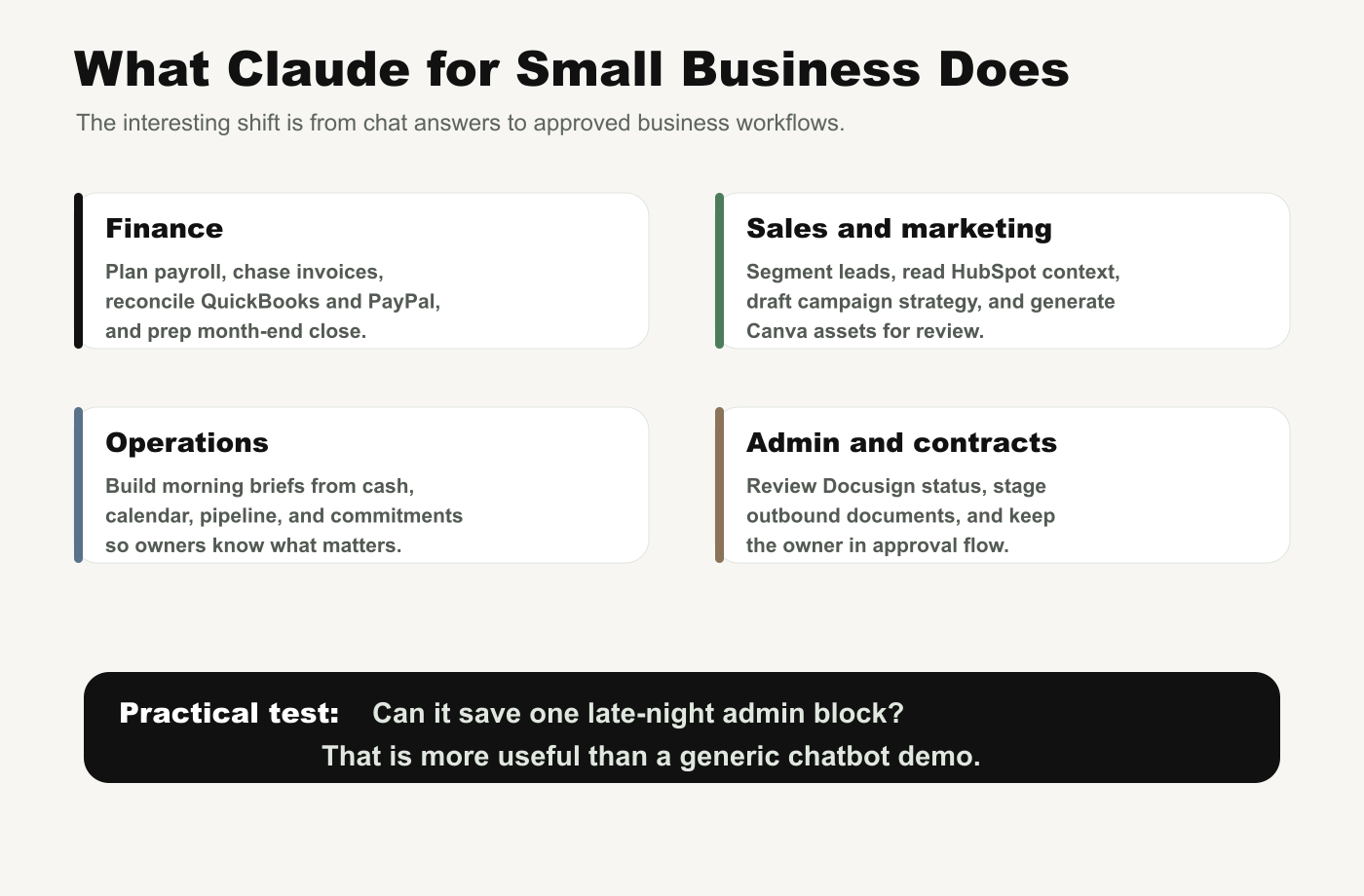
This is the right direction for SMB AI. Most owners do not need a model leaderboard. They need help with the work that happens after hours: reconciling payments, preparing accountant packets, following up on overdue invoices, drafting reminders, planning campaigns, checking pipeline movement, and turning scattered business data into a Monday morning brief.
The Connected Tool Layer
The official announcement names several key connectors. PayPal powers settlements, invoicing, disputes, and refunds. QuickBooks handles payroll planning, monthly close, cash flow, tax-season preparation, and reconciliation. HubSpot supports lead triage, customer pulse, and campaign attribution. Canva supports campaign asset generation. Docusign supports contracts and signature status. The solution page also names Google Workspace, Microsoft 365, Slack, and more.
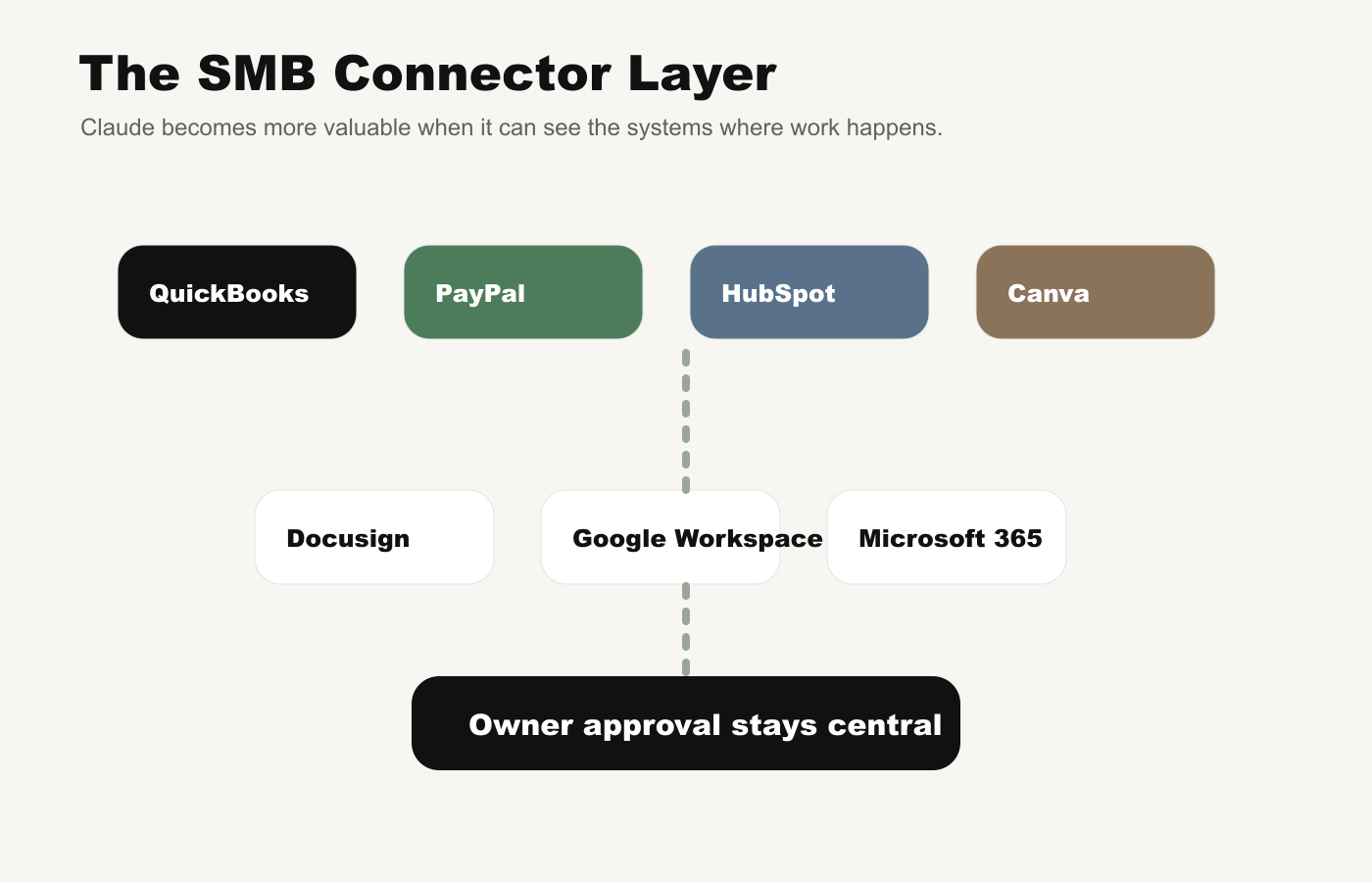
The bigger lesson is that AI becomes more valuable when it can see the systems where work already happens. A generic chatbot can draft an email. A connected workflow can draft the email after checking the invoice, settlement status, customer record, and cash-flow context.
Who Should Care First
| Business type | Best first workflow | Why |
|---|---|---|
| Service business | Invoice chaser and cash-flow brief | Turns unpaid work into an owner-approved follow-up process |
| Retail or product brand | Campaign planner and Canva asset draft | Connects sales dips to actual marketing output |
| Consulting firm | Month-end close and P&L narrative | Reduces accountant-prep friction and manual reconciliation |
| Local operator | Monday morning business pulse | Combines cash, calendar, pipeline, and commitments |
| Growing SMB | Lead triage and customer pulse | Helps sales teams prioritize follow-up without extra admin |
Trust and Limits
Anthropic frames trust as a central part of the product. The announcement says existing permissions hold: if an employee cannot see something in QuickBooks or Drive today, they cannot see it through Claude. Anthropic also says it does not train on customer data by default on Team and Enterprise plans.
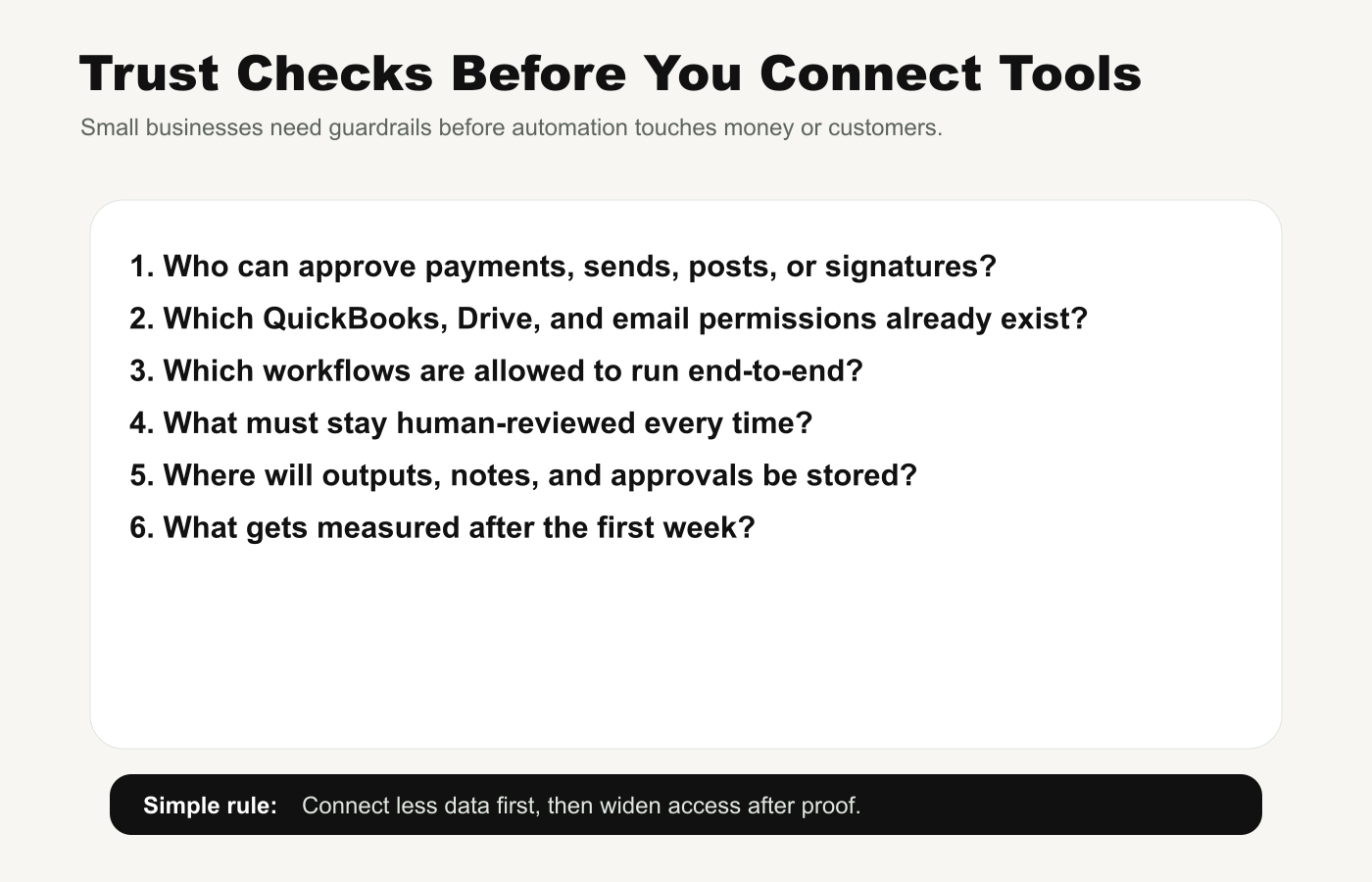
That still does not mean owners should connect everything on day one. A small business should start with one workflow, one owner, and only the data sources needed for that job. The first week should prove value and safety, not create a new permission mess.
A 7-Day Setup Plan
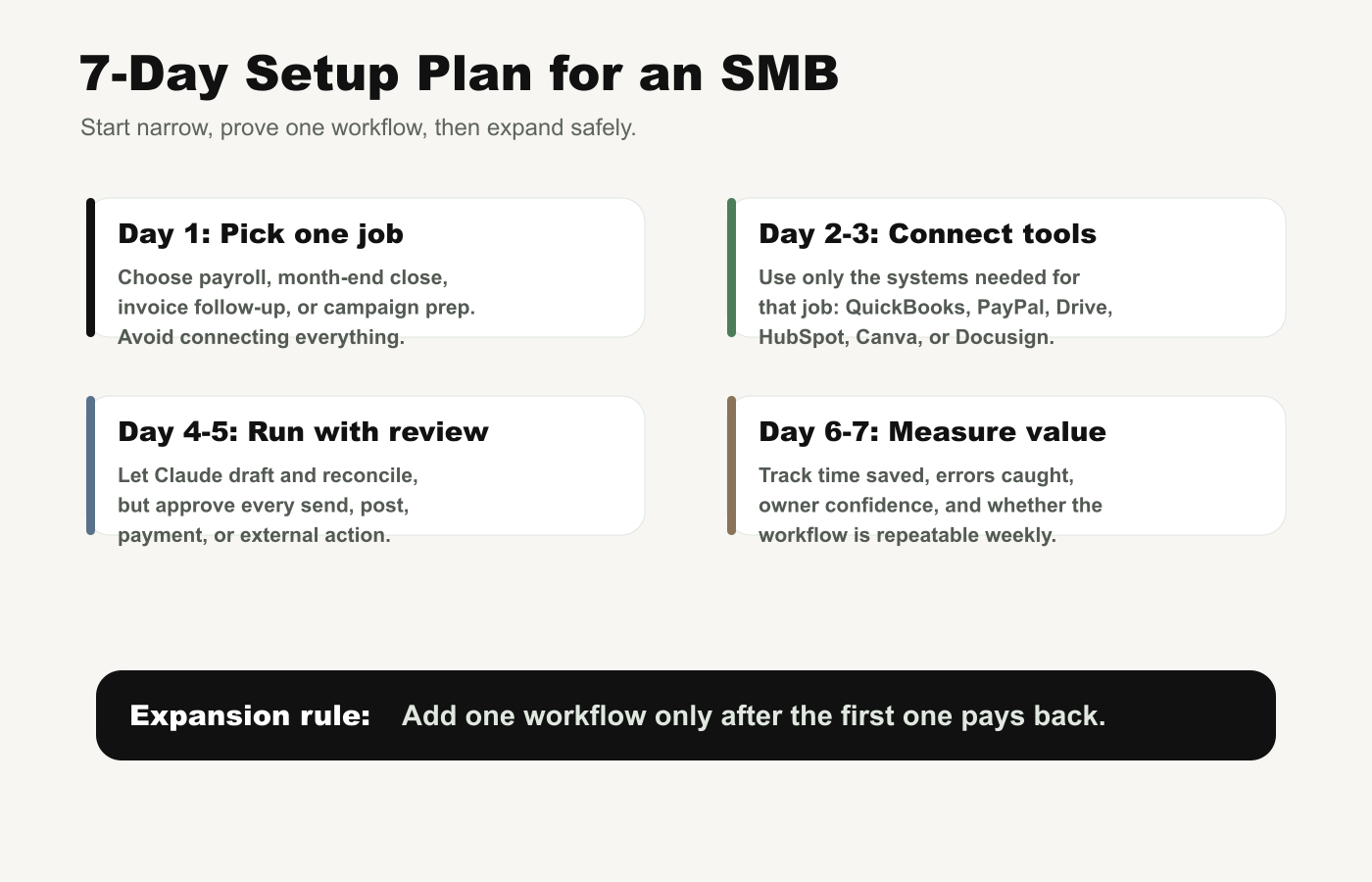
Day 1: Pick One Job
Choose a workflow that already wastes time every week: payroll planning, invoice follow-up, month-end close, a Monday morning brief, lead triage, or campaign preparation. Do not start with every department.
Day 2-3: Connect Only the Required Tools
If the workflow is invoice follow-up, you may need QuickBooks, PayPal, and email. If it is a campaign workflow, you may need HubSpot and Canva. Keep the surface area small.
Day 4-5: Run With Review
Let Claude draft, reconcile, analyze, and stage the work. Keep owner approval required for every send, post, payment, contract, or customer-facing action.
Day 6-7: Measure the Payback
Track time saved, errors caught, cash collected faster, review burden, employee confidence, and whether the workflow can be repeated next week. If the answer is unclear, do not expand yet.
What Could Go Wrong
- Over-connecting data. The biggest risk is giving an assistant broad access before permissions are clean.
- Confusing drafts with decisions. The owner should still approve money movement, customer messages, contracts, and external posts.
- Measuring vibes instead of outcomes. Track hours saved, errors reduced, invoices collected, campaign assets shipped, and admin tasks removed.
- Ignoring training. Anthropic is pairing the launch with AI fluency training because tools alone are not enough.
- Buying before workflow fit is proven. A great assistant is not valuable if it does not touch the recurring work that actually slows the business down.
Bottom Line
Claude for Small Business is worth watching because it targets a real gap: small businesses do not need more AI abstraction. They need workflow help in QuickBooks, PayPal, HubSpot, Canva, Docusign, Google Workspace, Microsoft 365, and the other systems that quietly consume owner time.
The practical test is simple: can this save one late-night admin block every week while keeping the owner in control? If yes, this kind of SMB AI workflow may be more important than another general chatbot feature.
Source Note
This article was prepared through the Tovren Editorial OS project in ChatGPT Pro Extended mode and then fact-checked against current official Anthropic and Claude sources before publication.
Source Log
- Anthropic: Introducing Claude for Small Business – launch date, partner tools, workflow examples, trust model, AI fluency course, and SMB tour details.
- Claude for Small Business solution page – plugin model, connected tools, workflow examples, and setup framing.
- Claude pricing – plan context for Team and Enterprise controls, seats, data-training defaults, and business features.
- Anthropic Trust Center – security and compliance context referenced by the launch announcement.
FAQ
What should a small business try first with Claude?
Start with one repeatable workflow such as customer replies, proposal drafting, meeting summaries, policy review, or document comparison.
When should a small business avoid Claude?
Avoid using it for unsupervised legal, financial, medical, or customer-impacting decisions unless a qualified human reviews the output.
How do you measure whether Claude is worth paying for?
Track time saved, rework rate, user adoption, risk reduction, and whether the workflow produces a measurable business outcome.